
MB-230 · Question #44
Drag and Drop Question You are a customer service representative using Dynamics 365 Customer Service Hub. You need to link the knowledge base records that relate to cases and send articles to…
The correct answer is B. Open an existing case record C. Locate the knowledge-base article. Select Link, and then select Email D. Type the search terms relating to the case issue in the KB Records tab. Dynamics 365 Customer Service Hub - KB Records & Email Question The Task Link knowledge base (KB) articles to cases and send those articles to customers - two related goals accomplished through the built-in KB Records tab workflow. --- Correct Three-Step Sequence Step 1 → B…
Question
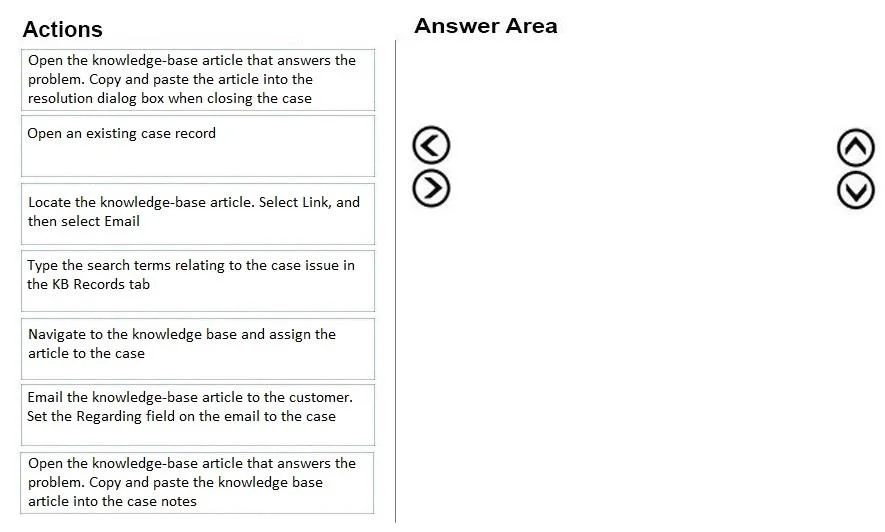
Drag and Drop Question You are a customer service representative using Dynamics 365 Customer Service Hub. You need to link the knowledge base records that relate to cases and send articles to customers. Which three actions should you perform in sequence? To answer, move the appropriate actions from the list of actions to the answer area and arrange them in them correct order. Answer:
Exhibit
Options
- AOpen the knowledge-base article that answers the problem. Copy and paste the article into the resolution dialog box when closing the case
- BOpen an existing case record
- CLocate the knowledge-base article. Select Link, and then select Email
- DType the search terms relating to the case issue in the KB Records tab
- ENavigate to the knowledge base and assign the article to the case
- FEmail the knowledge-base article to the customer. Set the Regarding field on the email to the case
- GOpen the knowledge-base article that answers the problem. Copy and paste the knowledge base article into the case notes
How the community answered
(19 responses)- B84% (16)
- E11% (2)
- F5% (1)
Explanation
Dynamics 365 Customer Service Hub - KB Records & Email Question
The Task
Link knowledge base (KB) articles to cases and send those articles to customers - two related goals accomplished through the built-in KB Records tab workflow.
Correct Three-Step Sequence
Step 1 → B: Open an existing case record
You must start inside a case. The KB Records search panel is embedded within the case form - it does not exist independently. There is no way to link a KB article to a case without first opening that case.
Step 2 → D: Type the search terms relating to the case issue in the KB Records tab
Once inside the case, the KB Records tab provides an inline search. Typing keywords here surfaces relevant articles without leaving the case context. This is the intended, integrated workflow - not navigating away to the knowledge base separately.
Step 3 → C: Locate the knowledge-base article. Select Link, and then select Email
After finding the right article, you select Link (which formally associates the article with the case) and then Email (which opens a pre-populated email to send the article to the customer). Both actions happen in one step from the search results panel.
Why the Distractors Are Wrong
| Option | Why It's Wrong |
|---|---|
| A | Copying into the resolution dialog is for closing/resolving a case - not for linking or emailing mid-case |
| E | Navigating to the knowledge base separately breaks the integrated workflow; linking must happen from within the case |
| F | Manually emailing and setting the Regarding field works but bypasses the built-in Link + Email flow the question targets |
| G | Pasting into case notes doesn't send anything to the customer and doesn't formally link the article |
Common Mistakes
- Choosing E over D - Candidates often think you navigate to the KB separately, but the KB Records tab brings the search to the case, not the other way around.
- Splitting Step 3 into two steps - "Link" and "Email" are a single action sequence from the same panel, not separate steps.
- Choosing A - Confusing the KB article email workflow with the case resolution workflow, which uses the article differently.
Topics
Community Discussion
No community discussion yet for this question.