
MS-900 · Question #314
Hotspot Question You add a comment to a Word document that includes the @ sign and a user's name. Instructions: For each of the following statements, select Yes if the statement is true. Otherwise…
The correct answer is The email notification that the user receives displays a preview of the document text and the associated comment. = Yes; When the user clicks the link in the email, the document opens to the comment in the file. = Yes; The user can respond to the comment in the document directly from the email. = No. This hotspot question tests knowledge of the @mention feature in Microsoft Word comments, which allows users to tag colleagues directly within document comments to notify them and assign action items.
Question
Exhibit
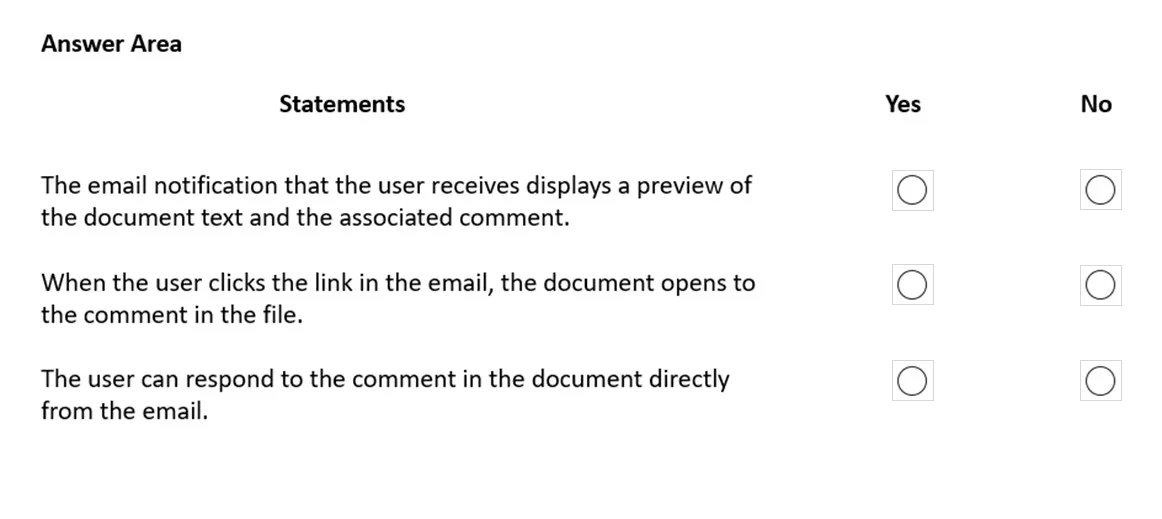
Answer Area
- The email notification that the user receives displays a preview of the document text and the associated comment.Yes
- When the user clicks the link in the email, the document opens to the comment in the file.Yes
- The user can respond to the comment in the document directly from the email.No
Explanation
This hotspot question tests knowledge of the @mention feature in Microsoft Word comments, which allows users to tag colleagues directly within document comments to notify them and assign action items.
Approach. When you add a comment in Word and use the @ sign followed by a person's name, Word automatically sends an email notification to that tagged user, directing them to the specific comment in the document. The tagged person receives a link to the document and can respond directly. If the tagged user does not already have access to the document, Word prompts the comment author to share the document with them. This feature is available in Word for Microsoft 365 and integrates with Outlook and Microsoft Teams for notifications.
Concept tested. Microsoft Word @mention feature in comments - understanding that using @ followed by a name in a Word comment sends an email notification to the mentioned user, prompts document sharing if needed, and allows collaborative communication directly within the document's comment thread.
Reference. Microsoft Support: Use @mention in comments in Word - https://support.microsoft.com/en-us/office/use-mention-in-comments-in-word-644bf689-31a0-4977-a4fb-afe99b3b9b65
Topics
Community Discussion
No community discussion yet for this question.