
MS-900 · Question #284
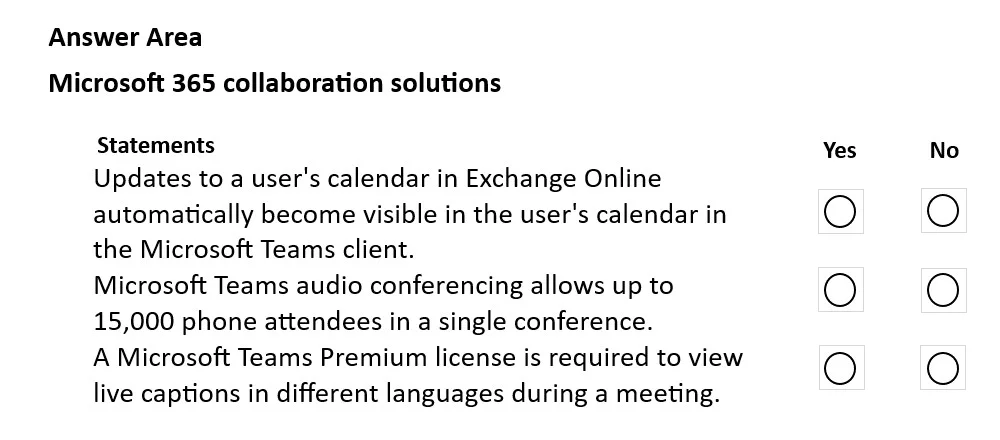
Hotspot Question A company is investigating the collaboration solutions in Microsoft 365. For each of the following statements, select Yes if the statement is true. Otherwise, select No. NOTE: Each…
The correct answer is Updates to a user's calendar in Exchange Online automatically become visible in the user's calendar in the Microsoft Teams client. = Yes; Microsoft Teams audio conferencing allows up to 15,000 phone attendees in a single conference. = No; A Microsoft Teams Premium license is required to view live captions in different languages during a meeting. = Yes. This hotspot question tests knowledge of Microsoft 365 collaboration solutions, including tools like Microsoft Teams, SharePoint, Yammer, OneDrive, and other related services. Candidates must evaluate each statement about these tools and determine if it is true (Yes) or false…
Question
Exhibit
Answer Area
- Updates to a user's calendar in Exchange Online automatically become visible in the user's calendar in the Microsoft Teams client.Yes
- Microsoft Teams audio conferencing allows up to 15,000 phone attendees in a single conference.No
- A Microsoft Teams Premium license is required to view live captions in different languages during a meeting.Yes
Explanation
This hotspot question tests knowledge of Microsoft 365 collaboration solutions, including tools like Microsoft Teams, SharePoint, Yammer, OneDrive, and other related services. Candidates must evaluate each statement about these tools and determine if it is true (Yes) or false (No).
Approach. To answer this type of question correctly, you must understand the core capabilities of each Microsoft 365 collaboration tool. Microsoft Teams is the hub for teamwork, combining chat, meetings, calling, and file collaboration. SharePoint is used for intranet sites, document management, and team collaboration sites. Yammer (now Microsoft Viva Engage) is an enterprise social networking platform for organization-wide communication. OneDrive provides personal cloud storage and file sharing. Key distinctions include: Teams channels support persistent chat and file sharing via integrated SharePoint document libraries; SharePoint Online supports co-authoring documents in real time; Yammer is best suited for broad, community-style communication rather than small team collaboration; and Microsoft 365 Groups serve as the membership backbone shared across Teams, SharePoint, Outlook, and Planner.
Concept tested. Understanding the features, use cases, and distinctions among Microsoft 365 collaboration tools including Microsoft Teams, SharePoint Online, OneDrive for Business, Yammer/Viva Engage, and Microsoft 365 Groups.
Reference. Microsoft Learn - Compare collaboration options in Microsoft 365: https://learn.microsoft.com/en-us/microsoft-365/solutions/collaboration-governance-overview
Topics
Community Discussion
No community discussion yet for this question.