
Microsoft
MB-800 · Question #78
Drag and Drop Question Your company starts using Dynamics 365 Business Central. You are configuring the company's configuration worksheet to plan, track, and perform configuration work. Your manager…
Sign in or unlock MB-800 to reveal the answer and full explanation for question #78. The question stem and answer options stay visible for context.
Set up Business Central
Question
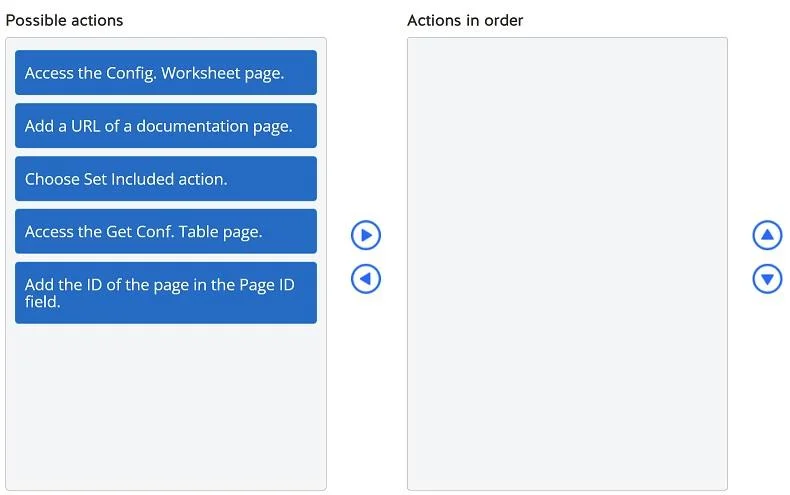
Drag and Drop Question Your company starts using Dynamics 365 Business Central. You are configuring the company's configuration worksheet to plan, track, and perform configuration work. Your manager asks you to add a specific table to the configuration sheet to facilitate the company's work along with information that will help employees set up the table. You need to add the table to the worksheet. Which three actions should you perform in sequence? To answer, move the appropriate actions from the list of possible actions to the answer area and arrange them in the correct order. Answer:
Exhibit
Answer Area
Drag items
Access the Config. Worksheet page.Add a URL of a documentation page.Choose Set Included action.Access the Get Conf. Table page.Add the ID of the page in the Page ID field.
Unlock MB-800 to see the answer
You've previewed enough free MB-800 questions. Unlock MB-800 for full answers, explanations, the timed quiz mode, progress tracking, and the master PDF. Question stem and options stay visible so you can still see what's on the exam.
Topics
#configuration worksheet#RapidStart Services#table configuration#setup sequence