
MB-500 · Question #145
Case Study 1 - Wide World Importers Background Wide World Importers sell office supplies, furniture, and fittings to their customers across the United States. The company has the following…
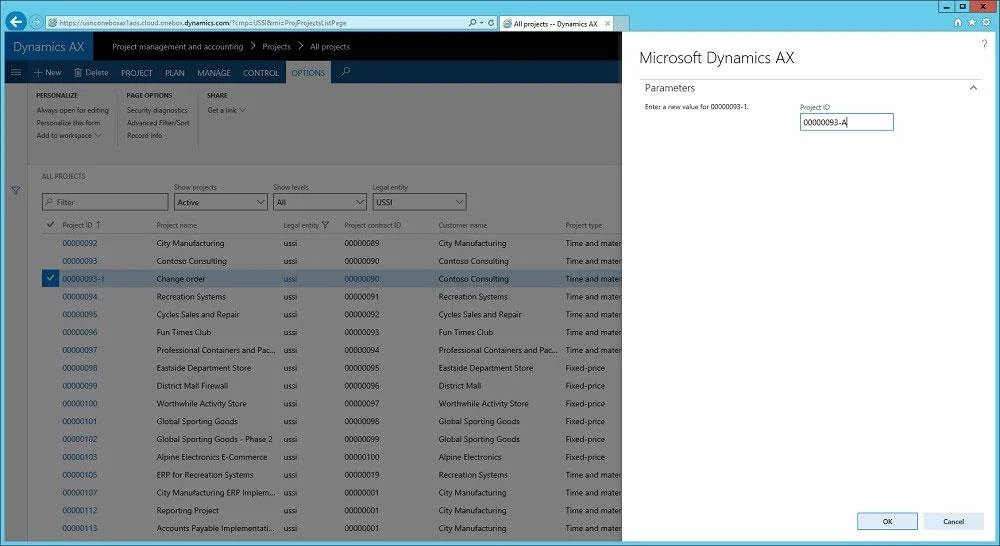
The correct answer is B. Navigate to the Page options tab, select Record Info, and then select Show all fields. Note: A sales manager suspects a data-related issue in the vendor exclusion list. User1 must identify the user who created the referenced exclusion records. On each form in Microsoft Dynamics AX, there is a menu item Record info on the OPTIONS Click on the Record info button to…
Question
Exhibit
Options
- ANavigate to the General tab and select Database log.
- BNavigate to the Page options tab, select Record Info, and then select Show all fields.
- CNavigate to the Options tab and select Personalize this form. Add a field button and the required
- DNavigate to the General tab and select Personalize this form. Add a field button and the required
How the community answered
(20 responses)- B90% (18)
- C5% (1)
- D5% (1)
Explanation
Note: A sales manager suspects a data-related issue in the vendor exclusion list. User1 must identify the user who created the referenced exclusion records. On each form in Microsoft Dynamics AX, there is a menu item Record info on the OPTIONS Click on the Record info button to get the next dialog presented. The dialog gives you also the option to show all fields or view database log records related to a https://kaya-consulting.com/en/how-to-rename-records-in-ax7/
Topics
Community Discussion
No community discussion yet for this question.