
Microsoft
MB-335 · Question #197
Drag and Drop Question A beverage manufacturing company is implementing Dynamics 365 Supply Chain Management. The company will use the batch balancing functionality to create the beverages…
Sign in or unlock MB-335 to reveal the answer and full explanation for question #197. The question stem and answer options stay visible for context.
Configure production prerequisites
Question
Drag and Drop Question A beverage manufacturing company is implementing Dynamics 365 Supply Chain Management. The company will use the batch balancing functionality to create the beverages. IngredientA must be configured for a target value of 40 with a minimum of 35 and a maximum of 45. IngredientB must be configured to account for target value variances. You need to configure the ingredient-based calculations. Which ingredient type should you configure for each requirement? To answer, drag the appropriate ingredient types to the correct requirements. Each ingredient type may be used once, more than once, or not at all. You may need to drag the split bar between panes or scroll to view content. Answer:
Exhibit
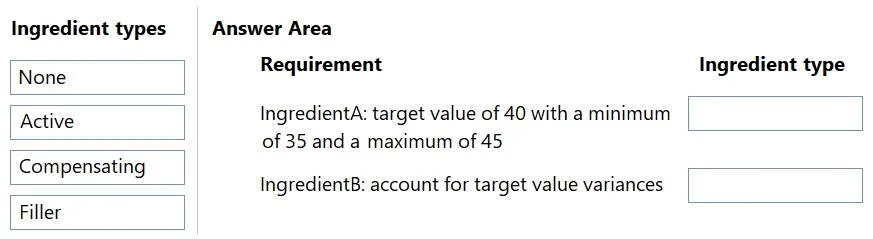
Answer Area
Drag items
NoneActiveCompensatingFiller
Unlock MB-335 to see the answer
You've previewed enough free MB-335 questions. Unlock MB-335 for full answers, explanations, the timed quiz mode, progress tracking, and the master PDF. Question stem and options stay visible so you can still see what's on the exam.
Topics
#batch balancing#active ingredient#compensating ingredient#ingredient types