nerdexam
Microsoft

MB-335 · Question #193

Drag and Drop Question A pharmaceutical manufacturer uses Process manufacturing. You are consolidating planned batch orders for a specific medication. The order must cover two weeks of demand. No…

The correct answer is Create a new coverage group.; Define the coverage period as the equivalent of two weeks in days.; Apply the new coverage group to the medication.; Rerun the plan. Explanation: Consolidating Planned Batch Orders via Coverage Group Context: In Dynamics 365 Supply Chain Management (Process manufacturing), a coverage group controls how master planning calculates supply - including the coverage period (how many days of demand to consolidate…

Configure production prerequisites

Question

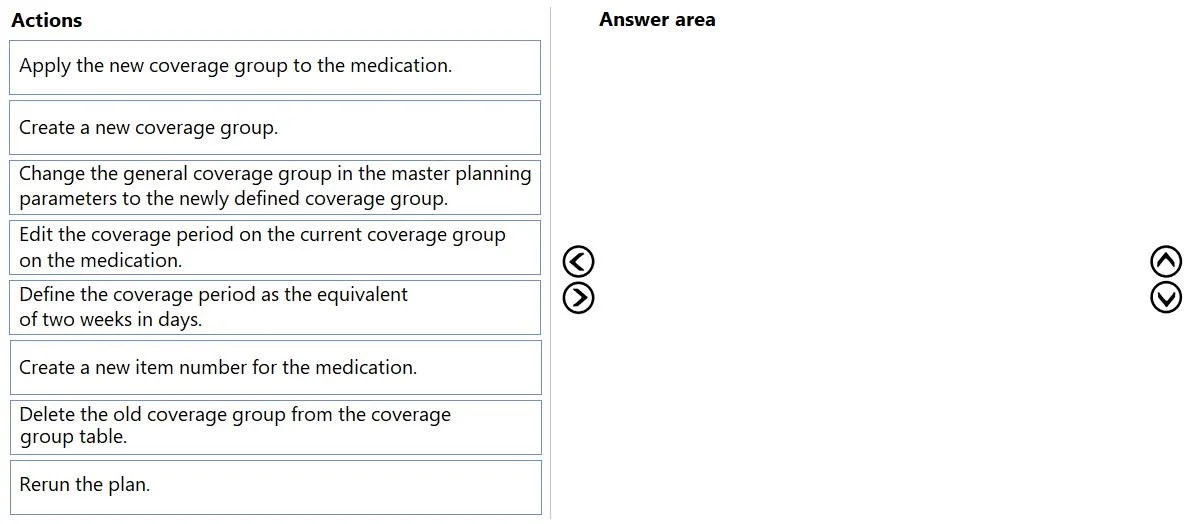
Drag and Drop Question A pharmaceutical manufacturer uses Process manufacturing. You are consolidating planned batch orders for a specific medication. The order must cover two weeks of demand. No other items need to be consolidated. You need to change the coverage group of the items. Which four actions should you perform in sequence? To answer, move the appropriate actions from the list of actions to the answer area and arrange them in the correct order. Answer:

Exhibit
MB-335 question #193 exhibit

Answer Area

Drag items

Apply the new coverage group to the medication.Create a new coverage group.Change the general coverage group in the master planning parameters to the newly defined coverage group.Edit the coverage period on the current coverage group on the medication.Define the coverage period as the equivalent of two weeks in days.Create a new item number for the medication.Delete the old coverage group from the coverage group table.Rerun the plan.

Correct arrangement

  • Create a new coverage group.
  • Define the coverage period as the equivalent of two weeks in days.
  • Apply the new coverage group to the medication.
  • Rerun the plan.

Explanation

Explanation: Consolidating Planned Batch Orders via Coverage Group

Context: In Dynamics 365 Supply Chain Management (Process manufacturing), a coverage group controls how master planning calculates supply - including the coverage period (how many days of demand to consolidate into one order). To make a medication consolidate two weeks of demand, you need a coverage group with a 14-day period applied to that item.


Why These Four Steps, In This Order

1. Create a new coverage group.

You create a new group rather than modifying the existing one because changing an existing coverage group would affect every other item currently using it - a side effect you must avoid. The question explicitly states "no other items need to be consolidated," so isolation is required. This is the prerequisite: you can't configure something that doesn't exist yet.

2. Define the coverage period as the equivalent of two weeks in days.

Once the group exists, you configure it - setting the coverage period to 14 days. This step must come after creation (you need the object to exist before editing its properties) and before applying it (you shouldn't assign an unconfigured group to an item).

3. Apply the new coverage group to the medication.

Now you assign the correctly configured group to the specific medication item. This links the item's planning behavior to the new 14-day rule. Order matters: if you assigned first and configured second, master planning could run with incorrect settings in the interim.

4. Rerun the plan.

Master planning must be executed again to recalculate supply orders using the updated coverage group. Changes to item settings don't retroactively update planned orders - a plan rerun is always required to generate new consolidated batch orders reflecting the new coverage period.


Why the Distractors Are Wrong

DistractorWhy it's incorrect
Edit the coverage period on the current coverage groupModifies a shared group, affecting all items using it - violates the "no other items" constraint.
Change the general coverage group in master planning parametersThis changes the default fallback for items with no group assigned. It's a global setting, not item-specific.
Create a new item numberCompletely unnecessary; you're changing planning behavior, not the item's identity.
Delete the old coverage groupDangerous and not required. Other items may depend on it.

Common Misconceptions

  • "Just edit the existing coverage group" - This is the most common trap. Students forget that coverage groups are shared across items. Editing it would cascade to all items using it.
  • "Skipping the rerun" - Students sometimes think saving the item setting is enough. Master planning is a batch calculation; it doesn't update reactively. The rerun is mandatory to generate new planned orders.
  • Confusing item-level vs. parameter-level settings - The master planning parameters coverage group is a system-wide default. The question requires item-specific control, so you must assign at the item level (step 3), not the parameter level.

Topics

#coverage group#master planning#batch order consolidation#coverage period

Community Discussion

No community discussion yet for this question.

Full MB-335 Practice