
MB-500 · Question #313
Drag and Drop Question You are implementing Dynamics 365 Finance for two companies. Each company has specific requirements: - CompanyA requires that the latest version always be available…
The correct answer is Cloud; On-premises. Dynamics 365 Finance: Environment Type Selection The Correct Arrangement | Requirement | Environment Type | |---|---| | Latest version always available automatically | Cloud | | Must integrate with Power BI Desktop | On-premises | --- Item-by-Item Explanation 1. CompanyA →…
Question
Exhibit
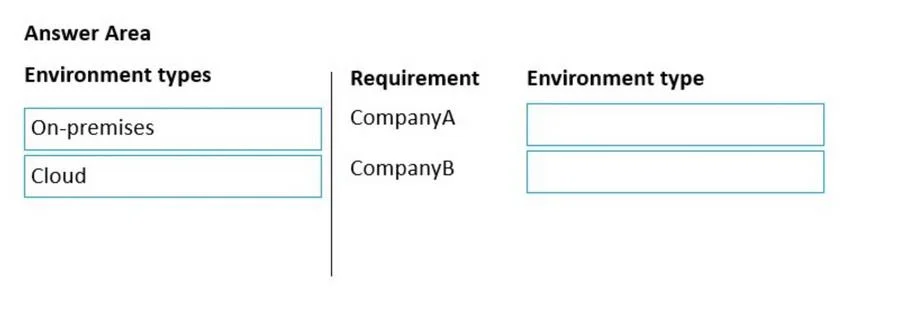
Answer Area
Drag items
Correct arrangement
- Cloud
- On-premises
Explanation
Dynamics 365 Finance: Environment Type Selection
The Correct Arrangement
| Requirement | Environment Type |
|---|---|
| Latest version always available automatically | Cloud |
| Must integrate with Power BI Desktop | On-premises |
Item-by-Item Explanation
1. CompanyA → Cloud
Cloud environments (Microsoft-managed SaaS) receive continuous, automatic updates pushed by Microsoft. There is no manual patching cycle - the latest version is always applied without IT intervention. This directly satisfies "latest version always available automatically."
On-premises would fail here because updates must be manually downloaded, tested, and applied by the customer's team. There is no automatic rollout.
2. CompanyB → On-premises
Dynamics 365 Finance on-premises deployments support direct integration with Power BI Desktop via the local business data connector, allowing reports to be built directly against the on-premises AOS (Application Object Server) data.
Cloud environments are designed to work with Power BI Service (the cloud portal) and Power BI Embedded - not Power BI Desktop as a standalone integration. Microsoft's architecture for cloud D365 Finance routes analytics through the Power BI service, not the Desktop client application.
Common Misconceptions
- "Cloud also supports Power BI Desktop via OData" - Technically some connectivity exists, but exam context and Microsoft documentation specifically associate Power BI Desktop integration as an on-premises capability/use case.
- "On-premises can also auto-update" - It cannot. Update rings and automatic deployments are a cloud-only feature.
- Conflating Power BI Desktop with Power BI Service - These are different products. Desktop = local authoring tool; Service = cloud portal. The question specifically says "Power BI Desktop," which is the on-premises scenario.
Topics
Community Discussion
No community discussion yet for this question.