
70-663 · Question #28
You have an Exchange Server 2010 organization. You have a global security group named Legal that contains all the members of your company's legal department. The company's security policy states…
The correct answer is A. a Discovery Management role group. In order to search mailboxes you need to be a member of the Discovery Management role group. The Discovery Management role group is one of several built-in role groups that make up the Role Based Access Control (RBAC) permissions model in Microsoft Exchange Server 2010. Role…
Question
You have an Exchange Server 2010 organization. You have a global security group named Legal that contains all the members of your company's legal department. The company's security policy states that the Legal group must be able to search all mailboxes for e-mail messages that contain specific keywords. You need to recommend a solution for the organization that complies with the security policy. What should you include in the solution?
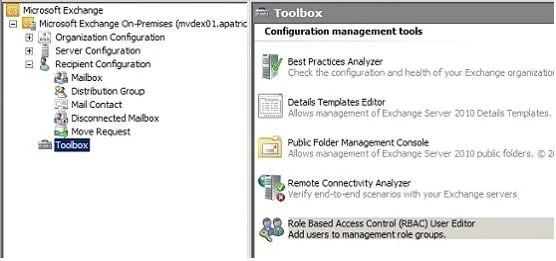
Exhibit
Options
- Aa Discovery Management role group
- Ba legal hold
- Cadministrator audit logging
- DMailbox journaling
How the community answered
(30 responses)- A80% (24)
- B3% (1)
- C13% (4)
- D3% (1)
Explanation
In order to search mailboxes you need to be a member of the Discovery Management role group. The Discovery Management role group is one of several built-in role groups that make up the Role Based Access Control (RBAC) permissions model in Microsoft Exchange Server 2010. Role groups are assigned one or more management roles that contain the permissions required to perform a given set of tasks. The members of a role group are granted access to the management roles assigned to the role group. For more information about role groups, see Understanding Management Role Groups. Administrators or users who are members of the Discovery Management role group can perform searches of mailboxes in the Exchange organization for data that meets specific criteria and can also configure legal holds on mailboxes. Click Options and then See All Options. Finally, click Manage Myself next to Options: and select When you click Mail Control the only option available on the right side will be Discovery (Figure 02), and on the same page we will have everything that we need to manage a Multi-Mailbox
Topics
Community Discussion
No community discussion yet for this question.