
70-663 · Question #27
Your network contains 20 offices. Each office contains 1,000 users. The users access their e-mail messages by using Microsoft Exchange server. You have an Exchange Server 2010 organization. You need…
The correct answer is A. Create 20 new address lists and 20 offline address books (OABs). Address lists are a collection of recipient and other Active Directory objects. Each address list can contain one or more types of objects (for example, users, contacts, groups, public folders, conferencing, and other resources). Address lists also provide a mechanism to…
Question
Your network contains 20 offices. Each office contains 1,000 users. The users access their e-mail messages by using Microsoft Exchange server. You have an Exchange Server 2010 organization. You need to recommend an Exchange Server solution that meets the following requirement:
- Ensures that users in each office download the list of recipients for
their office only
- Ensures that users in each office can send e-mail messages to any
user in the organization What should you recommend?
Exhibit
Options
- ACreate 20 new address lists and 20 offline address books (OABs).
- BCreate 20 new managed folder mailbox policies and 20 e-mail address policies.
- CCreate 20 new dynamic distribution groups and then create 20 new global address lists (GALs).
- DCreate 20 new mailbox databases and then move the mailboxes from each office to a separate
How the community answered
(57 responses)- A79% (45)
- B12% (7)
- C5% (3)
- D4% (2)
Explanation
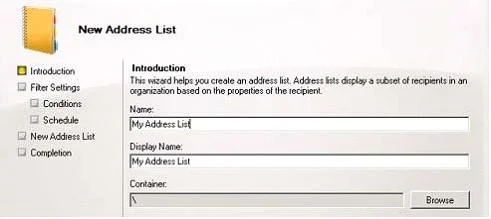
Address lists are a collection of recipient and other Active Directory objects. Each address list can contain one or more types of objects (for example, users, contacts, groups, public folders, conferencing, and other resources). Address lists also provide a mechanism to partition mail- enabled objects in Active Directory for the benefit of specific groups of users. When Outlook users are running in cached mode or otherwise disconnected from their Exchange infrastructure, they rely on the Offline Address Book (OAB) to provide them with access to one or more address lists that are always available when they are connected directly to Exchange. It's the Microsoft Exchange System Attendant service running on the mailbox server role that first produces the OAB data. But the distribution is done by CAS web server [OAB virtual directory]. The specific mailbox server that produces the initial data depends on which server has been configured to generate the OAB. To create a custom OAB: 1. Create an address list: Click Mailbox under Organization Configuration and in the Action pane, click New Address List. Configure the filter based on your criteria's: 2. Create OAB based on an address list:
Topics
Community Discussion
No community discussion yet for this question.