
MS-720 · Question #16
Your company has offices in 10 countries. The company has a tenant dial plan configured for each country. The company recently opened an office in a new country. You need to create a new tenant dial…
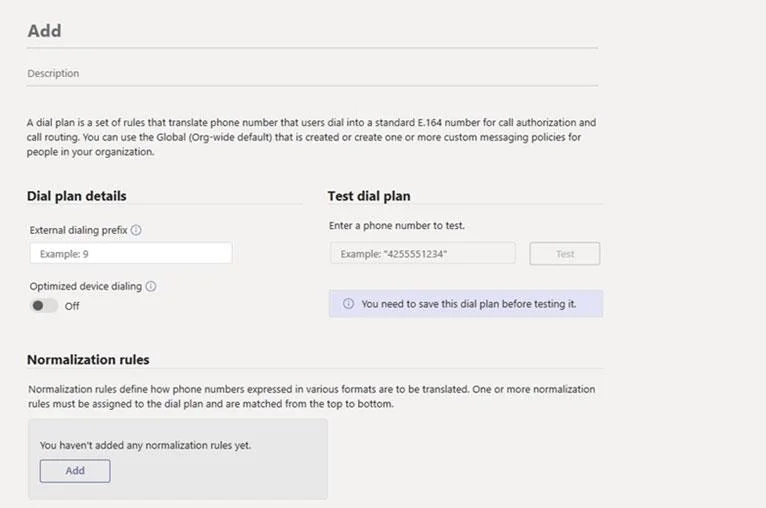
The correct answer is B. From the Microsoft Teams admin center, select Voice, select Dial plan, and then select Add. Creating a new tenant dial plan is done through the Teams admin center under Voice > Dial plan > Add, which provides the UI workflow specifically designed for creating and configuring new dial plans with country-specific normalization rules - making B correct. Why the…
Question
Exhibit
Options
- ARun the New-CsOnlineVoiceRoutingPolicy cmdlet.
- BFrom the Microsoft Teams admin center, select Voice, select Dial plan, and then select Add.
- CFrom the Microsoft Teams admin center, select Locations, select Network topology, and then
- DRun the Set-CsTenantDialPlan cmdlet.
How the community answered
(66 responses)- A2% (1)
- B89% (59)
- C3% (2)
- D6% (4)
Explanation
Creating a new tenant dial plan is done through the Teams admin center under Voice > Dial plan > Add, which provides the UI workflow specifically designed for creating and configuring new dial plans with country-specific normalization rules - making B correct.
Why the distractors are wrong:
- A (
New-CsOnlineVoiceRoutingPolicy) creates a voice routing policy, not a dial plan - these control how calls are routed, not how numbers are normalized for local dialing patterns. - C (Locations > Network topology) manages network sites and subnets for location-based routing and emergency calling - unrelated to dial plan creation.
- D (
Set-CsTenantDialPlan) modifies an existing dial plan; to create a new one via PowerShell you'd useNew-CsTenantDialPlan, but the question's correct path is through the admin center UI.
Memory tip: Think "New country = New dial plan = Add button" - the Teams admin center's Voice > Dial plan > Add path mirrors this logic, and anytime a question says "create new," watch for New-Cs* cmdlets or an Add button; Set-Cs* cmdlets always modify existing objects, never create them.
Topics
Community Discussion
No community discussion yet for this question.