
Microsoft
MB-800 · Question #93
Drag and Drop Question You are setting up a new item in Dynamics 365 Business Central. The item is a tangible good with an inventory asset value. The item is acquired by purchase specifically for…
Sign in or unlock MB-800 to reveal the answer and full explanation for question #93. The question stem and answer options stay visible for context.
Inventory
Question
Drag and Drop Question You are setting up a new item in Dynamics 365 Business Central. The item is a tangible good with an inventory asset value. The item is acquired by purchase specifically for each new instance of demand from an order. You need to configure the Type, Replenishment System, and Reordering Policy fields on the item card to achieve the stated requirements. How should you configure each field? To answer, drag the appropriate values to the correct fields. Each value may be used once, more than once, or not at all. You may need to drag the split bar between panes or scroll to view content. NOTE: Each correct selection is worth one point. Answer:
Exhibit
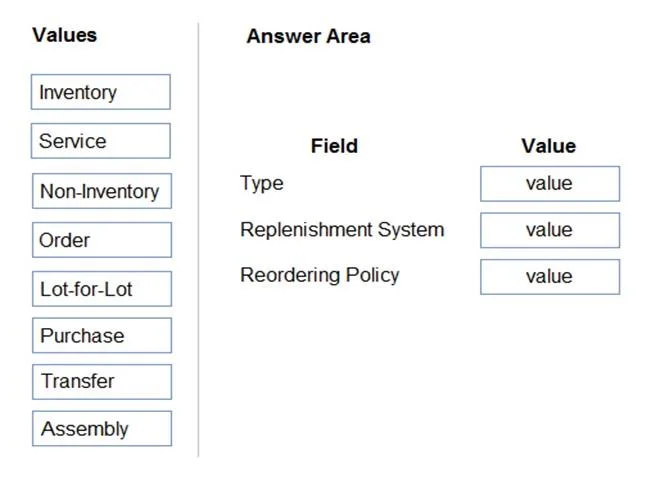
Answer Area
Drag items
InventoryServiceNon-InventoryOrderLot-for-LotPurchaseTransferAssembly
Unlock MB-800 to see the answer
You've previewed enough free MB-800 questions. Unlock MB-800 for full answers, explanations, the timed quiz mode, progress tracking, and the master PDF. Question stem and options stay visible so you can still see what's on the exam.
Topics
#item type#replenishment system#reordering policy#item card