
MB-310 · Question #87
Drag and Drop Question An organization sells monthly service subscriptions. The organization sends invoices to customers on the 15th of every month in the amount of $450.00. You need to set up…
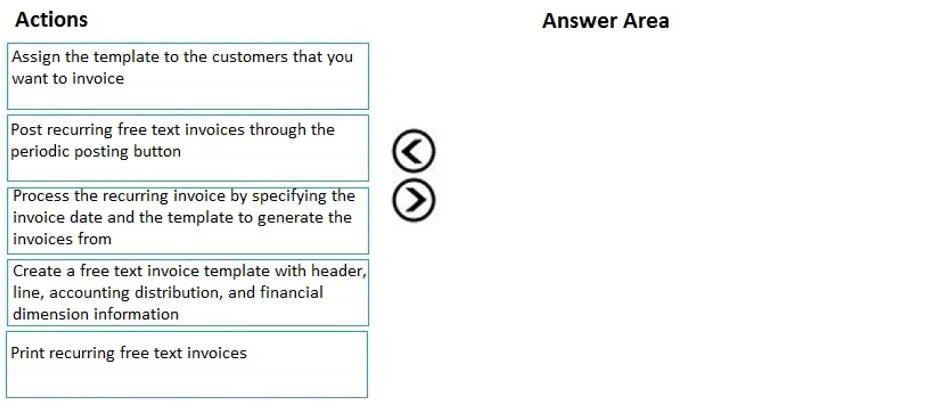
The correct answer is Create a free text invoice template with header, line, accounting distribution, and financial dimension information; Assign the template to the customers that you want to invoice; Process the recurring invoice by specifying the invoice date and the template to generate the invoices from; Post recurring free text invoices through the periodic posting button; Print recurring free text invoices. Recurring Free Text Invoices - Order Explanation This question covers the recurring free text invoice workflow in Microsoft Dynamics 365 Finance. The logic follows a strict setup-before-use dependency chain. --- Why This Order? The process mirrors any template-based automation…
Question
Exhibit
Answer Area
Drag items
Correct arrangement
- Create a free text invoice template with header, line, accounting distribution, and financial dimension information
- Assign the template to the customers that you want to invoice
- Process the recurring invoice by specifying the invoice date and the template to generate the invoices from
- Post recurring free text invoices through the periodic posting button
- Print recurring free text invoices
Explanation
Recurring Free Text Invoices - Order Explanation
This question covers the recurring free text invoice workflow in Microsoft Dynamics 365 Finance. The logic follows a strict setup-before-use dependency chain.
Why This Order?
The process mirrors any template-based automation: define → assign → execute → post → distribute.
Step-by-Step Breakdown
1. Create a free text invoice template
This must come first because everything else depends on it. The template holds the reusable invoice structure - header (customer, currency), line items ($450.00 monthly subscription), accounting distributions (ledger accounts), and financial dimensions. Without a template, there is nothing to assign or process.
Common mistake: Attempting to assign or process before the template exists. The system has no source of truth for the invoice content yet.
2. Assign the template to the customers
Once the template exists, you link it to the specific customers who should receive recurring invoices. This step tells the system who gets billed and which template applies to them. The assignment is what makes the template "live" for those customers.
Common mistake: Skipping this step and trying to process directly. Processing requires customer-template associations to know which invoices to generate.
3. Process the recurring invoice (specify invoice date and template)
This is the execution step - you trigger the generation of actual invoice records by providing the invoice date (e.g., the 15th) and selecting the template. D365 uses the assignments from step 2 to create draft invoices for all linked customers.
Common mistake: Confusing "process" with "post." Processing generates the invoices in draft/pending state; it does not finalize them in the ledger.
4. Post recurring free text invoices (periodic posting button)
Posting commits the generated invoices to the general ledger, making them legally and financially official. This step creates the actual accounts receivable balance and revenue recognition entries. You cannot print official invoices until they are posted.
Common mistake: Trying to print before posting. Unposted invoices are drafts and should not be sent to customers.
5. Print recurring free text invoices
Printing (or emailing) is always the final step - it delivers the finalized, posted invoices to customers. Only after posting do the invoices carry a permanent invoice number and confirmed amounts suitable for customer delivery.
Common mistake: Treating printing as optional or as part of processing. In an audit/compliance context, printing is a distinct, deliberate step after the financial record is locked.
Summary Rule
Template → Assignment → Generation → Posting → Delivery
Each step is a prerequisite for the next. You cannot skip forward because the system enforces these dependencies - no assignment without a template, no processing without assignments, no posting without processed invoices, no printing without posted invoices.
Topics
Community Discussion
No community discussion yet for this question.