
MB-280 · Question #80
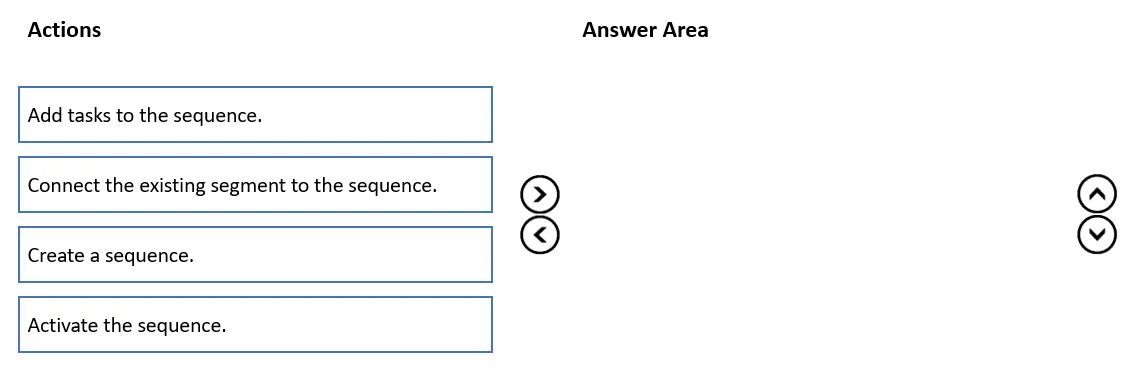
Drag and Drop Question A company uses Dynamics 365 Sales with assignment rules. The assignment rules use a segment to filter the lead records. A sales manager wants to automatically add a series of…
The correct answer is Create a sequence.; Add tasks to the sequence.; Connect the existing segment to the sequence.; Activate the sequence. Dynamics 365 Sales: Sequences with Segments - Order Explanation Context In Dynamics 365 Sales, a sequence is an automated series of activities (tasks, emails, phone calls) assigned to records. Segments are saved filter criteria - the same ones used by assignment rules. The goal…
Question
Exhibit
Answer Area
Drag items
Correct arrangement
- Create a sequence.
- Add tasks to the sequence.
- Connect the existing segment to the sequence.
- Activate the sequence.
Explanation
Dynamics 365 Sales: Sequences with Segments - Order Explanation
Context
In Dynamics 365 Sales, a sequence is an automated series of activities (tasks, emails, phone calls) assigned to records. Segments are saved filter criteria - the same ones used by assignment rules. The goal here is to reuse the existing segment so the same leads that get auto-assigned also get the task series applied automatically.
Why This Specific Order
1. Create a sequence
You must have a sequence container before anything else can be done. A sequence is the parent object that holds activities and connects to segments. Nothing else in the list is possible without it existing first.
Common mistake: Trying to attach a segment or add tasks before the sequence exists - neither option is available in the UI until the sequence record is created.
2. Add tasks to the sequence
Once the sequence exists, you populate it with steps. Tasks must be defined before activation because a sequence with no activities is functionally useless, and Dynamics 365 requires at least one step before you can activate.
Common mistake: Assuming you can add tasks after activation. While technically possible in some versions, the exam expects you to fully configure the sequence before activating it. Activating an empty sequence and then adding tasks is not the intended workflow.
3. Connect the existing segment to the sequence
After the sequence has its tasks defined, you link it to the existing segment (the same one the assignment rules use). This tells the sequence which records to apply itself to - leads matching that segment's criteria will automatically receive the task series.
The key word in the question is existing segment - you do not need to create one. Connecting happens after content is in place but before activation, because activation applies the current configuration.
Common mistake: Creating a new segment instead of reusing the existing one, or trying to connect the segment before the sequence has tasks (the configuration isn't complete yet and could cause issues if accidentally activated).
4. Activate the sequence
Activation is always last. It switches the sequence from draft to live, at which point Dynamics 365 starts applying it to records that match the connected segment. You cannot undo activation without deactivating and reconfiguring, so all setup must be complete first.
Common mistake: Activating before connecting the segment - the sequence would have no records to act on, or you'd have to deactivate and reconnect.
Summary Rule
Build it → Fill it → Target it → Launch it
This is the universal pattern for sequences in Dynamics 365 Sales: create the container, define the content, configure the scope, then go live.
Topics
Community Discussion
No community discussion yet for this question.