
Microsoft
MB-280 · Question #78
Drag and Drop Question You are implementing a new Dynamics 365 Customer Insights - Data environment for your organization. You complete ingesting the data you need to unify and navigate to the…
Sign in or unlock MB-280 to reveal the answer and full explanation for question #78. The question stem and answer options stay visible for context.
Create Dynamics 365 Customer Insights - Data unified profiles from different data sources
Question
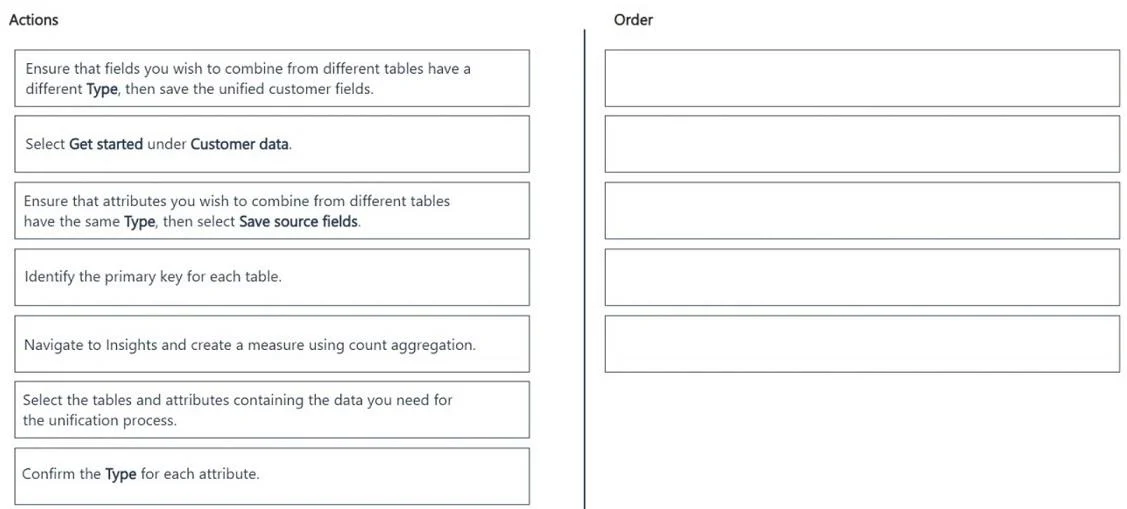
Drag and Drop Question You are implementing a new Dynamics 365 Customer Insights - Data environment for your organization. You complete ingesting the data you need to unify and navigate to the correct page in the Customer Insights - Data application to begin the unification process. You need to complete the first part of the unification process following best practices. Which five actions should you perform in sequence? To answer, move the five appropriate actions from the list of actions to the answer area. Arrange the five actions in the correct order. Answer:
Exhibit
Answer Area
Drag items
Ensure that fields you wish to combine from different tables have a different Type, then save the unified customer fields.Select Get started under Customer data.Ensure that attributes you wish to combine from different tables have the same Type, then select Save source fields.Identify the primary key for each table.Select the tables and attributes containing the data you need for the unification process.Confirm the Type for each attribute.Navigate to Insights and create a measure using count aggregation.
Unlock MB-280 to see the answer
You've previewed enough free MB-280 questions. Unlock MB-280 for full answers, explanations, the timed quiz mode, progress tracking, and the master PDF. Question stem and options stay visible so you can still see what's on the exam.
Topics
#data unification#profile matching#Customer Insights - Data#unification process