nerdexam
Microsoft

MB-230 · Question #414

Drag and Drop Question A contact center supervisor requires operations metrics by channel and sentiment analysis. You need to install the Omnichannel Insights dashboard for the company. In which…

The correct answer is Verify that you have administrator privileges for Power BI and Omnichannel; Install Omnichannel Insights; Connect the Omnichannel Insights for Dynamics 365 app to get the data; Configure the Power BI dataset refresh frequency; Publish the app for the company. Omnichannel Insights Dashboard Installation - Step-by-Step Explanation --- Why This Order Matters Installing Omnichannel Insights follows a logical prerequisite → install → connect → configure → distribute pattern. Each step depends on the previous one being complete…

manage analytics, visualizations, and insights

Question

Drag and Drop Question A contact center supervisor requires operations metrics by channel and sentiment analysis. You need to install the Omnichannel Insights dashboard for the company. In which order should you perform the actions? To answer, move all actions from the list of actions to the answer area and arrange them in the correct order. NOTE: More than one order of answer choices is correct. You will receive credit for any of the correct orders you select. Answer:

Exhibit
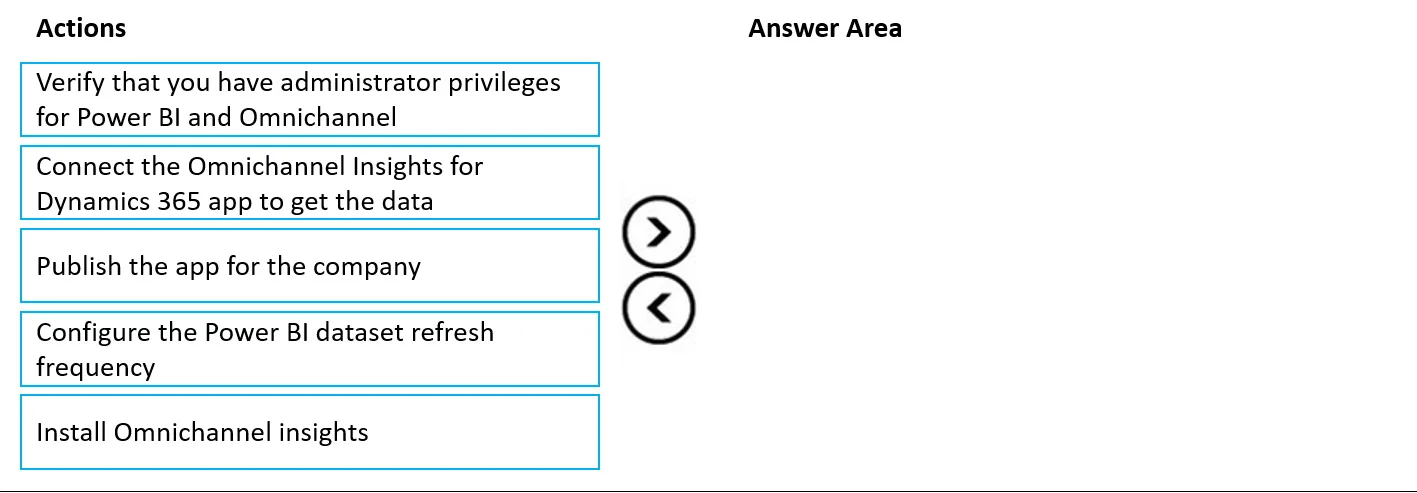
MB-230 question #414 exhibit

Answer Area

Drag items

Verify that you have administrator privileges for Power BI and OmnichannelConnect the Omnichannel Insights for Dynamics 365 app to get the dataPublish the app for the companyConfigure the Power BI dataset refresh frequencyInstall Omnichannel Insights

Correct arrangement

  • Verify that you have administrator privileges for Power BI and Omnichannel
  • Install Omnichannel Insights
  • Connect the Omnichannel Insights for Dynamics 365 app to get the data
  • Configure the Power BI dataset refresh frequency
  • Publish the app for the company

Explanation

Omnichannel Insights Dashboard Installation - Step-by-Step Explanation


Why This Order Matters

Installing Omnichannel Insights follows a logical prerequisite → install → connect → configure → distribute pattern. Each step depends on the previous one being complete.


Step-by-Step Breakdown

1. Verify administrator privileges for Power BI and Omnichannel

This is a mandatory gate. You need Power BI admin rights to install apps from AppSource and Omnichannel admin rights to access its data. Attempting any subsequent step without these permissions will fail - either silently or with cryptic errors. Always confirm access before touching anything.

2. Install Omnichannel Insights

The app must exist before you can do anything with it. You install it from Microsoft AppSource into your Power BI workspace. At this stage it's a template - it has no live data yet. This cannot come before privilege verification because the installation itself requires admin access.

3. Connect the Omnichannel Insights for Dynamics 365 app to get the data

After installation, you authenticate and point the app at your Dynamics 365 Omnichannel environment. This populates the dataset. You cannot configure a refresh schedule or publish meaningful content without a live data connection - the dashboard would be empty.

4. Configure the Power BI dataset refresh frequency

Now that a dataset exists and is connected, you set how often Power BI pulls fresh data (e.g., every hour, daily). This must happen before publishing so end users receive up-to-date metrics from day one rather than stale data.

5. Publish the app for the company

Publishing is the final distribution step - it shares the fully configured, data-connected dashboard with your organization's users. Publishing first and then configuring refresh is a common mistake that results in users seeing outdated data immediately after launch.


Common Mistakes

MistakeWhy It's Wrong
Skipping step 1Installation and connection will fail or be blocked
Connecting data before installingThere's no app to connect to yet
Publishing before configuring refreshUsers get stale data; causes a second disruption to re-configure
Configuring refresh before connectingThere's no dataset to schedule a refresh for

The "Multiple Valid Orders" Note

The exam note acknowledges flexibility mainly around steps 4 and 5 in edge cases - some organizations publish first and configure refresh immediately after. However, the arrangement above represents the recommended best practice order that Microsoft documentation prescribes for a clean, user-ready deployment.

Topics

#Omnichannel Insights#Power BI dashboard#analytics installation#sentiment analysis

Community Discussion

No community discussion yet for this question.

Full MB-230 Practice