
FCSS_SDW_AR-7.4 · Question #18
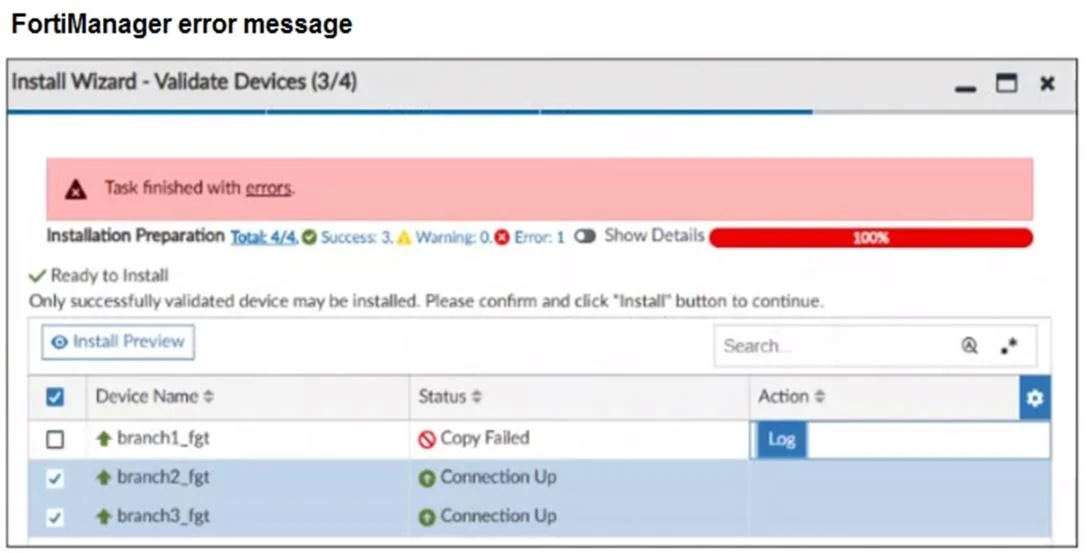
Refer to the exhibits. You use FortiManager to configure SD-WAN on three branch devices. When you install the device settings. FortiManager prompts you with the error "Copy Failed" for the device…
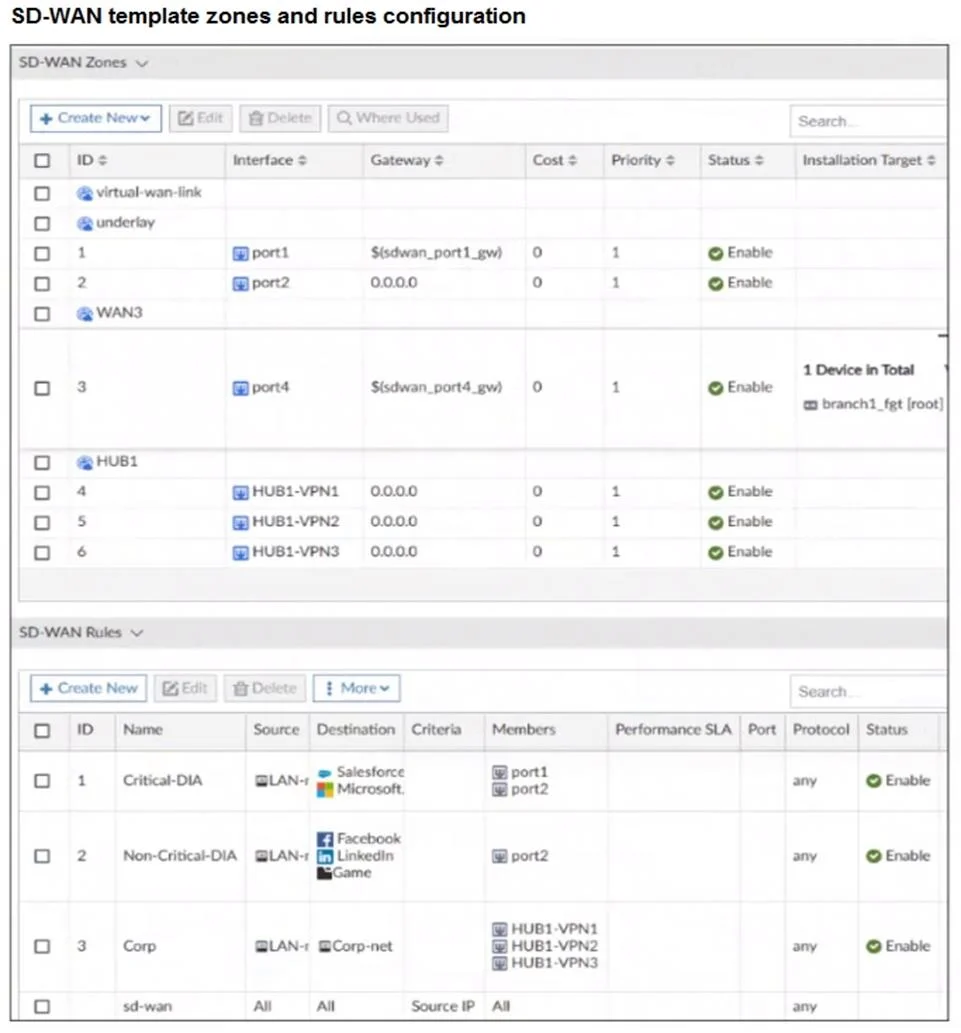
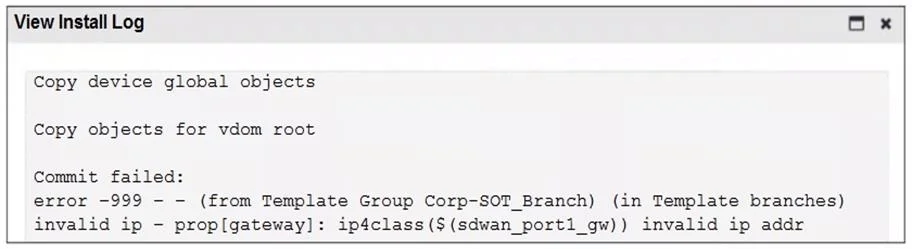
The correct answer is C. Check the metadata variable definitions, and review the per-device mapping configuration. The error message clearly states invalid ip addr for the metadata variable ${sdwan_port1_gw}, which means the per-device value for this variable is not defined or is incorrectly mapped. You must verify the metadata mapping for branch1_fgt to ensure that ${sdwan_port1_gw} is…
Question
Refer to the exhibits. You use FortiManager to configure SD-WAN on three branch devices. When you install the device settings. FortiManager prompts you with the error "Copy Failed" for the device branch1_fat When you click the log button. FortiManager displays the message shown in the exhibit. Based on the exhibits, which statement best describes the issue and how you can resolve it?
Exhibits
Options
- ARemove the installation target for the SD-WAN member port4. You cannot combine metadata
- BGateways for all members in a zone must be defined the same way. Specify the gateway of the
- CCheck the metadata variable definitions, and review the per-device mapping configuration.
- DCheck the connection between branch1_fgt and FortiManager
How the community answered
(29 responses)- A14% (4)
- B3% (1)
- C76% (22)
- D7% (2)
Explanation
The error message clearly states invalid ip addr for the metadata variable ${sdwan_port1_gw}, which means the per-device value for this variable is not defined or is incorrectly mapped. You must verify the metadata mapping for branch1_fgt to ensure that ${sdwan_port1_gw} is assigned a valid IP address.
Topics
Community Discussion
No community discussion yet for this question.