
FCSS_SDW_AR-7.4 · Question #46
Refer to the exhibits. You use FortiManager to configure SD-WAN on three branch devices. When you install the device settings, FortiManager prompts you with the error "Copy Failed" for the device…
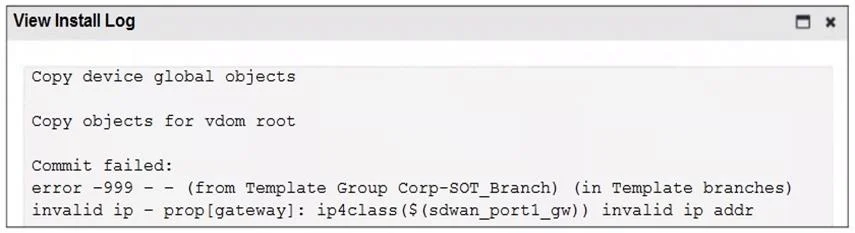
The correct answer is B. Specify the gateway of the SD-WAN member port1 with an IP address or use the default value. D. Review the per-device mapping configuration for metadata variables. Specify the gateway of the SD-WAN member port1 with an IP address or use the default value → The error log shows invalid ip – prop[gateway]: ip4class(${sdwan_port1_gw}) invalid ip addr, meaning the variable ${sdwan_port1_gw} does not have a valid mapping. Assigning a valid IP…
Question
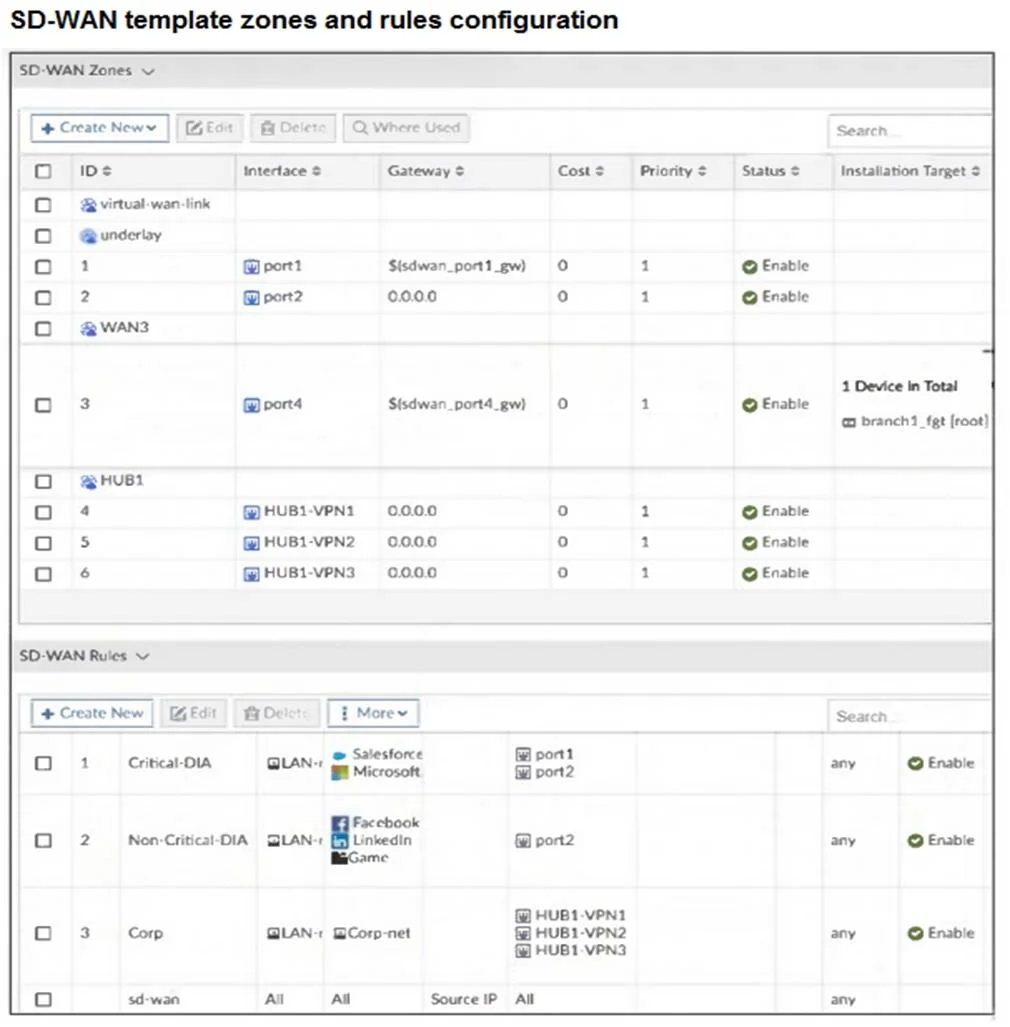
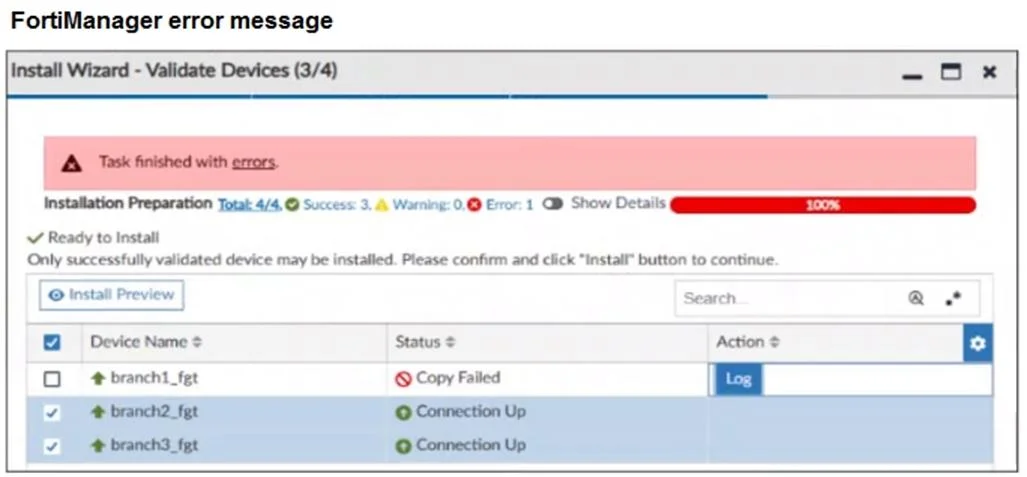
Refer to the exhibits. You use FortiManager to configure SD-WAN on three branch devices. When you install the device settings, FortiManager prompts you with the error “Copy Failed” for the device branch1_fgt. When you click the log button, FortiManager displays the message shown in the exhibit. There are two different ways to resolve this issue. Based on the exhibits, which methods could you use? (Choose two.)
Exhibits
Options
- AUpdate the management IP address of branch1_fgt.
- BSpecify the gateway of the SD-WAN member port1 with an IP address or use the default value.
- CDo not define installation targets for SD-WAN members.
- DReview the per-device mapping configuration for metadata variables
How the community answered
(41 responses)- A7% (3)
- B76% (31)
- C17% (7)
Explanation
Specify the gateway of the SD-WAN member port1 with an IP address or use the default value → The error log shows invalid ip – prop[gateway]: ip4class(${sdwan_port1_gw}) invalid ip addr, meaning the variable ${sdwan_port1_gw} does not have a valid mapping. Assigning a valid IP address or default value for the gateway resolves this error. Review the per-device mapping configuration for metadata variables → The issue is tied to how the metadata variable ${sdwan_port1_gw} is mapped for branch1_fgt. If this device does not have the variable properly defined in per-device mapping, the configuration will fail. Correcting the mapping ensures that the install works.
Topics
Community Discussion
No community discussion yet for this question.