
AZ-500 · Question #291
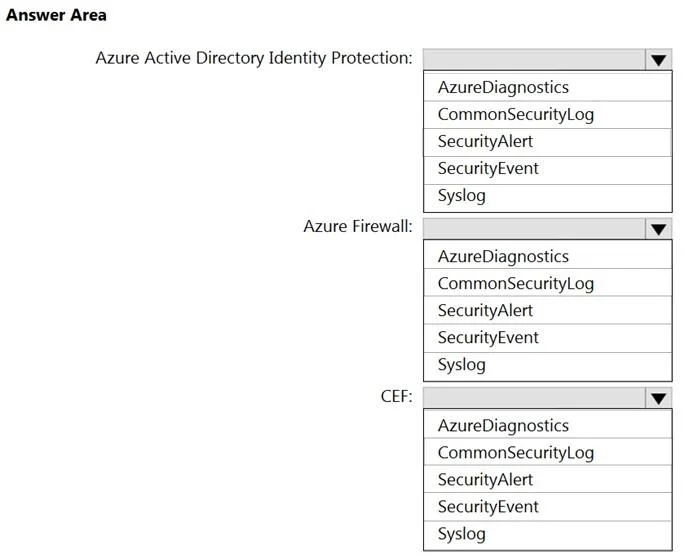
Hotspot Question You have an Azure Sentinel workspace that has the following data connectors: - Azure Active Directory Identity Protection - Common Event Format (CEF) - Azure Firewall You need to…
The correct answer is Azure Active Directory Identity Protection:: SecurityAlert; Azure Firewall:: AzureDiagnostics; CEF:: CommonSecurityLog. This question tests knowledge of which Log Analytics tables in Azure Sentinel store data from specific data connectors. Each connector ingests data into a specific predefined table that you must query to verify data ingestion.
Question
Exhibit
Answer Area
- Azure Active Directory Identity Protection:SecurityAlertAzureDiagnosticsCommonSecurityLogSecurityAlertSecurityEventSyslog
- Azure Firewall:AzureDiagnosticsAzureDiagnosticsCommonSecurityLogSecurityAlertSecurityEventSyslog
- CEF:CommonSecurityLogAzureDiagnosticsCommonSecurityLogSecurityAlertSecurityEventSyslog
Explanation
This question tests knowledge of which Log Analytics tables in Azure Sentinel store data from specific data connectors. Each connector ingests data into a specific predefined table that you must query to verify data ingestion.
Approach. For Azure Active Directory Identity Protection, the correct table is 'SecurityAlert' - AADIP sends security alerts (risky users, risky sign-ins) into the SecurityAlert table. For Common Event Format (CEF), the correct table is 'CommonSecurityLog' - CEF-formatted syslog data from third-party appliances and devices is stored in the CommonSecurityLog table. For Azure Firewall, the correct table is 'AzureDiagnostics' - Azure Firewall sends its diagnostic logs (network rules, application rules, threat intelligence) into the AzureDiagnostics table, filtered by ResourceType == 'AZUREFIREWALLS'.
Concept tested. Azure Sentinel data connector log tables: understanding which Log Analytics/Sentinel workspace table each data connector populates - SecurityAlert for AADIP, CommonSecurityLog for CEF connectors, and AzureDiagnostics for Azure native resource diagnostics like Azure Firewall.
Reference. https://docs.microsoft.com/en-us/azure/sentinel/connect-data-sources
Topics
Community Discussion
No community discussion yet for this question.