
Microsoft
AZ-400 · Question #194
SIMULATION You have several apps that use an Azure SQL Database named db1. You need to ensure that queries to db1 are tuned by Azure over time. The solution must only apply to db1. To complete this…
The task is to enable Azure SQL Database automatic tuning for a specific database to optimize query performance.
Submitted by satoshi_tk· Mar 6, 2026Implement an instrumentation strategy
Question
SIMULATION You have several apps that use an Azure SQL Database named db1. You need to ensure that queries to db1 are tuned by Azure over time. The solution must only apply to db1. To complete this task, sign in to the Microsoft Azure portal. Answer: 1. To enable automatic tuning on a single database, navigate to the database in the Azure portal and select Automatic tuning. 2. Select the automatic tuning options you want to enable and select Apply. Note: Individual automatic tuning settings can be separately configured for each database. You can manually configure an individual automatic tuning option, or specify that an option inherits its settings from the server. Reference: https://docs.microsoft.com/en-us/azure/azure-sql/database/automatic-tuning-enable
Exhibit
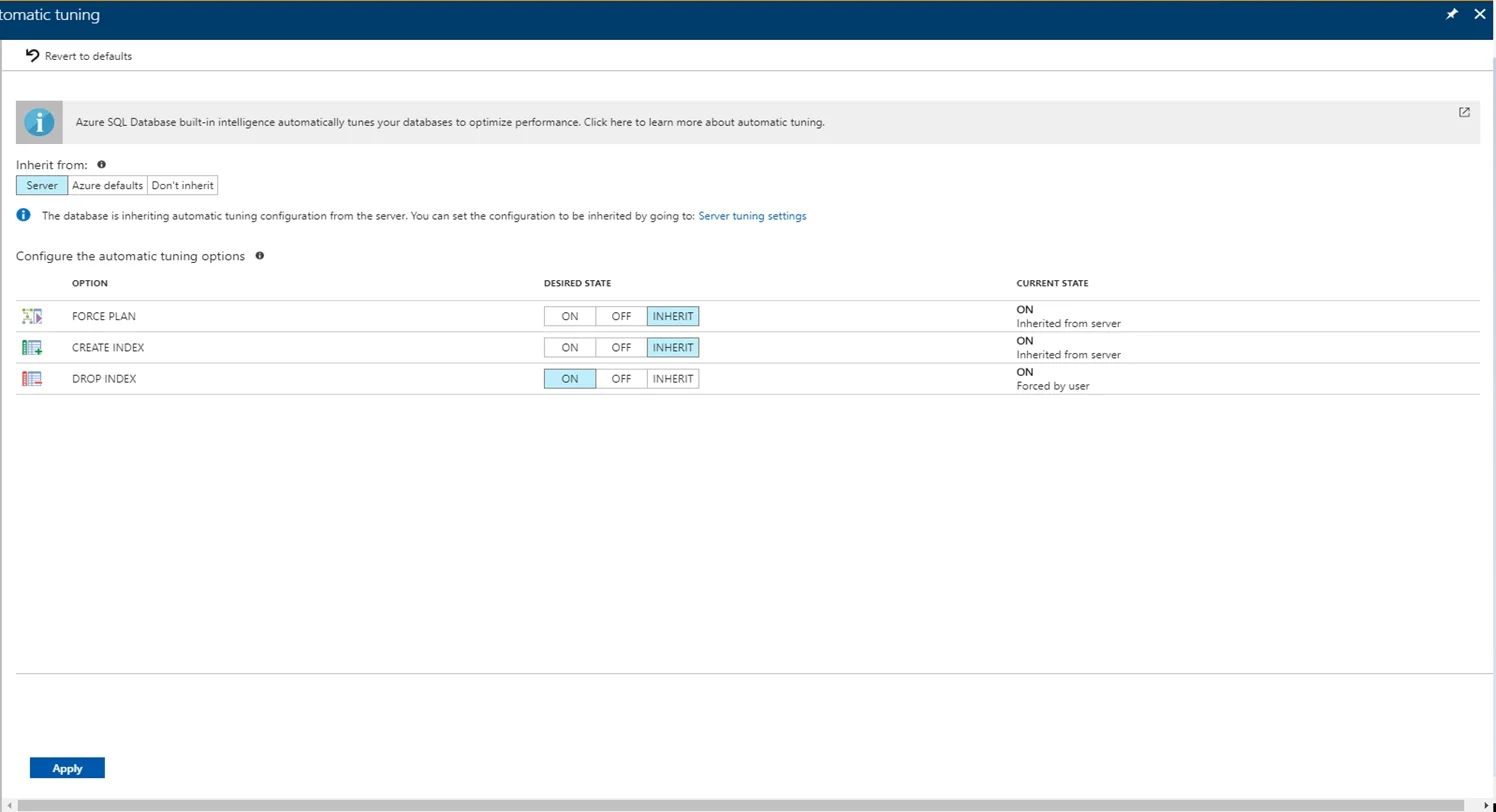
Explanation
The task is to enable Azure SQL Database automatic tuning for a specific database to optimize query performance.
Concept tested. Azure SQL Database automatic tuning
Reference. https://docs.microsoft.com/en-us/azure/azure-sql/database/automatic-tuning-enable
Community Discussion
No community discussion yet for this question.