
800-150 · Question #79
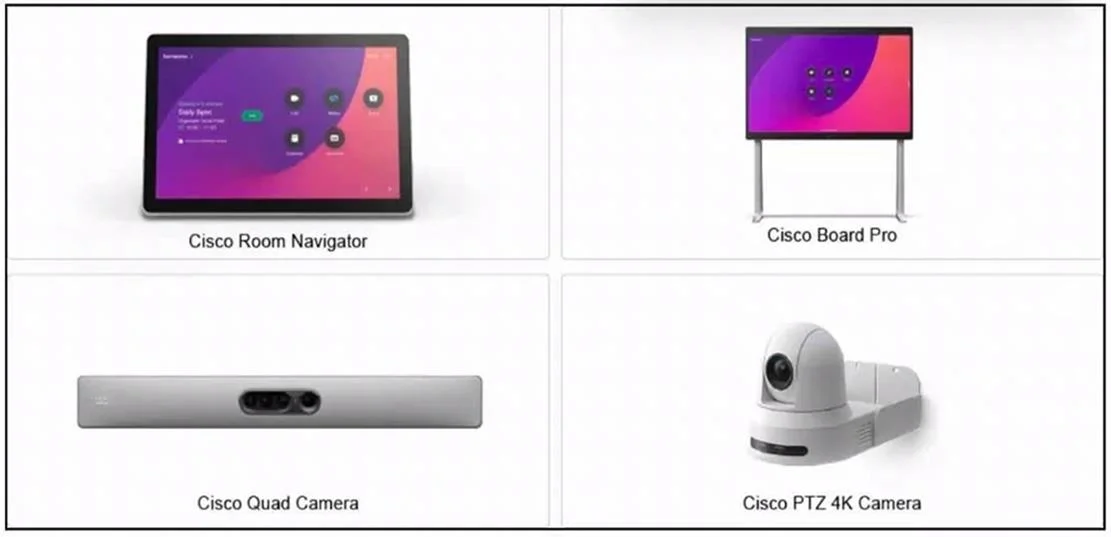
Drag and Drop Question Refer to the exhibit. Drag and drop the functions from the left onto the corresponding devices on the right. Answer:
The correct answer is Cisco Room Kit; Cisco Board; Cisco Desk Series; Quad Camera; Room Navigator. Important Caveat The exhibit referenced in this question is missing from what you've provided. The "correct arrangement" shown is simply the devices listed 1–5 - without the functions on the left side of the drag-and-drop, the specific matching cannot be definitively explained…
Question
Drag and Drop Question Refer to the exhibit. Drag and drop the functions from the left onto the corresponding devices on the right. Answer:
Exhibit
Answer Area
Drag items
Correct arrangement
- Cisco Room Kit
- Cisco Board
- Cisco Desk Series
- Quad Camera
- Room Navigator
Explanation
Important Caveat
The exhibit referenced in this question is missing from what you've provided. The "correct arrangement" shown is simply the devices listed 1–5 - without the functions on the left side of the drag-and-drop, the specific matching cannot be definitively explained.
That said, here is a thorough breakdown of each device and its defining functions, which is what any matching question will be based on:
Device-by-Device Breakdown
1. Cisco Room Kit
- What it is: A codec-based video conferencing system for small-to-medium meeting rooms
- Key function: Provides the intelligence/codec for a room system - requires an external display, camera, and touch controller to complete the setup
- Common exam angle: It is NOT all-in-one; it depends on peripheral devices (like the Quad Camera or Room Navigator)
2. Cisco Board
- What it is: An all-in-one interactive display combining a touchscreen whiteboard, camera, mic, and codec in one unit
- Key function: Whiteboarding + video conferencing without extra peripherals - designed for huddle/medium rooms
- Common mistake: Confusing it with a display-only device - it has a full integrated codec
3. Cisco Desk Series (Desk / Desk Mini / Desk Pro)
- What it is: Personal all-in-one collaboration device for individual workstations
- Key function: Enables personal video calling, wireless content sharing, and USB connectivity for a single user's desk
- Common mistake: Students confuse this with room systems - it is personal-use, not room-scale
4. Quad Camera
- What it is: A peripheral camera array (4 lenses) designed for large meeting rooms
- Key function: Speaker tracking across wide spaces; works as an add-on to Room Kit or other codecs - it has no built-in codec
- Common mistake: Thinking it functions standalone - it requires a codec like Room Kit to operate
5. Room Navigator
- What it is: A touch panel controller (wall-mount or table-top)
- Key function: Provides the user interface to control a room system (dial calls, adjust settings, room booking) - it is a controller only, with no camera or codec
- Common mistake: Confusing it with a standalone collaboration device - it is purely a control panel accessory
What to Do Next
To get the precise matching explained, you need to share:
- The functions listed on the LEFT side of the drag-and-drop (e.g., "Speaker tracking in large rooms", "Personal desk use", "Acts as a touch controller", etc.)
Once you have those, map them using the characteristics above - each function will clearly point to one device.
Topics
Community Discussion
No community discussion yet for this question.