
70-663 · Question #129
A corporate environment includes Exchange Server 2010. All employees connect to their mailboxes by using a web browser. You need to recommend a solution that will force only a specific group of…
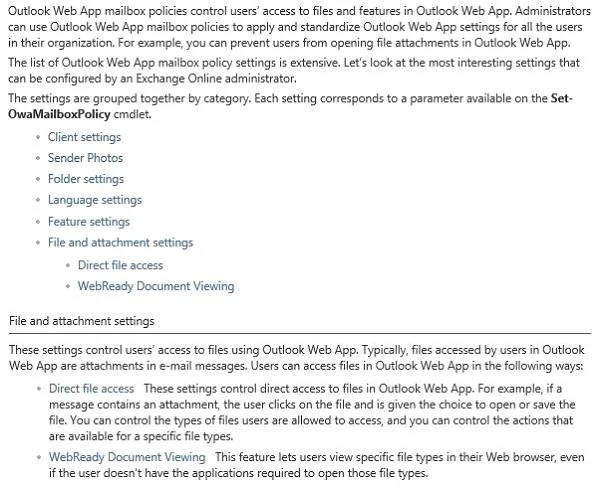
The correct answer is A. Configure an Outlook Web App mailbox policy. WebReady Document Viewing lets users access file attachments in Microsoft Office Outlook Web App. Users can access common file types such as Microsoft Word documents without having the application installed. You can manage WebReady Document Viewing for Outlook Web App in…
Question
A corporate environment includes Exchange Server 2010. All employees connect to their mailboxes by using a web browser. You need to recommend a solution that will force only a specific group of employees to use WebReady Document Viewing when connecting to their mailboxes. What should you recommend?
Exhibit
Options
- AConfigure an Outlook Web App mailbox policy.
- BConfigure the Outlook Web App virtual directory on all Client Access servers.
- CCreate and configure a Group Policy Object (GPO) and link it to the Organizational Unit (OU)
- DCreate and configure a Group Policy Object (GPO) and link it to the Organizational Unit (OU)
How the community answered
(50 responses)- A74% (37)
- B16% (8)
- C4% (2)
- D6% (3)
Explanation
WebReady Document Viewing lets users access file attachments in Microsoft Office Outlook Web App. Users can access common file types such as Microsoft Word documents without having the application installed. You can manage WebReady Document Viewing for Outlook Web App in Microsoft Exchange Server 2010. When you manage WebReady Document Viewing, you can specify files that you want users to be able to access within Outlook Web App for private and public computers. However, you can't specify individual settings for only private or public computers. By default, public computer file access isn't enabled for Outlook Web App. Therefore, when users select the This is a public or shared computer option or the This is a private computer option on the Outlook Web App sign-in page, they won't be able to access files attached to e-mail messages.
Topics
Community Discussion
No community discussion yet for this question.