
Cisco
350-401 · Question #949
Lab Simulation 5 Guidelines This is a lab item in which tasks will be performed on virtual devices. - Refer to the Tasks tab to view the tasks for this lab item. - Refer to the Topology tab to…
This is a lab simulation task that requires the configuration of OSPF routing protocol across three routers according to a provided topology diagram.
Submitted by tunde_lagos· Mar 6, 2026Infrastructure
Question
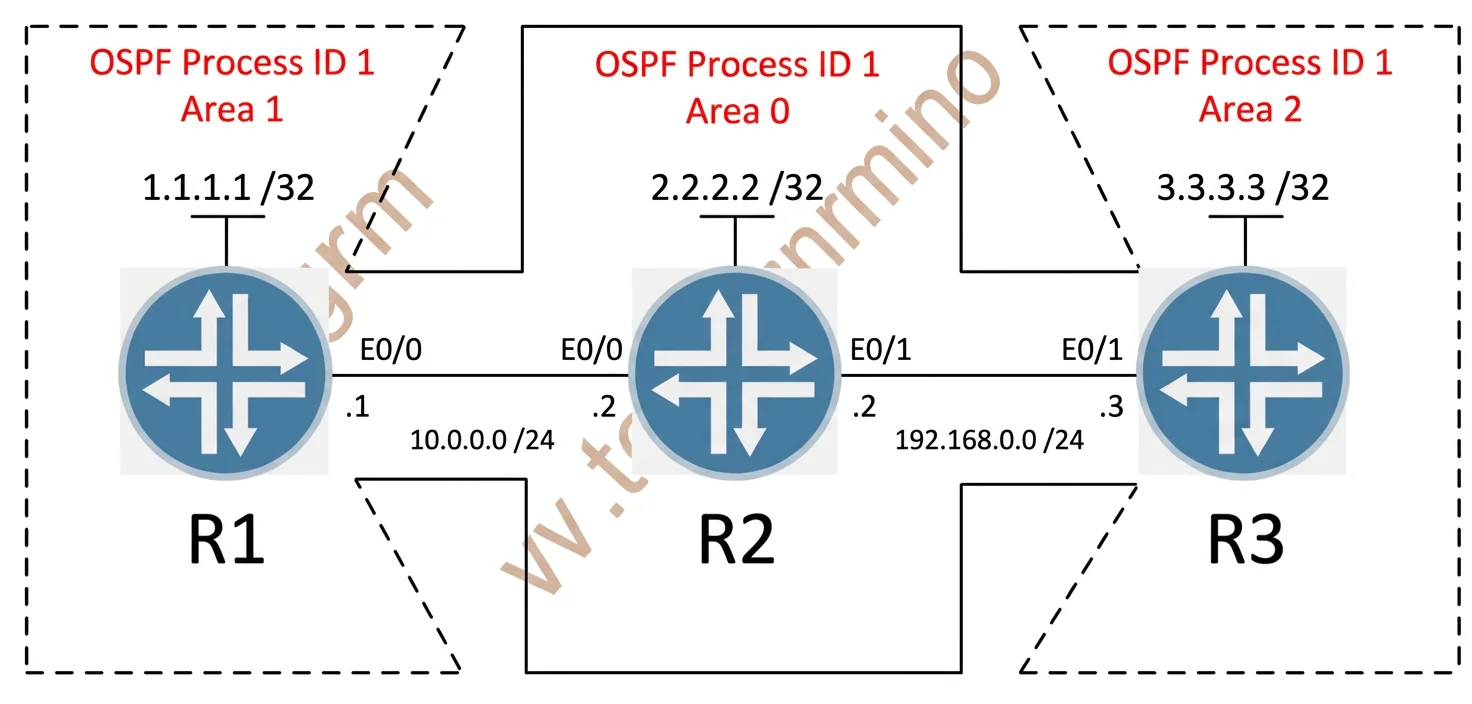
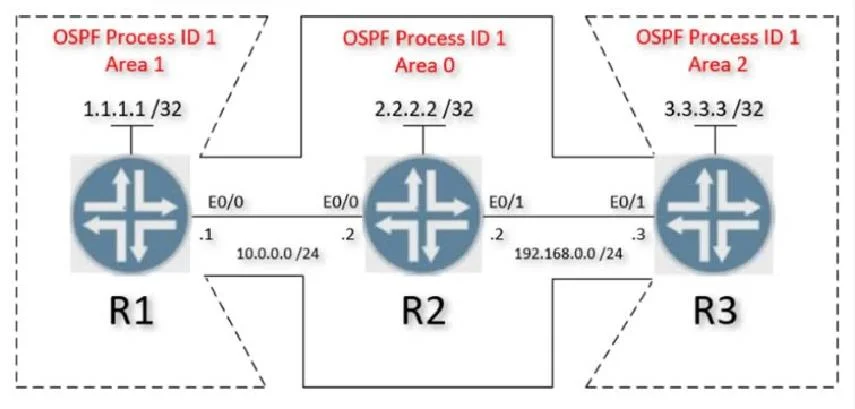
Lab Simulation 5 Guidelines This is a lab item in which tasks will be performed on virtual devices. - Refer to the Tasks tab to view the tasks for this lab item. - Refer to the Topology tab to access the device console(s) and perform the tasks. - Console access is available for all required devices by clicking the device icon or using the tab(s) above the console window. - All necessary preconfigurations have been applied. - Do not change the enable password or hostname for any device. - Save your configurations to NVRAM before moving to the next item. - Click Next at the bottom of the screen to submit this lab and move to the next question. - When Next is clicked, the lab closes and cannot be reopened. Topology Tasks Configure OSPF on all three routers according to the topology diagram to achieve these goals: 1. Enable OSPF on all interfaces using the network statement and match the network mask of each interface. 2. Ensure that all networks are advertised between the routers. 3. Ensure that all routers use OSPF process ID 1 and that the Lo0 interface is used for the router ID. 4. Configure OSPF MD5 authentication on every physical interface running OSPF using key 1 and the password ccnp321. Answer: Task 1 + Task 2 + Task 3 On R1: R1(config)#router ospf 1 R1(config-router)#router-id 1.1.1.1 R1(config-router)#network 10.0.0.0 0.0.0.255 area 0 R1(config-router)#network 1.1.1.1 0.0.0.0 area 1 //Notice that the loopback 0 is in area 1 (not area 0) On R2: R2(config)#router ospf 1 R2(config-router)#router-id 2.2.2.2 R2(config-router)#network 10.0.0.0 0.0.0.255 area 0 R2(config-router)#network 192.168.0.0 0.0.0.255 area 0 R2(config-router)#network 2.2.2.2 0.0.0.0 area 0 On R3: R3(config)#router ospf 1 R3(config-router)#router-id 3.3.3.3 R3(config-router)#network 192.168.0.0 0.0.0.255 area 0 R3(config-router)#network 3.3.3.3 0.0.0.0 area 2 //Notice that the loopback 0 is in area 2 (not area 0) Task 4. Configure OSPF MD5 authentication on every physical interface running OSPF using key 1 and the password ccnp321. On R1 & R2: R1&R2(config)#interface e0/0 R1&R2(config-if)#ip ospf message-digest-key 1 md5 ccnp321 R1&R2(config-if)#ip ospf authentication message-digest On R2 & R3: R2&R3(config)#interface e0/1 R2&R3(config-if)#ip ospf message-digest-key 1 md5 ccnp321 R2&R3(config-if)#ip ospf authentication message-digest Verification Use the commands: show ip route, show ip ospf neighbor, show ip ospf interface. Save the configuration R1#, R2#, R3#copy running-config startup-config
Exhibits
Explanation
This is a lab simulation task that requires the configuration of OSPF routing protocol across three routers according to a provided topology diagram.
Concept tested. OSPF Routing Configuration (Lab Simulation)
Topics
#OSPF configuration#Routing protocols#Router CLI
Community Discussion
No community discussion yet for this question.