
SC-401 · Question #61
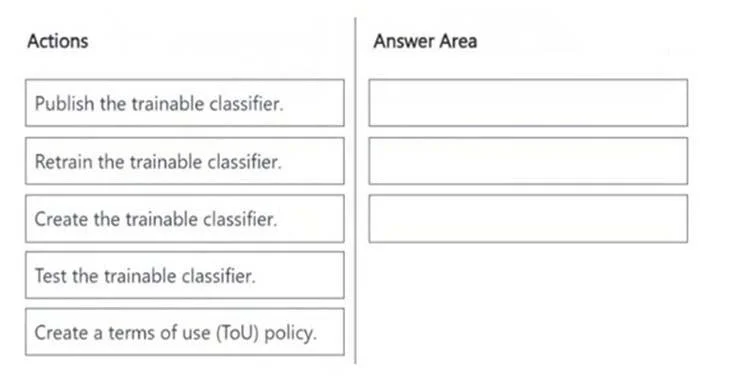
Drag and Drop Question You need to create a trainable classifier that can be used as a condition in an auto-apply retention label policy. Which three actions should you perform in sequence? To…
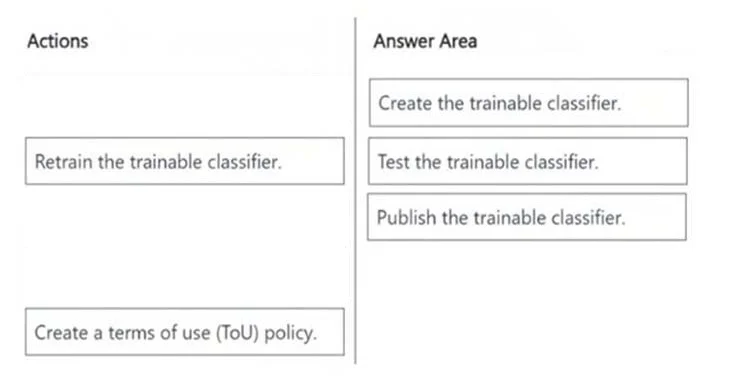
The correct answer is Create the trainable classifier.; Test the trainable classifier.; Publish the trainable classifier. The correct sequence for enabling a new trainable classifier for use in an auto-apply retention label policy involves creating it, testing its performance, and then publishing it.
Question
Exhibits
Answer Area
Drag items
Correct arrangement
- Create the trainable classifier.
- Test the trainable classifier.
- Publish the trainable classifier.
Explanation
The correct sequence for enabling a new trainable classifier for use in an auto-apply retention label policy involves creating it, testing its performance, and then publishing it.
Approach. To create a trainable classifier that can be used as a condition in an auto-apply retention label policy, the actions must be performed in the following logical sequence:
- Create the trainable classifier. This is the foundational first step. A trainable classifier must first be defined and initialized, typically by providing initial sample data (seed content) that helps the classifier learn what to identify.
- Test the trainable classifier. After creation and the initial learning phase, it's crucial to evaluate the classifier's accuracy and effectiveness. This involves running tests with additional sample content and reviewing the classification results to ensure it meets the required performance standards before being put into production use.
- Publish the trainable classifier. Once the classifier has been thoroughly tested and confirmed to be accurate and reliable, it must be published. Publishing makes the trainable classifier available for selection and application within various Microsoft Purview policies, such as auto-apply retention labels, communication compliance policies, or information barrier policies.
Common mistakes.
- common_mistake. Common mistakes include selecting irrelevant actions or placing the correct actions in an incorrect order.
- 'Retrain the trainable classifier': While retraining is an important lifecycle step for trainable classifiers, it typically occurs after the classifier has been initially created, tested, and published. Retraining is done to improve the classifier's performance over time, adapt to new content, or address evolving classification needs, rather than being part of the initial three-step process to get a new classifier ready for its first deployment.
- 'Create a terms of use (ToU) policy': This action is completely unrelated to the process of creating or deploying a trainable classifier. Terms of Use policies are used for user acceptance of organizational policies, not for data classification or retention.
- Incorrect order: For example, attempting to 'Publish' or 'Test' a classifier before it has been 'Created' is logically impossible. Publishing before adequate testing would lead to deploying an unverified classifier, potentially resulting in incorrect data classification and policy application.
Concept tested. The core concept being tested is the sequential workflow and lifecycle management of trainable classifiers within Microsoft Purview (formerly Microsoft 365 compliance center) for information governance, specifically in the context of creating and deploying a classifier for use in auto-apply retention label policies.
Topics
Community Discussion
No community discussion yet for this question.