
PL-500 · Question #67
Drag and Drop Question You plan to create a Microsoft Visio process diagram. You need to create the diagram and then export the diagram as a Power Automate flow. Which five actions should you…
To export a Visio diagram as a Power Automate flow, the user must first create the diagram using BPMN shapes, then prepare, map, export, and finally name and create the flow.
Question
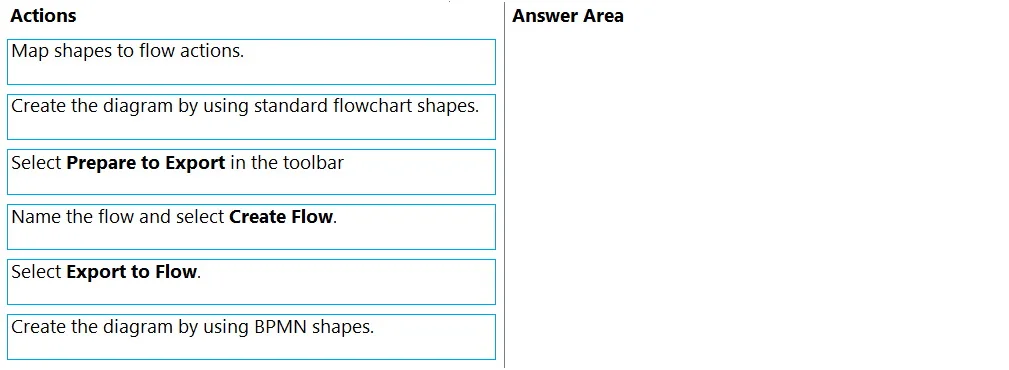
Drag and Drop Question You plan to create a Microsoft Visio process diagram. You need to create the diagram and then export the diagram as a Power Automate flow. Which five actions should you perform in sequence? To answer, move the appropriate actions from the list of actions to the answer area and arrange them in the correct order. Answer:
Exhibit
Options
- Option 1Map shapes to flow actions.
- Option 2Create the diagram by using standard flowchart shapes.
- Option 3Select Prepare to Export in the toolbar
- Option 4Name the flow and select Create Flow.
- Option 5Select Export to Flow.
- Option 6Create the diagram by using BPMN shapes.
Why each option
To export a Visio diagram as a Power Automate flow, the user must first create the diagram using BPMN shapes, then prepare, map, export, and finally name and create the flow.
Concept tested: Integration between Microsoft Visio and Power Automate, specifically the process of creating a process diagram in Visio and exporting it as a Power Automate flow using BPMN (Business Process Model and Notation) for structured process definition.
Topics
Community Discussion
No community discussion yet for this question.