
PL-500 · Question #66
Drag and Drop Question You create a Microsoft Power Platform solution. You create variables to define input values for the flow. You export the solution as managed and import the solution into a…
The correct answer is 2. Export and reimport the solution. 4. In the UAT environment navigate to the solution and edit the details for each environment variable. 5. In the DEV environment navigate to the solution and edit the details for each environment variable. 6. Select Current value and then select Remove from this solution. This question tests understanding of Power Platform environment variable lifecycle management - specifically how 'current values' are scoped to a solution package and can unintentionally carry DEV values into other environments when a managed solution is exported and reimported.
Question
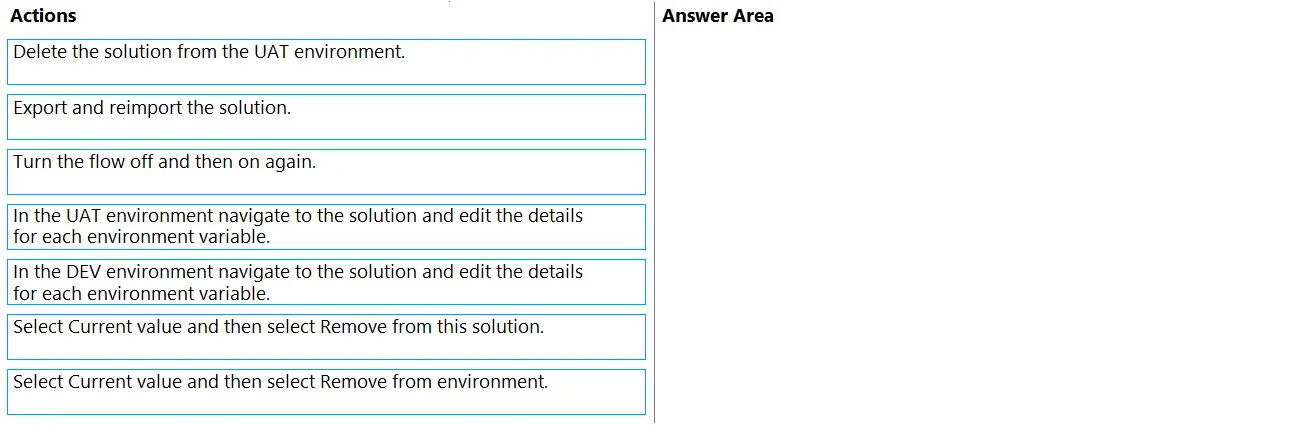
Drag and Drop Question You create a Microsoft Power Platform solution. You create variables to define input values for the flow. You export the solution as managed and import the solution into a user acceptance testing (UAT) environment. The flow in the UAT environment is still using the values from the development (DEV) environment. You need to resolve the issue. Which four actions should you perform in sequence? To answer, move the appropriate actions from the list of actions to the answer area and arrange them in the correct order. Answer:
Exhibit
Options
- 1Delete the solution from the UAT environment.
- 2Export and reimport the solution.
- 3Turn the flow off and then on again.
- 4In the UAT environment navigate to the solution and edit the details for each environment variable.
- 5In the DEV environment navigate to the solution and edit the details for each environment variable.
- 6Select Current value and then select Remove from this solution.
- 7Select Current value and then select Remove from environment.
Why each option
This question tests understanding of Power Platform environment variable lifecycle management - specifically how 'current values' are scoped to a solution package and can unintentionally carry DEV values into other environments when a managed solution is exported and reimported.
Concept tested: Power Platform Environment Variables - the distinction between 'default value' (travels with the managed solution) and 'current value' (environment-specific override), and how to prevent current values from leaking across environments during solution export/import.
Source: Microsoft Learn: Use environment variables in Power Platform solutions - https://learn.microsoft.com/en-us/power-apps/maker/data-platform/environmentvariables
Topics
Community Discussion
No community discussion yet for this question.