
PL-300 · Question #492
You have a Power BI report. The report contains a single report page that uses the default theme. You need to configure the report page to match the formatting shown in the following exhibit. What…
The correct answer is C. the wallpaper color and the canvas background color only. Option C is correct because Power BI report pages have two distinct background layers that must be configured independently: the wallpaper (the area surrounding the canvas, visible when the canvas doesn't fill the entire view) and the canvas background (the surface where…
Question
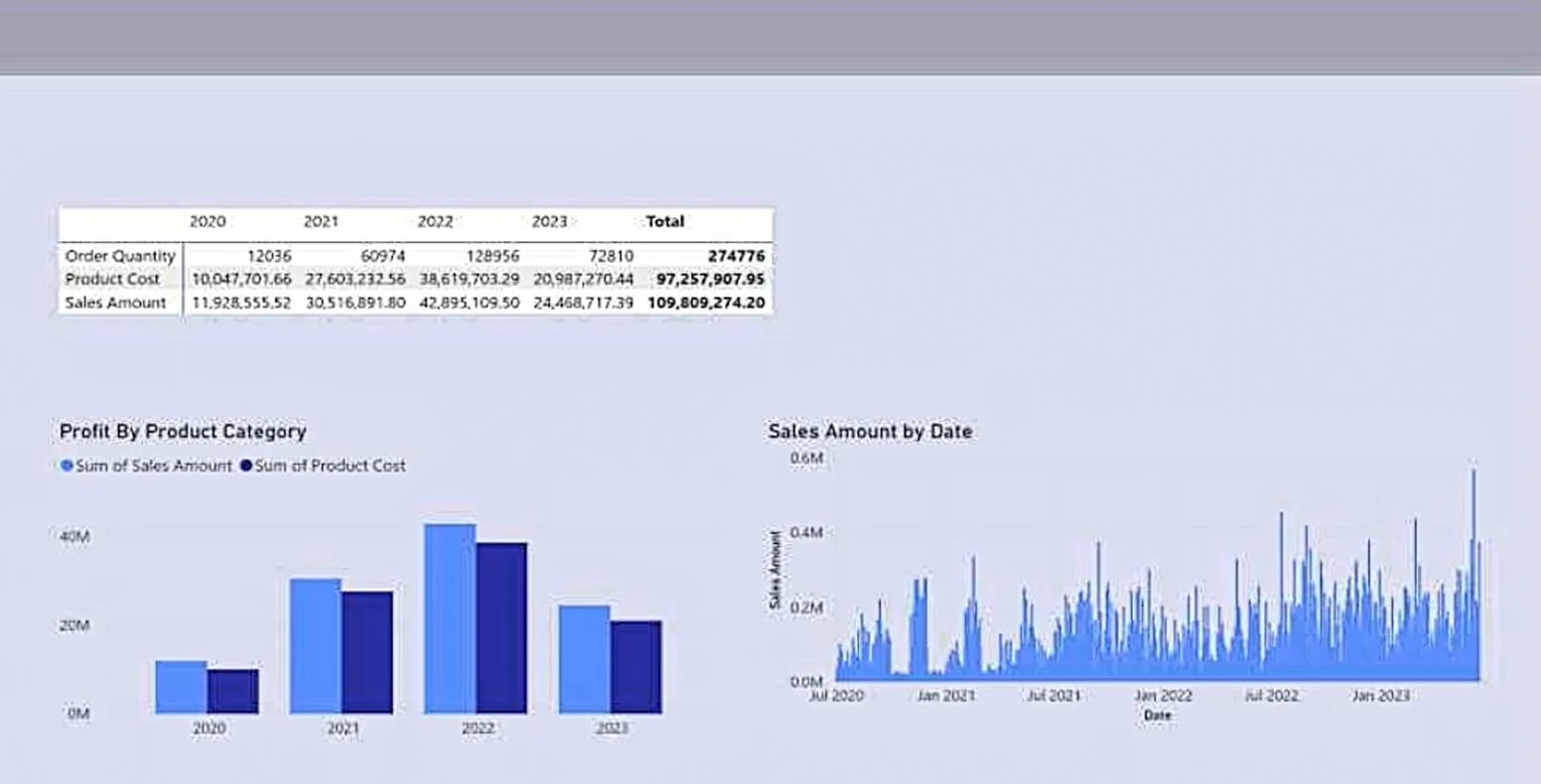
You have a Power BI report. The report contains a single report page that uses the default theme. You need to configure the report page to match the formatting shown in the following exhibit. What should you change on the report page?
Exhibit
Options
- Athe wallpaper color only
- Bthe canvas background color only
- Cthe wallpaper color and the canvas background color only
- Dthe canvas background image only
How the community answered
(21 responses)- A5% (1)
- C86% (18)
- D10% (2)
Explanation
Option C is correct because Power BI report pages have two distinct background layers that must be configured independently: the wallpaper (the area surrounding the canvas, visible when the canvas doesn't fill the entire view) and the canvas background (the surface where visuals are placed). To match an exhibit that shows different colors in both regions, both settings must be changed from their defaults.
Option A is wrong because changing only the wallpaper leaves the canvas background at its default color, meaning the canvas area won't match the exhibit. Option B is wrong for the same reason in reverse - changing only the canvas background leaves the wallpaper unchanged. Option D is wrong because it introduces a background image rather than a color change, and no image is implied by the exhibit described.
Memory tip: Think of a picture frame - the wallpaper is the wall the frame hangs on (outside the canvas), while the canvas background is the matting inside the frame (behind your visuals). If both look different in the exhibit, you must change both.
Topics
Community Discussion
No community discussion yet for this question.