
PL-300 · Question #491
You plan to generate a line chart to visualize and compare the last six months of sales data for two departments. You need to increase the accessibility of the visual. What should you do?
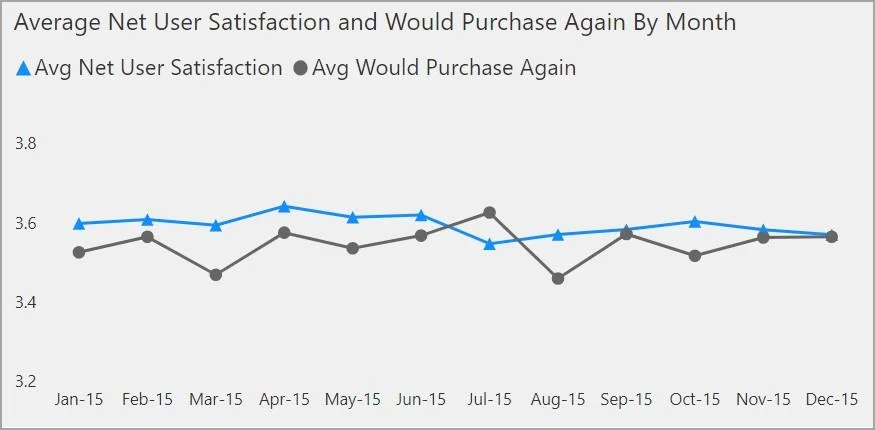
The correct answer is A. Configure a unique marker for each series. It's a best practice to avoid using color (including features conditional formatting) as the only way of conveying information. Instead, you can use markers to convey different series. For Line, Area, and Combo visuals, as well as for Scatter and Bubble visuals, you can turn on…
Question
You plan to generate a line chart to visualize and compare the last six months of sales data for two departments. You need to increase the accessibility of the visual. What should you do?
Exhibit
Options
- AConfigure a unique marker for each series.
- BConfigure a distinct color for each series.
- CReplace long text with abbreviations and acronyms.
- DMove important information to a tooltip.
How the community answered
(37 responses)- A81% (30)
- B3% (1)
- C5% (2)
- D11% (4)
Explanation
It's a best practice to avoid using color (including features conditional formatting) as the only way of conveying information. Instead, you can use markers to convey different series. For Line, Area, and Combo visuals, as well as for Scatter and Bubble visuals, you can turn on markers and use a different Marker shape for each line. https://learn.microsoft.com/en-us/power-bi/create-reports/desktop-accessibility-creating-reports
Community Discussion
No community discussion yet for this question.