
MB-500 · Question #77
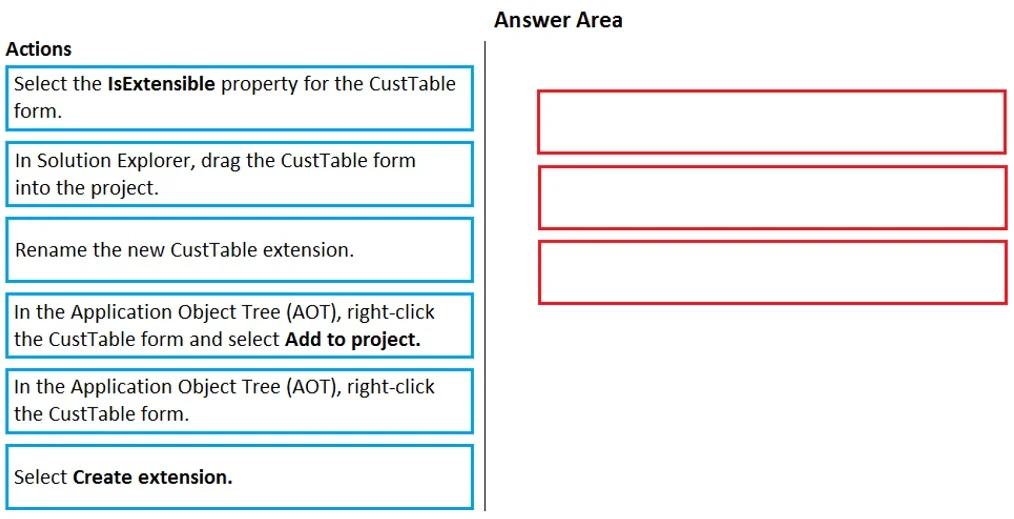
Drag and Drop Question An organization uses Visual Studio to develop customizations for Dynamics 365 Supply chain Management. You need to create an extension for the CustTable form and add the…
The correct answer is In the Application Object Tree (AOT), right-click the CustTable form and select Add to project.; Select Create extension.; Rename the new CustTable extension. Explanation: Creating a CustTable Form Extension in D365 SCM The Correct Sequence --- Step 1: In the AOT, right-click the CustTable form and select "Add to project" Why first: Before you can extend an object, it must exist within your active Visual Studio project context. The…
Question
Exhibit
Answer Area
Drag items
Correct arrangement
- In the Application Object Tree (AOT), right-click the CustTable form and select Add to project.
- Select Create extension.
- Rename the new CustTable extension.
Explanation
Explanation: Creating a CustTable Form Extension in D365 SCM
The Correct Sequence
Step 1: In the AOT, right-click the CustTable form and select "Add to project"
Why first: Before you can extend an object, it must exist within your active Visual Studio project context. The AOT's "Add to project" option registers a reference to the base CustTable form inside your model project. This is the entry point - you cannot create an extension for an object that hasn't been surfaced in your project first.
Step 2: Select "Create extension"
Why second: Only after the base form is in your project do you invoke "Create extension." This generates a new extension artifact - CustTable.Extension - within your model. This is the actual object you customize; it overlays behavior on the base form without modifying Microsoft's sealed code.
Step 3: Rename the new CustTable extension
Why last: Renaming is always a post-creation step. You can only rename something that exists. Best practice is to rename the extension to reflect your ISV/customer prefix (e.g., CustTable.ContosoExtension) to avoid naming conflicts across models.
Why the Other Items Are Wrong
| Item | Why excluded |
|---|---|
| "Select the IsExtensible property" | That property is set by Microsoft on the base object. As a developer consuming an extension, you never set this - it's a read-only indicator, not a prerequisite action. |
| "Drag the CustTable form into the project (Solution Explorer)" | AOT objects are not .NET files. Dragging in Solution Explorer is a .NET pattern and does not work for Dynamics model objects. |
| "Right-click the CustTable form" (alone) | This is an incomplete action - right-clicking with no subsequent menu selection accomplishes nothing. The exam deliberately includes this to test whether you recognize that the full action (right-click + "Add to project") is what matters. |
Common Mistakes
- Confusing "Add to project" with "Create extension" - they are sequential, not interchangeable. "Add to project" brings the base form into scope; "Create extension" generates the new extension object.
- Skipping the rename - technically optional at creation time, but exam questions treat it as a required step because it's a mandatory best practice in enterprise D365 development to avoid model layer conflicts.
Topics
Community Discussion
No community discussion yet for this question.