
MB-330 · Question #53
Drag and Drop Question New order items arrive from vendors and come into a company's main warehouse. You must set up internal transportation processes in Dynamics 365 Supply Chain Management to…
D365 SCM: Inbound Transportation Management - Step Order Explained The "Correct Mapping" format here appears to label draggable tiles as Box1–Box5, but the logical process order is what matters for understanding. The note that "more than one order is correct" means minor…
Question
Exhibit
Options
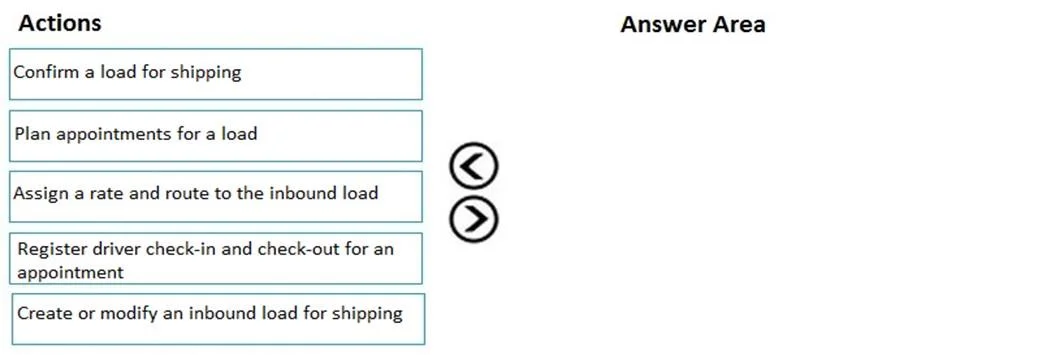
- Box1Confirm a load for shipping
- Box2Plan appointments for a load
- Box3Assign a rate and route to the inbound load
- Box4Register driver check-in and check-out for an appointment
- Box5Create or modify an inbound load for shipping
Explanation
D365 SCM: Inbound Transportation Management - Step Order Explained
The "Correct Mapping" format here appears to label draggable tiles as Box1–Box5, but the logical process order is what matters for understanding. The note that "more than one order is correct" means minor variations are accepted - but the core sequence follows the physical reality of receiving a shipment.
Correct Logical Order
| Step | Action |
|---|---|
| 1 | Create or modify an inbound load for shipping |
| 2 | Assign a rate and route to the inbound load |
| 3 | Confirm a load for shipping |
| 4 | Plan appointments for a load |
| 5 | Register driver check-in and check-out for an appointment |
Step-by-Step Rationale
Step 1 - Create or modify an inbound load for shipping The load record is the foundational object everything else hangs on. In D365 SCM, inbound loads are created from purchase orders via the Load Planning Workbench or automatically. No other step can proceed without a load existing. This is always first.
Step 2 - Assign a rate and route to the inbound load With the load created, you select a carrier, transportation mode, and rate. This determines how the shipment travels and establishes cost commitments. It must happen before confirming because confirmation locks in these logistics details.
Step 3 - Confirm a load for shipping Confirming signals that the load is finalized and ready to ship from the vendor's side. In D365, this triggers downstream processes (e.g., shipment notifications). Rate/route must be assigned first - you cannot confirm an unrouted load.
Step 4 - Plan appointments for a load After confirmation, you schedule a dock appointment - the specific time window when the truck will arrive at the warehouse. This step requires a confirmed load because unconfirmed loads haven't been committed for transport yet.
Step 5 - Register driver check-in and check-out for an appointment This is a physical/real-time action: the driver arrives, checks in at the dock, the goods are unloaded, and the driver checks out. It is always last - it is the execution of everything planned in the prior steps.
Common Mistakes & Misconceptions
- Putting "Confirm" first - Candidates confuse "confirm" with "initiate." Confirmation is a commitment action, not a creation action. You confirm what already exists.
- Swapping Steps 3 and 4 - Some variations accepted by the exam allow planning appointments before confirmation, but conceptually, confirming first is the standard Microsoft-prescribed flow.
- Forgetting Step 1 is Step 1 - Because the question lists actions out of order, candidates sometimes rank "Create or modify" last since it sounds generic. It is always the prerequisite.
- Treating check-in/check-out as optional - In TMS, driver appointment management is a formal tracked process, not just a physical action - it closes out the inbound appointment in the system.
Topics
Community Discussion
No community discussion yet for this question.