
MB-310 · Question #358
Case Study 6 - Tailspin Toys Background Tailspin Toys is a toy manufacturing company that sells to distributors and customers through a business-to-consumer website. Tailspin Toys has been using…
The correct answer is Terms of payment, method of payment, and payment days; Method of payment and payment schedules; Terms of payment, method of payment, and payment schedules; Set up vendor payment proposal automation. Explanation: Accounts Payable Configuration - Tailspin Toys > Note: The question description mentions "vendor incentive program / charges codes," but the available items and correct answers are clearly about vendor payment configuration. This is likely a transcription mix-up…
Question
Exhibit
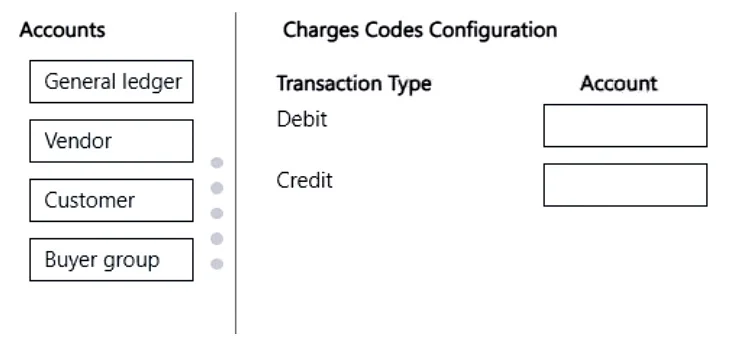
Answer Area
Drag items
Correct arrangement
- Terms of payment, method of payment, and payment days
- Method of payment and payment schedules
- Terms of payment, method of payment, and payment schedules
- Set up vendor payment proposal automation.
Explanation
Explanation: Accounts Payable Configuration - Tailspin Toys
Note: The question description mentions "vendor incentive program / charges codes," but the available items and correct answers are clearly about vendor payment configuration. This is likely a transcription mix-up between two sub-questions in the same case study. The answers below address the CFO's payment requirements and the AP automation issue.
The Four Requirements Being Addressed
From the case study, the relevant requirements/issues are:
| # | Requirement from Case Study |
|---|---|
| 1 | Pay vendors every Friday (specific payment day) |
| 2 | Vendors with installment/schedule-based payments (e.g., lease-style vendors) |
| 3 | Pay per credit issued by vendors + agreed payment method (standard credit terms + schedule) |
| 4 | Automate the weekly vendor payment proposal process |
Item-by-Item Explanation
Slot 1 → Terms of payment, method of payment, and payment days
The CFO wants to pay vendors every Friday per their credit terms and agreed payment method. All three components are needed:
- Terms of payment - defines the credit window (e.g., Net 30); determines when an invoice is due
- Method of payment - defines how the check/EFT is issued
- Payment days - is a D365 Finance-specific object that pins payments to a specific calendar day (e.g., every Friday). Without this, the system cannot enforce "Friday payments only"
Common mistake: Omitting payment days and assuming method of payment alone enforces a payment schedule. Payment days is a distinct setup object in D365 Finance under Accounts payable > Payment setup > Payment days.
Slot 2 → Method of payment and payment schedules
This applies to vendors where payments are split across installments (relevant to the leasing context or vendors with installment arrangements). Here:
- Payment schedules - allows a single invoice to be split into multiple installment lines across dates
- Method of payment - still needed to define the payment instrument
Why no terms of payment here? The installment schedule replaces the standard due-date logic from terms of payment - the schedule itself defines when each portion is paid.
Common mistake: Adding terms of payment here. When a payment schedule is used, the terms of payment are either overridden or redundant, because the schedule controls the due dates directly.
Slot 3 → Terms of payment, method of payment, and payment schedules
This is for vendors where payments are governed by credit terms AND can be paid on an installment schedule, but without a fixed day-of-week constraint. All three work together:
- Terms of payment - establishes the overall credit window
- Payment schedules - splits payment across installments within that window
- Method of payment - defines how payment is executed
Why no payment days? No specific weekday is being enforced here - the schedule handles timing.
Common mistake: Confusing this with Slot 1. The distinction is: Slot 1 = fixed weekday enforcement (payment days); Slot 3 = installment splitting within credit terms (payment schedules).
Slot 4 → Set up vendor payment proposal automation
The case study explicitly states: "The accounts payable manager must automate the current process of vendor payment proposals." Currently, the AP manager manually generates proposals every Wednesday. D365 Finance has a Payment proposal automation feature that runs on a defined schedule (e.g., every Wednesday) without manual intervention.
This is a direct, task-level answer - it's a setup action, not a configuration combination.
Common mistake: Selecting "Set up payment schedules" or "Set up payment days" here. Those solve when vendors are paid; automation solves who initiates the process. The AP manager needs the proposal generated automatically, not just on the right day.
Why the Other Items Were Not Selected
| Item | Why Not Used |
|---|---|
| Terms of payment and method of payment (alone) | Missing payment days OR schedules - incomplete for any real scenario |
| Terms of payment, method of payment, and payment days | Used in Slot 1 only |
| Set up positive pay | Fraud prevention for check printing; not related to the AP automation or payment configuration issues described |
| Set up payment schedules / Set up payment days | These are prerequisite setup tasks, not answers to which configuration combination is required for a given scenario |
Topics
Community Discussion
No community discussion yet for this question.