
DP-300 · Question #289
Hotspot Question You have an Azure SQL managed instance named SQLMI1 that hosts multiple databases. You need to monitor the performance of SQLMI1 and identify which database uses the most memory and…
The correct answer is For memory:: sys.dm_os_buffer_descriptors; For disk I/O:: sys.dm_io_virtual_file_stats. This question tests knowledge of the correct Dynamic Management Views (DMVs) used in Azure SQL Managed Instance to monitor memory and disk I/O usage at the database level.
Question
Exhibit
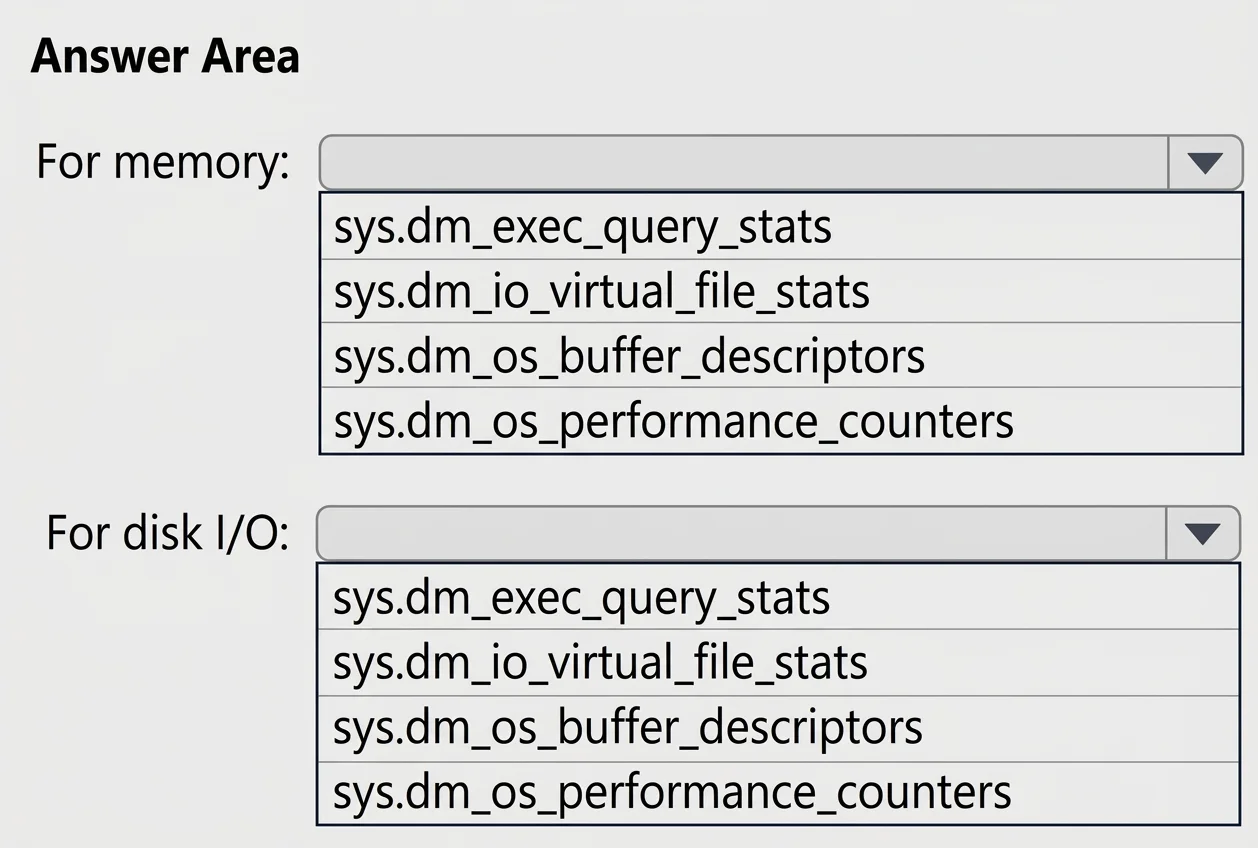
Answer Area
- For memory:sys.dm_os_buffer_descriptorssys.dm_exec_query_statssys.dm_io_virtual_file_statssys.dm_os_buffer_descriptorssys.dm_os_performance_counters
- For disk I/O:sys.dm_io_virtual_file_statssys.dm_exec_query_statssys.dm_io_virtual_file_statssys.dm_os_buffer_descriptorssys.dm_os_performance_counters
Explanation
This question tests knowledge of the correct Dynamic Management Views (DMVs) used in Azure SQL Managed Instance to monitor memory and disk I/O usage at the database level.
Approach. For identifying which database uses the most memory, you should query 'sys.dm_os_memory_clerks', which provides memory usage broken down by memory clerk types including database-level memory allocation. For identifying which database uses the most disk I/O, you should query 'sys.dm_io_virtual_file_stats', which returns I/O statistics for database files including reads, writes, and bytes transferred, allowing you to aggregate and identify the database consuming the most disk I/O. These DMVs are available in Azure SQL Managed Instance and provide the granular, per-database performance data needed to fulfill the monitoring requirement.
Concept tested. Knowledge of SQL Server and Azure SQL Managed Instance Dynamic Management Views (DMVs) for performance monitoring - specifically sys.dm_os_memory_clerks for memory usage and sys.dm_io_virtual_file_stats for disk I/O statistics at the database level.
Reference. https://learn.microsoft.com/en-us/sql/relational-databases/system-dynamic-management-views/sys-dm-os-memory-clerks-transact-sql and https://learn.microsoft.com/en-us/sql/relational-databases/system-dynamic-management-views/sys-dm-io-virtual-file-stats-transact-sql
Topics
Community Discussion
No community discussion yet for this question.