
DP-300 · Question #233
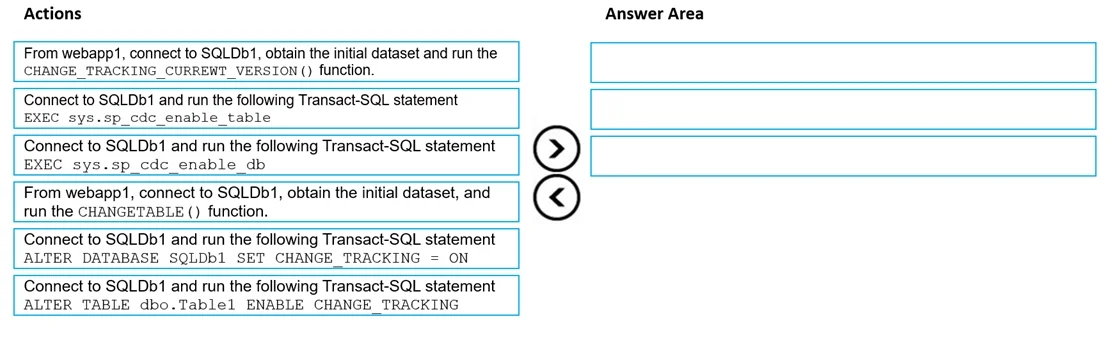
Drag and Drop Question You have an Azure subscription that contains an Azure SQL database named SQLDb1. SQLDb1 contains a table named Table1. You plan to deploy an Azure web app named webapp1 that…
The correct answer is Connect to SQLDb1 and run the following Transact-SQL statement ALTER DATABASE SQLDb1 SET CHANGE_TRACKING = ON; From webapp1, connect to SQLDb1, obtain the initial dataset and run the CHANGE_TRACKING_CURRENT_VERSION() function; Connect to SQLDb1, obtain the initial dataset, and run the CHANGETABLE() function. Azure SQL Change Tracking - Exam Explanation This question tests your knowledge of SQL Change Tracking (not Change Data Capture). The key constraint is minimize compute and storage, which rules out CDC (Change Data Capture) - CDC stores full row data in system tables, consuming…
Question
Exhibits
Answer Area
Drag items
Correct arrangement
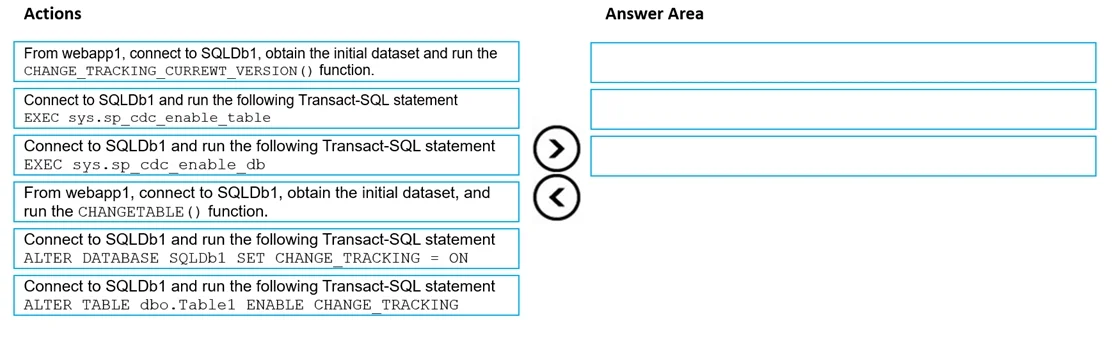
- Connect to SQLDb1 and run the following Transact-SQL statement ALTER DATABASE SQLDb1 SET CHANGE_TRACKING = ON
- From webapp1, connect to SQLDb1, obtain the initial dataset and run the CHANGE_TRACKING_CURRENT_VERSION() function
- Connect to SQLDb1, obtain the initial dataset, and run the CHANGETABLE() function
Explanation
Azure SQL Change Tracking - Exam Explanation
This question tests your knowledge of SQL Change Tracking (not Change Data Capture). The key constraint is minimize compute and storage, which rules out CDC (Change Data Capture) - CDC stores full row data in system tables, consuming more storage. Change Tracking only stores the fact that a row changed (and its key), making it leaner.
Why CDC items are wrong
EXEC sys.sp_cdc_enable_dbandEXEC sys.sp_cdc_enable_tableare CDC commands - they enable Change Data Capture, which stores full before/after row images. This violates "minimize storage."
Correct Sequence Explained
Step 1: ALTER DATABASE SQLDb1 SET CHANGE_TRACKING = ON
You must enable Change Tracking at the database level first. This is a prerequisite - nothing else works without it. You'd also normally follow this with ALTER TABLE Table1 ENABLE CHANGE_TRACKING, but that's not listed as a choice, so Step 1 is the database-level enable.
Step 2: From webapp1, obtain the initial dataset and run CHANGE_TRACKING_CURRENT_VERSION()
Before you can track what changed, you need a baseline snapshot and a version anchor. CHANGE_TRACKING_CURRENT_VERSION() returns the current tracking version number. webapp1 captures all current rows plus this version number and stores it. This is the "sync point" - future queries will ask "what changed since this version?"
Step 3: Run CHANGETABLE()
On subsequent runs, webapp1 calls CHANGETABLE(CHANGES Table1, @last_sync_version) to retrieve only the rows that changed since the last captured version. This is the ongoing change detection step - it's meaningless without Step 2 having established the baseline version.
Common Mistakes
| Mistake | Why it's wrong |
|---|---|
Choosing CDC (sp_cdc_enable_db) | CDC stores full row history - violates "minimize storage" |
Running CHANGETABLE() before getting baseline version | You'd have no version anchor; the function needs a @last_sync_version parameter |
Skipping ALTER DATABASE ... SET CHANGE_TRACKING = ON | Change Tracking is disabled by default; all subsequent steps will fail |
| Confusing Change Tracking with CDC | CT = lightweight (keys + version); CDC = heavyweight (full row audit log) |
The core mental model: enable -> baseline -> delta queries.
Topics
Community Discussion
No community discussion yet for this question.