
AZ-500 · Question #534
Hotspot Question You have a Microsoft Entra tenant that contains the user shown in the following table. You configure a Conditional Access policy that has the following settings: - Name:CAPolicy1…
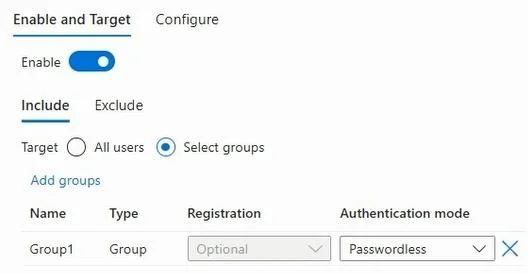
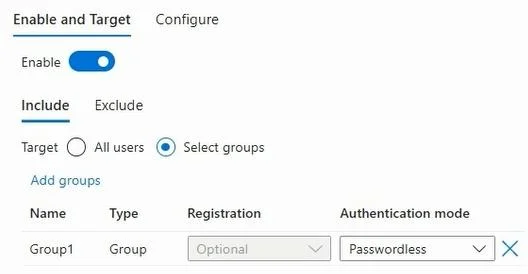
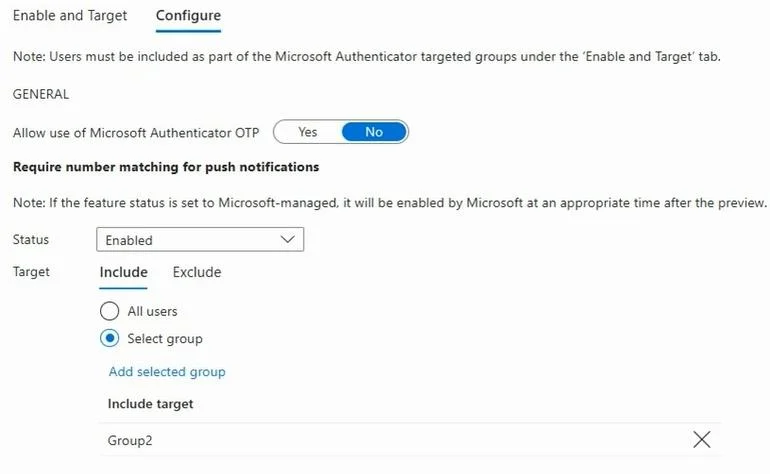
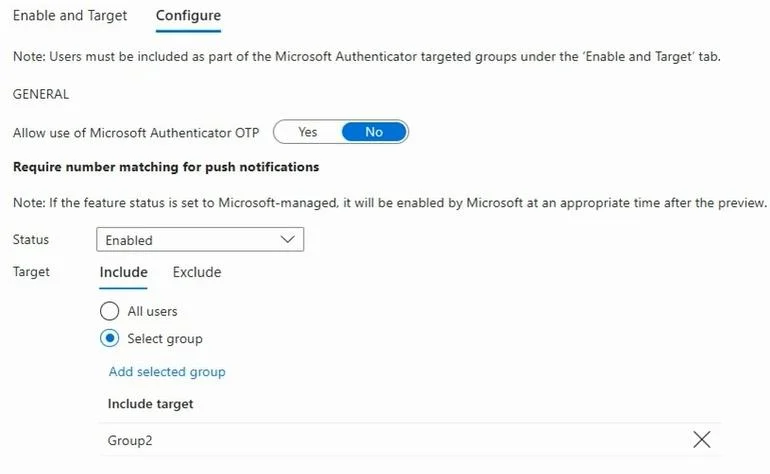
The correct answer is User1 is required to use number matching during sign-in. = No; User2 is required to use number matching during sign-in. = Yes; User3 is required to use number matching during sign-in. = Yes. To determine whether a user is required to use number matching during sign-in, we must refer to the Microsoft Authenticator settings under the 'Configure' tab. Here, the setting 'Require number matching for push notifications' is explicitly Enabled and Targets Group2. User1: Is…
Question
Exhibits
Answer Area
- User1 is required to use number matching during sign-in.No
- User2 is required to use number matching during sign-in.Yes
- User3 is required to use number matching during sign-in.Yes
Explanation
To determine whether a user is required to use number matching during sign-in, we must refer to the Microsoft Authenticator settings under the 'Configure' tab. Here, the setting 'Require number matching for push notifications' is explicitly Enabled and Targets Group2.
- User1: Is a member of
Group1. User1 is not a member ofGroup2. Therefore, User1 is not subject to the 'Require number matching for push notifications' policy and is not required to use number matching during sign-in. - User2: Is a member of both
Group1andGroup2. Since User2 is a member ofGroup2, they are subject to the 'Require number matching for push notifications' policy and are required to use number matching during sign-in. - User3: Is a member of
Group2. Therefore, User3 is subject to the 'Require number matching for push notifications' policy and is required to use number matching during sign-in.
Topics
Community Discussion
No community discussion yet for this question.