nerdexam
Microsoft

AZ-500 · Question #180

Case Study 1 - Litware, Inc Overview Litware, Inc. is a digital media company that has 500 employees in the Chicago area and 20 employees in the San Francisco area. Existing Environment Litware has…

This hotspot question tests knowledge of Azure AD identity and access management configurations, specifically around PIM role assignments, dynamic group membership rules, and Azure AD application registration restrictions.

Submitted by asante_acc· Mar 6, 2026Secure identity and access

Question

Case Study 1 - Litware, Inc Overview Litware, Inc. is a digital media company that has 500 employees in the Chicago area and 20 employees in the San Francisco area. Existing Environment Litware has an Azure subscription named Sub1 that has a subscription ID of 43894a43-17c2- 4a39-8cfc-3540c2653ef4. Sub1 is associated to an Azure Active Directory (Azure AD) tenant named litwareinc.com. The tenant contains the user objects and the device objects of all the Litware employees and their devices. Each user is assigned an Azure AD Premium P2 license. Azure AD Privileged Identity Management (PIM) is activated. The tenant contains the groups shown in the following table. The Azure subscription contains the objects shown in the following table. Azure Security Center is set to the Free tier. Planned changes Litware plans to deploy the Azure resources shown in the following table. Litware identifies the following identity and access requirements: All San Francisco users and their devices must be members of Group1. The members of Group2 must be assigned the Contributor role to Resource Group2 by using a permanent eligible assignment. Users must be prevented from registering applications in Azure AD and from consenting to applications that access company information on the users' behalf. Platform Protection Requirements Litware identifies the following platform protection requirements: Microsoft Antimalware must be installed on the virtual machines in Resource Group1. The members of Group2 must be assigned the Azure Kubernetes Service Cluster Admin Role. Azure AD users must be to authenticate to AKS1 by using their Azure AD credentials. Following the implementation of the planned changes, the IT team must be able to connect to VM0 by using JIT VM access. A new custom RBAC role named Role1 must be used to delegate the administration of the managed disks in Resource Group1. Role1 must be available only for Resource Group1. Security Operations Requirements Litware must be able to customize the operating system security configurations in Azure Security Center. Hotspot Question You need to ensure that the Azure AD application registration and consent configurations meet the identity and access requirements. What should you use in the Azure portal? To answer, select the appropriate options in the answer area. NOTE: Each correct selection is worth one point. Answer:

Exhibit

AZ-500 question #180 exhibit

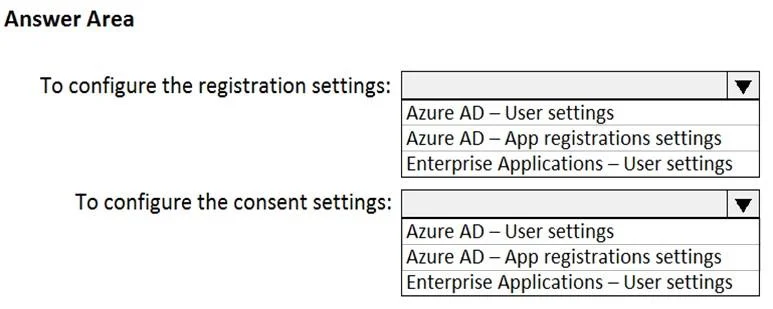
Answer Area

  • To configure the registration settings:
    Azure AD – User settingsAzure AD – App registrations settingsEnterprise Applications – User settings
  • To configure the consent settings:
    Azure AD – User settingsAzure AD – App registrations settingsEnterprise Applications – User settings

Explanation

This hotspot question tests knowledge of Azure AD identity and access management configurations, specifically around PIM role assignments, dynamic group membership rules, and Azure AD application registration restrictions.

Approach. For San Francisco users and devices to automatically become members of Group1, the group must use a dynamic membership rule based on location attributes (e.g., city = 'San Francisco'). For Group2 members to have a permanent eligible Contributor assignment to Resource Group2, this is configured in Azure AD PIM under Azure Resource roles, selecting 'Eligible' assignment type with no end date (permanent). To prevent users from registering applications, the Azure AD tenant setting 'Users can register applications' must be set to 'No' under Azure Active Directory > User settings. Each of these configurations maps to specific Yes/No or selection answers in the hotspot grid based on whether the described configuration achieves the stated requirement.

Concept tested. Azure AD Privileged Identity Management (PIM) permanent eligible role assignments, Azure AD dynamic group membership rules for user/device objects, and Azure AD tenant-level user settings for application registration restrictions.

Reference. https://docs.microsoft.com/en-us/azure/active-directory/privileged-identity-management/pim-resource-roles-assign-roles | https://docs.microsoft.com/en-us/azure/active-directory/enterprise-users/groups-dynamic-membership | https://docs.microsoft.com/en-us/azure/active-directory/develop/active-directory-how-applications-are-added#who-has-permission-to-add-applications-to-my-azure-ad-instance

Topics

#Azure AD app registration#User consent#Enterprise applications

Community Discussion

No community discussion yet for this question.

Full AZ-500 Practice