
AZ-500 · Question #463
Hotspot Question You have an Azure subscription that uses Microsoft Defender for Cloud. You plan to use the Secure Score Over Time workbook. You need to configure the Continuous export settings for…
The correct answer is Secure score: checked; Streaming updates: checked. This question tests knowledge of configuring Continuous Export in Microsoft Defender for Cloud to populate the 'Secure Score Over Time' workbook with historical data.
Question
Exhibit
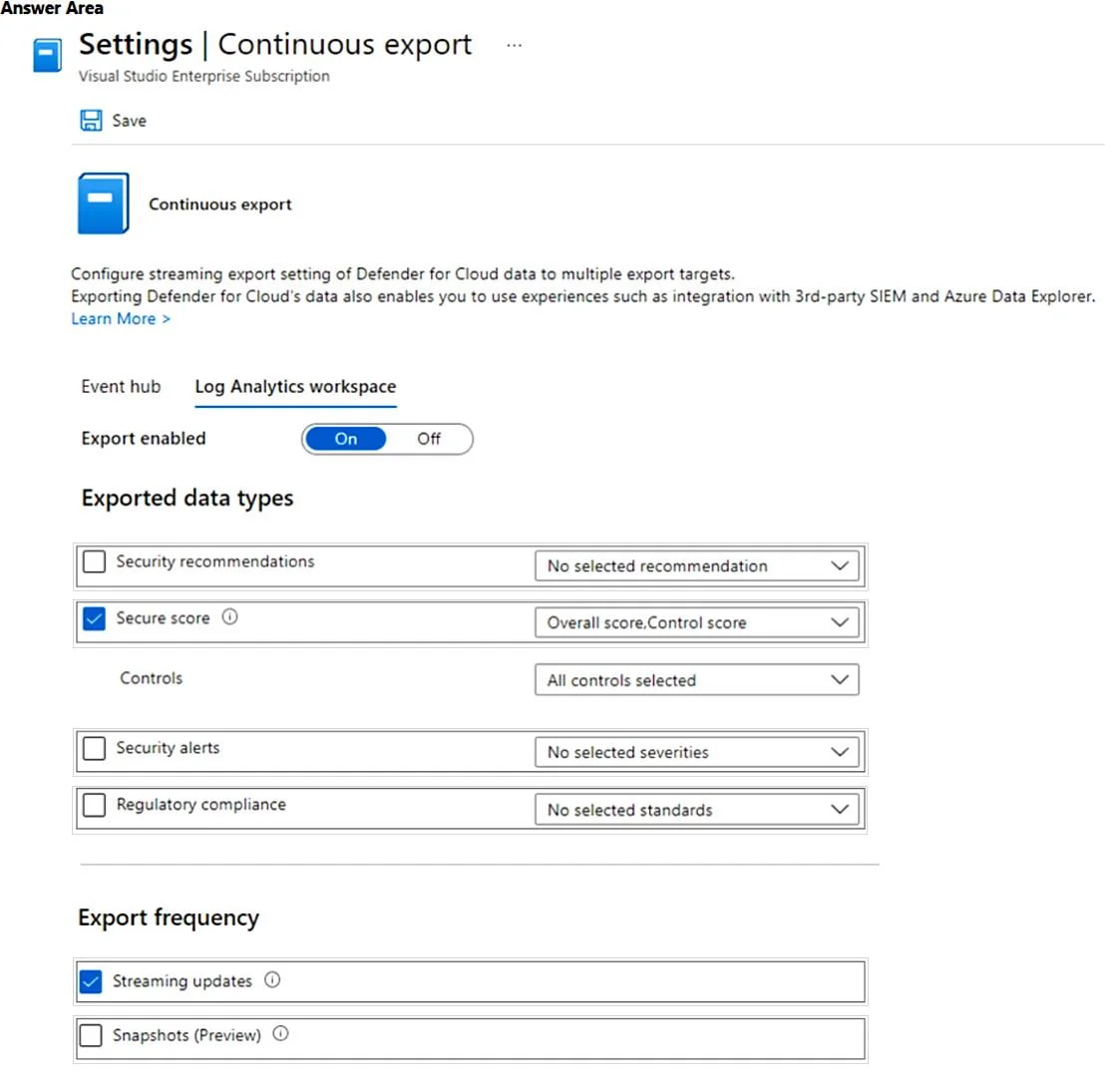
Answer Area
- Secure scorecheckedcheckedunchecked
- Streaming updatescheckedcheckedunchecked
Explanation
This question tests knowledge of configuring Continuous Export in Microsoft Defender for Cloud to populate the 'Secure Score Over Time' workbook with historical data.
Approach. To use the 'Secure Score Over Time' workbook in Defender for Cloud, you must configure Continuous Export with two specific settings: (1) 'Secure Score' under the exported data types, which exports the overall subscription-level secure score over time, and (2) 'Secure Score Controls' which exports the score broken down by individual security controls. These two data types must be exported to a Log Analytics workspace, which the workbook then queries to render historical secure score trends. Without enabling both of these export types, the workbook will not have the necessary data to display score history.
Concept tested. Configuring Continuous Export in Microsoft Defender for Cloud to export Secure Score and Secure Score Controls data to a Log Analytics workspace, enabling the Secure Score Over Time workbook to function with historical telemetry.
Reference. https://learn.microsoft.com/en-us/azure/defender-for-cloud/continuous-export?tabs=azure-portal
Topics
Community Discussion
No community discussion yet for this question.