
AZ-500 · Question #128
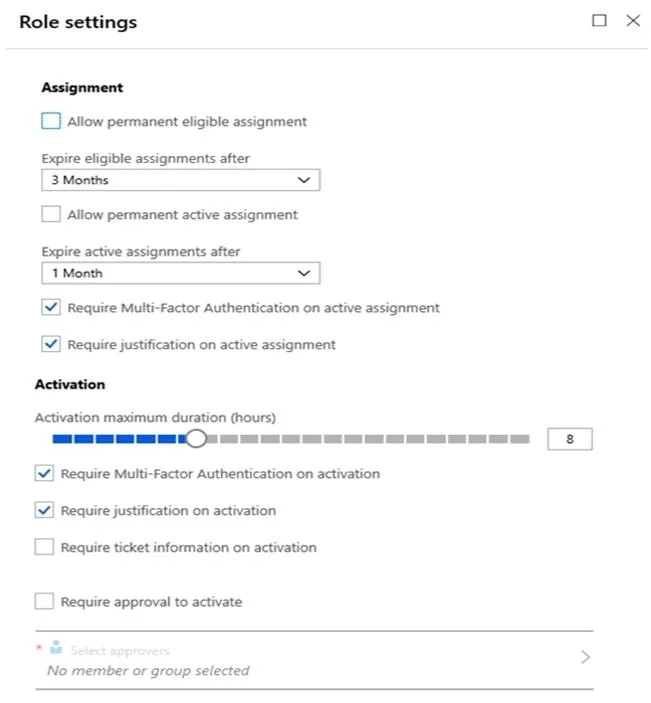
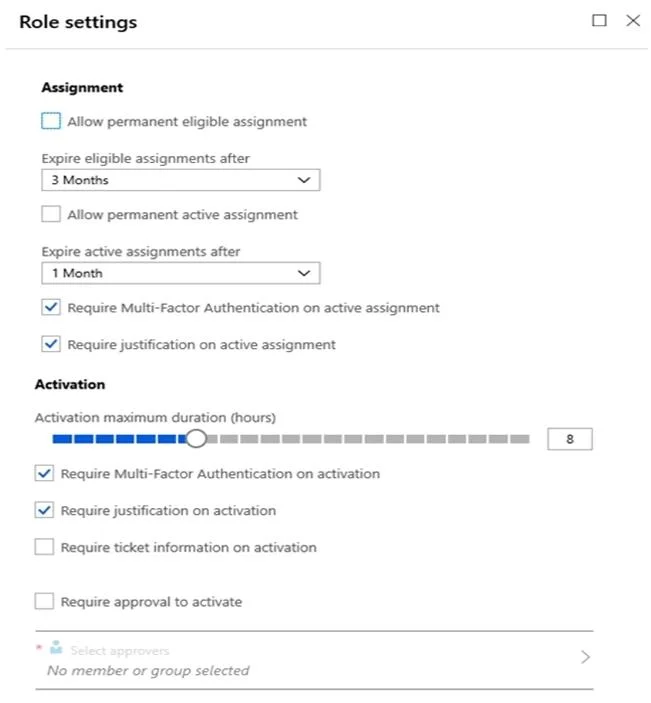
Hotspot Question You have an Azure Active Directory (Azure AD) tenant that contains the users shown in the following table. In Azure AD Privileged Identity Management (PIM), the Role settings for…
The correct answer is Allow permanent eligible assignment = No; Allow permanent active assignment = No; Require Multi-Factor Authentication on active assignment = Yes; Require justification on active assignment = Yes; Require Multi-Factor Authentication on activation = Yes; Require justification on activation = Yes; Require ticket information on activation = No; Require approval to activate = No. This question tests understanding of Azure AD Privileged Identity Management (PIM) role assignment types (eligible vs. active), assignment duration limits, and MFA requirements configured in Role Settings.
Question
Exhibits
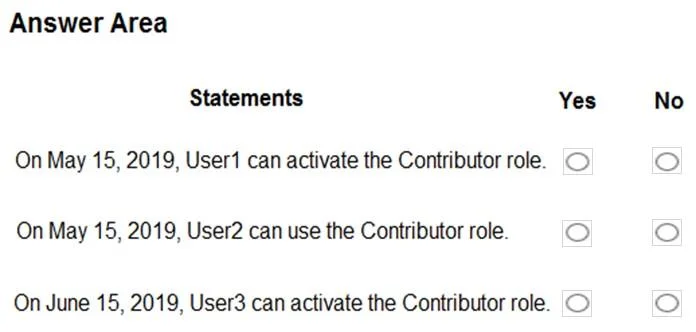
Answer Area
- Allow permanent eligible assignmentNo
- Allow permanent active assignmentNo
- Require Multi-Factor Authentication on active assignmentYes
- Require justification on active assignmentYes
- Require Multi-Factor Authentication on activationYes
- Require justification on activationYes
- Require ticket information on activationNo
- Require approval to activateNo
Explanation
This question tests understanding of Azure AD Privileged Identity Management (PIM) role assignment types (eligible vs. active), assignment duration limits, and MFA requirements configured in Role Settings.
Approach. In Azure AD PIM, roles can be assigned as 'Eligible' (user must activate the role manually, subject to MFA and justification requirements) or 'Active' (permanently active without needing activation). The Role Settings for Contributor define: maximum eligible assignment duration, maximum active assignment duration, whether MFA is required on activation, and whether justification is required. When evaluating statements, check if the user has an 'eligible' or 'active' assignment, whether the assignment duration exceeds the configured maximum (which would make it non-compliant or auto-expire), and whether MFA is enforced at activation time. For example, if Role Settings cap eligible assignments at 90 days but a user is assigned eligible beyond that window, PIM will enforce the limit. If a user has an 'active' (permanent) assignment and the settings require MFA on activation, that MFA requirement only applies when activating an eligible assignment - permanent active assignments bypass the activation workflow entirely. Always cross-reference the assignment type, the configured duration limits, and the activation requirements to determine the truth of each statement.
Concept tested. Azure AD Privileged Identity Management (PIM) - Role Settings configuration, eligible vs. active role assignments, assignment duration limits, MFA on activation requirements, and how these settings affect specific user scenarios.
Topics
Community Discussion
No community discussion yet for this question.