
AZ-305 · Question #282
Hotspot Question You need to deploy an instance of SQL Server on Azure Virtual Machines. The solution must meet the following requirements: - Support 15,000 disk IOPS. - Support SR-IOV. - Minimize…
This question tests knowledge of Azure VM sizes and storage configurations required to meet specific IOPS and SR-IOV (Single Root I/O Virtualization) requirements for SQL Server on Azure VMs while minimizing costs.
Question
Exhibits
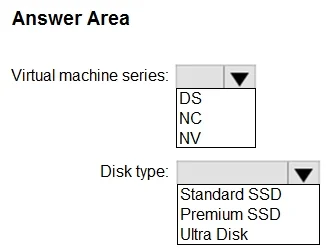
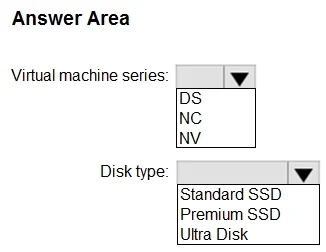
Answer Area
- Virtual machine series:DSNCNV
- Disk type:Standard SSDPremium SSDUltra Disk
Explanation
This question tests knowledge of Azure VM sizes and storage configurations required to meet specific IOPS and SR-IOV (Single Root I/O Virtualization) requirements for SQL Server on Azure VMs while minimizing costs.
Approach. For SR-IOV support, you must select an Azure VM size that supports Accelerated Networking (which uses SR-IOV internally) - this means choosing a VM from a series that supports it, such as the Standard_D or Standard_E series (v3 or later, or newer generations). To support 15,000 disk IOPS while minimizing costs, you should use Premium SSD managed disks (which support up to 20,000 IOPS per disk for P50 and above) or stripe multiple Premium SSDs together. The correct VM size should be an 'E' or 'D' series that supports SR-IOV/Accelerated Networking - specifically a Standard_E8s_v3 or similar that provides enough throughput and supports SR-IOV. For storage, a Premium SSD P50 (or equivalent) disk or a striped set of Premium SSDs would satisfy 15,000 IOPS; a single P50 provides up to 7,500 IOPS, so you may need P60 (16,000 IOPS) or stripe two P40s. The minimum-cost approach for 15,000 IOPS with a single disk is a Premium SSD P60 (16,000 IOPS), and the VM must be an SR-IOV-capable size like Standard_D8s_v3 or Standard_E8s_v3.
Concept tested. Azure VM sizing for SR-IOV/Accelerated Networking support and Premium SSD disk tier selection to meet IOPS requirements for SQL Server on Azure Virtual Machines while optimizing cost.
Reference. https://docs.microsoft.com/en-us/azure/virtual-machines/premium-storage-performance and https://docs.microsoft.com/en-us/azure/virtual-network/create-vm-accelerated-networking-cli
Topics
Community Discussion
No community discussion yet for this question.