
AZ-104 · Question #665
Hotspot Question You have an Azure subscription that contains a virtual machine named VM1. To VM1, you plan to add a 1-TB data disk that meets the following requirements: - Provides data resiliency…
This question tests knowledge of Azure managed disk types and host caching options, requiring you to select the combination that provides datacenter-level resiliency, lowest latency/highest performance, and no data loss on host failure.
Question
Exhibit
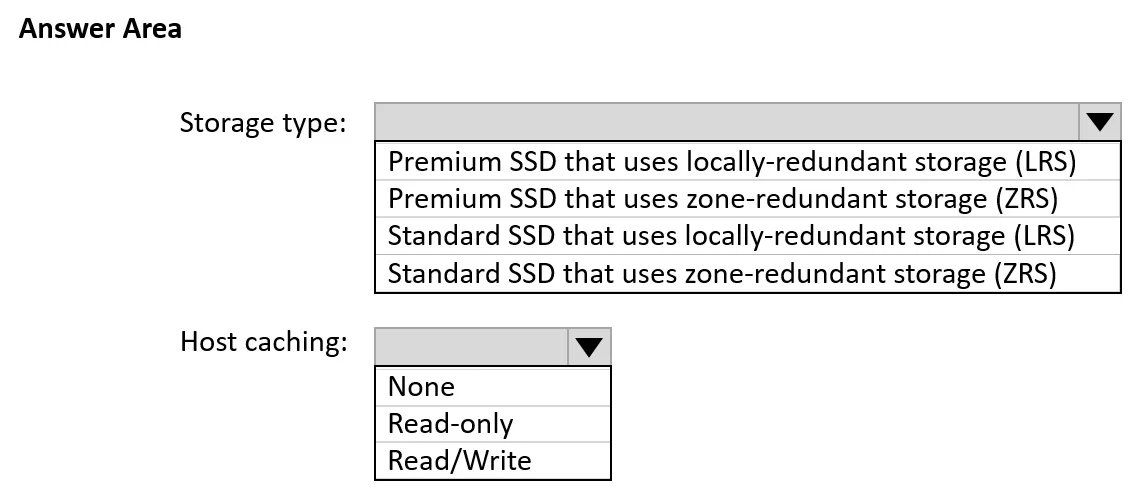
Answer Area
- Storage type:Premium SSD that uses locally-redundant storage (LRS)Premium SSD that uses zone-redundant storage (ZRS)Standard SSD that uses locally-redundant storage (LRS)Standard SSD that uses zone-redundant storage (ZRS)
- Host caching:NoneRead-onlyRead/Write
Explanation
This question tests knowledge of Azure managed disk types and host caching options, requiring you to select the combination that provides datacenter-level resiliency, lowest latency/highest performance, and no data loss on host failure.
Approach. The correct configuration is Zone-redundant storage (ZRS) Premium SSD for the disk type and Read-only host caching (or None for data disks requiring write consistency). ZRS Premium SSD replicates data synchronously across three availability zones within a region, providing resiliency against a full datacenter outage while maintaining high IOPS and low latency. For host caching, Read-only caching is typically selected for data disks to maximize read performance, but because write-through caching can risk data loss on host failure, None caching is the safer choice for data integrity - ensuring no data loss if the host fails. The key combination is: Disk type = Premium SSD (ZRS) for resiliency and performance, and Host caching = None to guarantee no data loss on host failure, since Read-only caching does not cache writes and None eliminates any cache-related data loss risk entirely.
Concept tested. Azure managed disk types (LRS vs ZRS, Standard HDD/SSD vs Premium SSD vs Ultra Disk) and Azure VM disk host caching options (None, Read-only, Read/Write) - specifically understanding that ZRS provides availability zone redundancy for datacenter outage protection, Premium SSD provides the best latency/performance among standard managed disk tiers, and that host caching set to 'None' or 'Read-only' avoids write-cache data loss on host failure.
Reference. https://learn.microsoft.com/en-us/azure/virtual-machines/disks-redundancy and https://learn.microsoft.com/en-us/azure/virtual-machines/premium-storage-performance#disk-caching
Topics
Community Discussion
No community discussion yet for this question.