
AZ-104 · Question #660
Hotspot Question You have an Azure AD tenant. You need to modify the Default user role permissions settings for the tenant. The solution must meet the following requirements: - Standard users must…
The correct answer is Users can register applications: Yes; Restrict non-admin users from creating tenants: No; Users can create security groups: Yes; Guest user access restrictions: Guest users have limited access to properties and memberships of directory objects; Restrict access to Azure AD administration portal: No; Allow users to connect their work or school account with LinkedIn: Yes; Show keep user signed in: Yes. To prevent standard users from creating service principals and enforce PowerShell/Graph management for their own resources, disable application registration and restrict non-admin access to the Azure AD administration portal.
Question
Exhibits
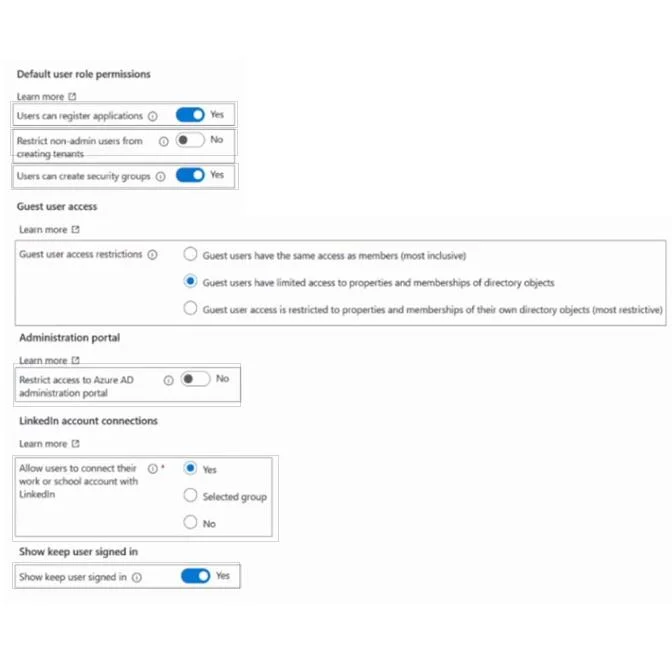
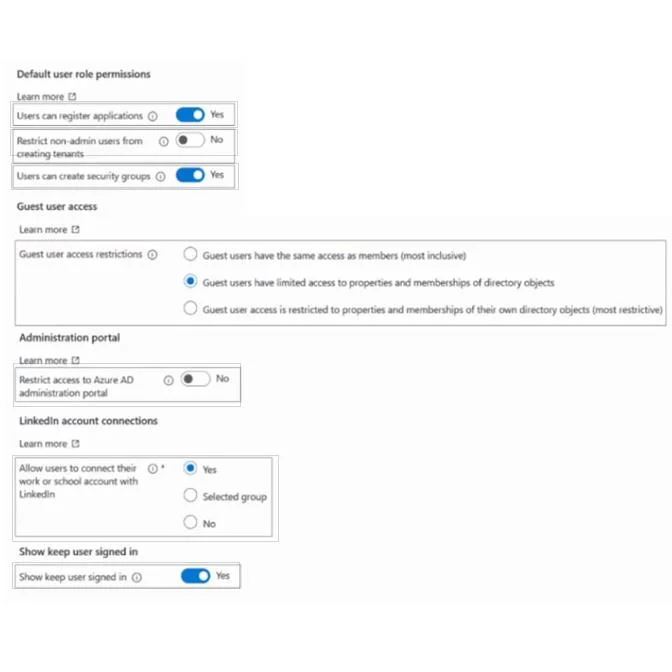
Answer Area
- Users can register applicationsYesYesNo
- Restrict non-admin users from creating tenantsNoYesNo
- Users can create security groupsYesYesNo
- Guest user access restrictionsGuest users have limited access to properties and memberships of directory objectsGuest users have the same access as members (most inclusive)Guest users have limited access to properties and memberships of directory objectsGuest user access is restricted to properties and memberships of their own directory objects (most restrictive)
- Restrict access to Azure AD administration portalNoYesNo
- Allow users to connect their work or school account with LinkedInYesYesSelected groupNo
- Show keep user signed inYesYesNo
Explanation
To prevent standard users from creating service principals and enforce PowerShell/Graph management for their own resources, disable application registration and restrict non-admin access to the Azure AD administration portal.
Approach. The question requires two modifications to Default user role permissions settings.
Requirement 1: Standard users must be prevented from creating new service principals. When an application is registered in Azure AD, a corresponding service principal object is created. The setting 'Users can register applications' directly controls whether non-admin users have the permission to register new applications. By default, this is often set to 'Yes'. To prevent standard users from creating service principals, this setting must be changed from 'Yes' to No.
Requirement 2: Standard users must only be able to use PowerShell or Microsoft Graph to manage their own Azure resources. This requirement implies restricting access to graphical interfaces while permitting programmatic access. The setting 'Restrict access to Azure AD administration portal' controls whether non-administrative users can access the Azure AD blade within the Azure portal. By setting this to 'Yes', non-admin users are prevented from using the portal for management, thereby forcing them to use command-line tools (PowerShell) or APIs (Microsoft Graph) to manage their resources, which aligns with the requirement. By default, this is often set to 'No'. To meet this requirement, this setting must be changed from 'No' to Yes.
Therefore, the correct interaction is to click the toggle for 'Users can register applications' to switch it to 'No', and click the toggle for 'Restrict access to Azure AD administration portal' to switch it to 'Yes'.
Common mistakes.
- common_mistake. Other settings shown in the exhibit are irrelevant to the specific requirements:
- Restrict non-admin users from creating tenants: This prevents users from creating new Azure AD tenants, not service principals or managing resources within the current tenant.
- Users can create security groups: This pertains to group management, not application registration or portal access.
- Guest user access restrictions: This applies only to guest users, not 'standard users' (member users).
- LinkedIn account connections: This is about personal social media integration, completely unrelated to Azure AD permissions.
- Show keep user signed in: This affects session persistence, not user permissions or access methods. Attempting to modify any of these other settings would not address the problem requirements and would be an incorrect choice.
Concept tested. This question tests the understanding of Azure AD user settings, default user role permissions, the relationship between application registration and service principals, and the distinction between managing resources via the Azure portal versus programmatic methods (PowerShell/Microsoft Graph API). It emphasizes security best practices by restricting default user capabilities according to the principle of least privilege.
Topics
Community Discussion
No community discussion yet for this question.