
AZ-104 · Question #54
Hotspot Question You have an Azure subscription that contains the virtual machines shown in the following table: VM1 and VM2 use public IP addresses. From Windows Server 2019 on VM1 and VM2, you…
The correct answer is From the Internet, you can connect to VM1 by using Remote Desktop. = No; From the Internet, you can connect to VM2 by using Remote Desktop. = Yes; From VM1, you can connect to VM2 by using Remote Desktop. = Yes. Azure NSG & Remote Desktop - Explanation Setup Summary | Component | Association | Effect | |---|---|---| | NSG1 | Subnet1 (VM1's subnet) | Default rules only - blocks all inbound internet traffic | | NSG2 | VM2's NIC | Default rules + Rule1 explicitly allowing TCP 3389 from…
Question
Exhibits


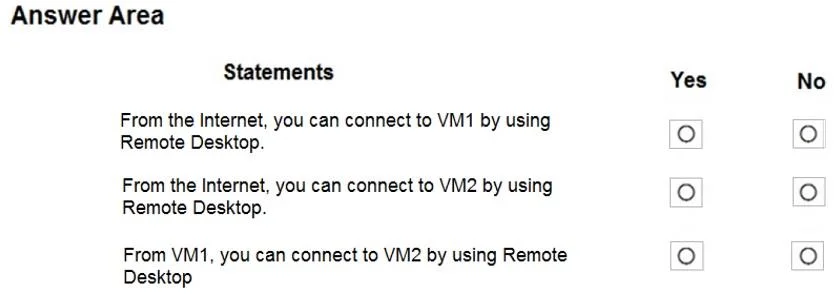
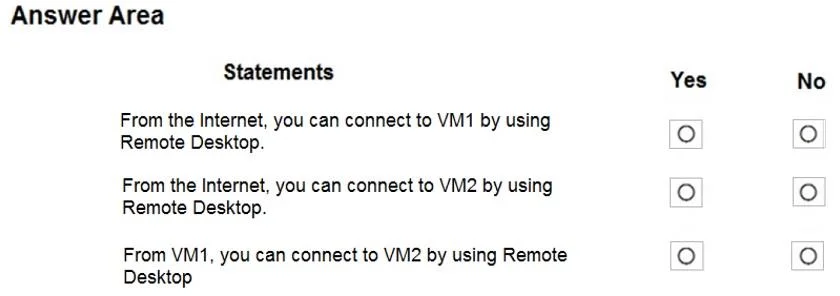
Answer Area
- From the Internet, you can connect to VM1 by using Remote Desktop.No
- From the Internet, you can connect to VM2 by using Remote Desktop.Yes
- From VM1, you can connect to VM2 by using Remote Desktop.Yes
Explanation
Azure NSG & Remote Desktop - Explanation
Setup Summary
| Component | Association | Effect |
|---|---|---|
| NSG1 | Subnet1 (VM1's subnet) | Default rules only - blocks all inbound internet traffic |
| NSG2 | VM2's NIC | Default rules + Rule1 explicitly allowing TCP 3389 from Any |
| Subnet2 | No NSG | No subnet-level filtering |
Key rule to remember: NSG default rules include an implicit Deny All Inbound at priority 65500. Without an explicit Allow rule for port 3389, internet RDP is blocked.
Statement 1: From the Internet -> VM1 via RDP - No
VM1 sits in Subnet1, which has NSG1 attached. NSG1 has only default rules - no custom rule permitting TCP 3389. The default DenyAllInbound rule (priority 65500) blocks all internet traffic not explicitly permitted. Since no allow rule exists for RDP, the connection is blocked at the subnet level before it even reaches VM1's NIC.
Concept: Subnet-level NSG without an explicit allow rule = blocked inbound internet traffic.
Statement 2: From the Internet -> VM2 via RDP - Yes
VM2's traffic path from the internet:
- Subnet2 - has no NSG attached, so no subnet-level filtering occurs.
- VM2's NIC - has NSG2, which contains Rule1:
Priority 100, TCP, Port 3389, Any -> Any, Allow.
Both checkpoints pass, so the RDP connection succeeds.
Concept: NIC-level NSGs are checked after subnet-level NSGs. When no subnet NSG exists, only the NIC NSG matters - and NSG2 explicitly allows RDP.
Statement 3: From VM1 -> VM2 via RDP - Yes
Traffic flows from VM1 outbound through Subnet1 (NSG1), then inbound to VM2 through Subnet2 (no NSG) and VM2's NIC (NSG2):
- Outbound from VM1 (NSG1): Default rules include
AllowVirtualNetworkOutbound- traffic within the VNet is permitted. - Inbound to VM2 (Subnet2): No NSG, no filtering.
- Inbound to VM2 (NSG2): Rule1 allows TCP 3389 from Any.
All three hops pass, so the connection succeeds.
Concept: Internal VNet-to-VNet traffic is allowed by default NSG outbound rules. The receiving end (VM2) still applies its NIC NSG, which explicitly permits RDP.
Memory Tip
"No NSG on subnet = free pass to the NIC NSG." Think of it as a two-door building: subnet NSG is the front door, NIC NSG is the office door. If the front door has no lock (no NSG), only the office door (NIC NSG) decides who gets in. VM1's building has a locked front door with no RDP key (NSG1, default only). VM2's building has no front door lock (Subnet2, no NSG) but the office door has an explicit RDP key (NSG2, Rule1).
Topics
Community Discussion
No community discussion yet for this question.