
AZ-104 · Question #355
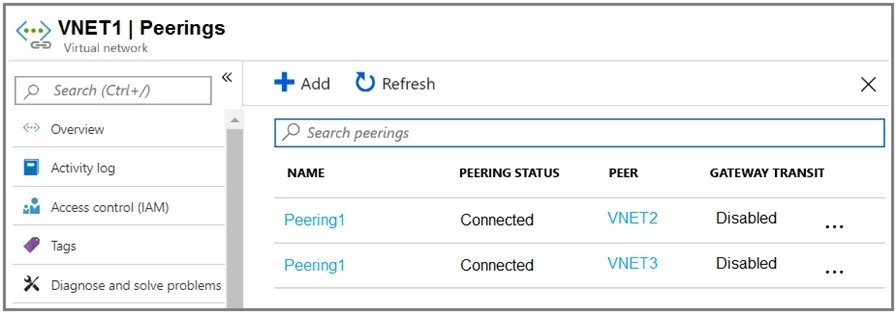
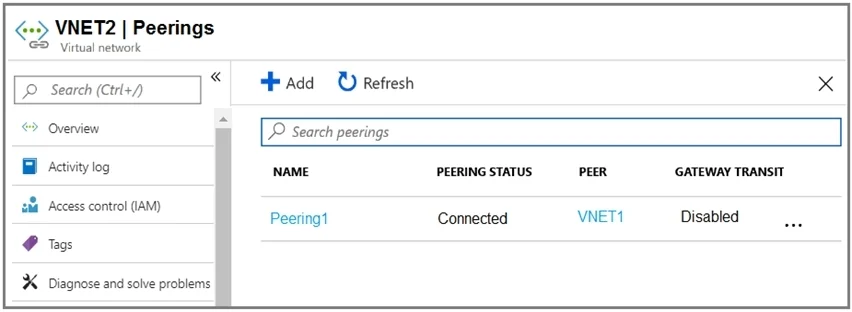
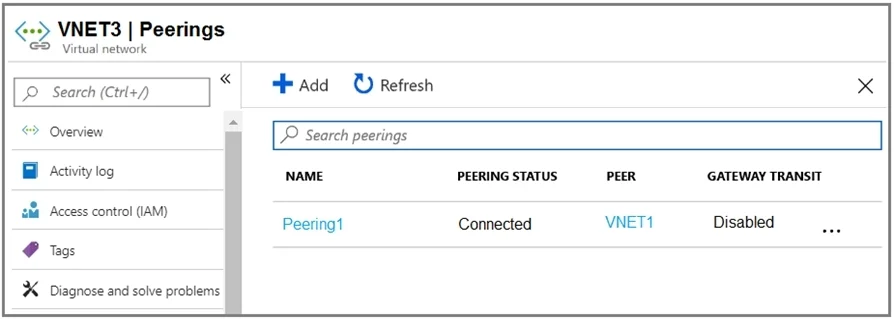
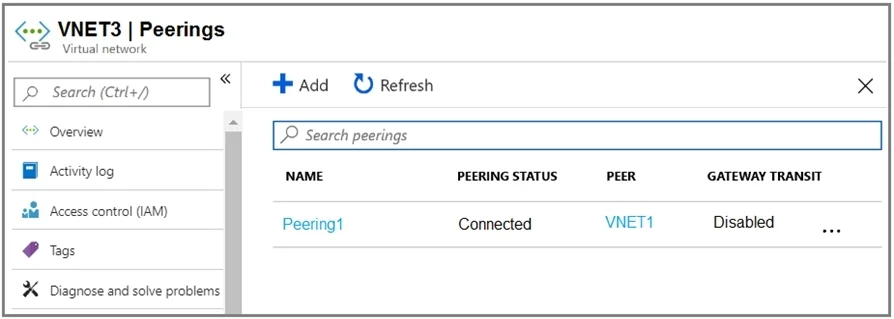
Hotspot Question You have an Azure subscription that contains three virtual networks named VNET1, VNET2, and VNET3. Peering for VNET1 is configured as shown in the following exhibit. Peering for…
The correct answer is Packets can be routed from VNET1 to VNET2. = Yes; Packets can be routed from VNET1 to VNET3. = Yes; Packets can be routed from VNET2 to VNET3. = No. Packets can only be routed between directly peered virtual networks because Azure VNet peering is non-transitive and Gateway Transit is disabled.
Question
Exhibits
Answer Area
- Packets can be routed from VNET1 to VNET2.Yes
- Packets can be routed from VNET1 to VNET3.Yes
- Packets can be routed from VNET2 to VNET3.No
Explanation
Packets can only be routed between directly peered virtual networks because Azure VNet peering is non-transitive and Gateway Transit is disabled.
Approach. 1. For 'Packets from VNET1 can be routed to:':
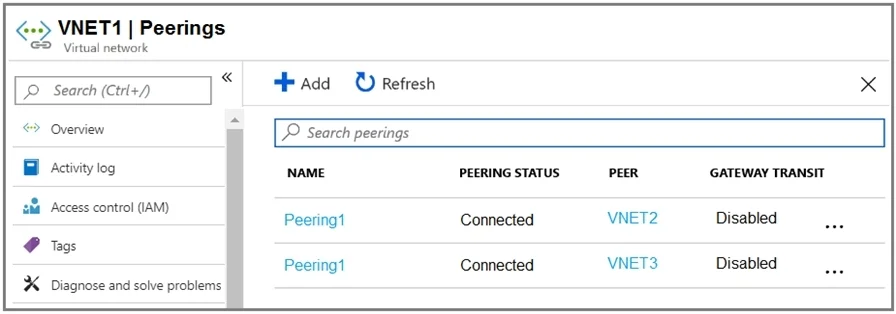
- Reviewing the 'VNET1 | Peerings' exhibit, VNET1 has direct, 'Connected' peerings with both VNET2 and VNET3. Since it is directly peered with both, it can route packets to both.
- Therefore, the correct selection for the first dropdown is 'VNET2 and VNET3'.
- For 'Packets from VNET2 can be routed to:':
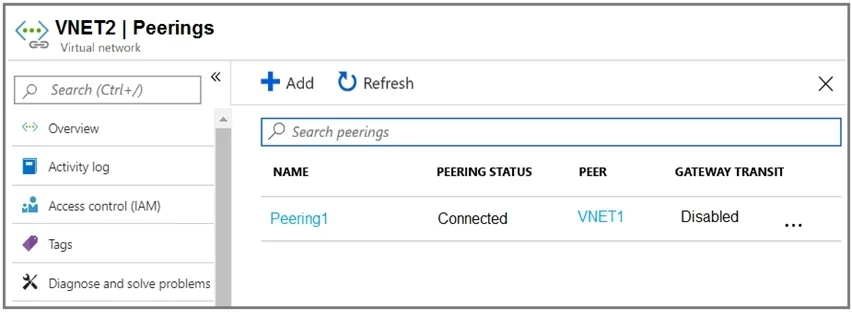
- Reviewing the 'VNET2 | Peerings' exhibit, VNET2 has a direct, 'Connected' peering only with VNET1. It does not have a direct peering with VNET3.
- Azure VNet peering is non-transitive by default. This means that even though VNET1 is peered with both VNET2 and VNET3, VNET2 cannot use VNET1 as a transit hub to reach VNET3 unless 'Gateway Transit' is specifically enabled on the relevant peerings (and a VPN gateway exists in the transit VNet). The exhibits clearly show 'Gateway Transit: Disabled' for all peerings.
- Therefore, VNET2 can only route packets to VNET1.
- The correct selection for the second dropdown is 'VNET1 only'.
Common mistakes.
- common_mistake. The most common mistake would be to assume that Azure VNet peering is transitive. If one were to assume transitivity, they might incorrectly conclude that VNET2 could route to VNET3 via VNET1 (e.g., selecting 'VNET1 and VNET3' for the second dropdown). However, VNet peering is strictly non-transitive, meaning direct connections are required, and communication cannot flow through an intermediate peered VNet unless 'Gateway Transit' is explicitly enabled and properly configured with a VPN gateway. In this scenario, 'Gateway Transit' is disabled for all peerings, reinforcing the non-transitive nature. Similarly, if one only focused on the first dropdown and selected 'VNET2 only' or 'VNET3 only', it would ignore the other direct peering VNET1 has.
Concept tested. Azure Virtual Network (VNet) Peering concepts, specifically its non-transitive nature and the role of 'Gateway Transit' in enabling cross-VNet connectivity through a central hub VNet (which is disabled in this scenario).
Topics
Community Discussion
No community discussion yet for this question.