
Microsoft
AI-102 · Question #204
SIMULATION You need to create a QnA Maker service named QNA12345678 in the East US Azure region. QNA12345678 must contain a knowledge base that uses the questions and answers available at…
Creating an Azure QnA Maker service involves defining its name and selecting an Azure region in the Azure portal.
Submitted by parkjh· Mar 30, 2026
Question
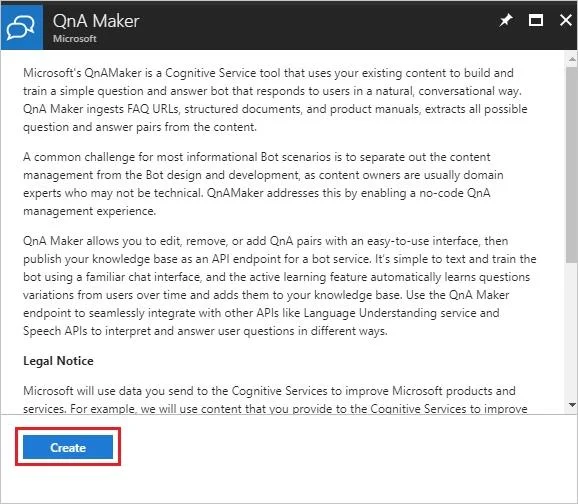
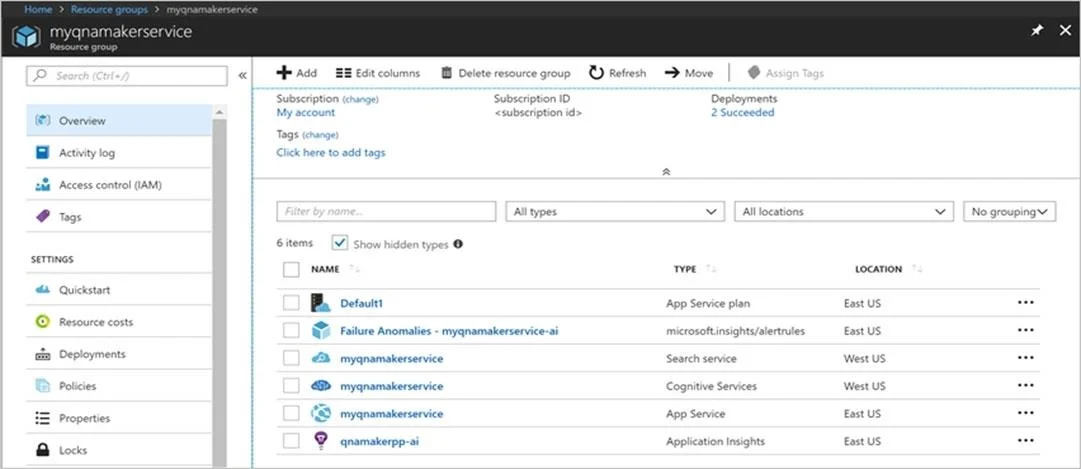
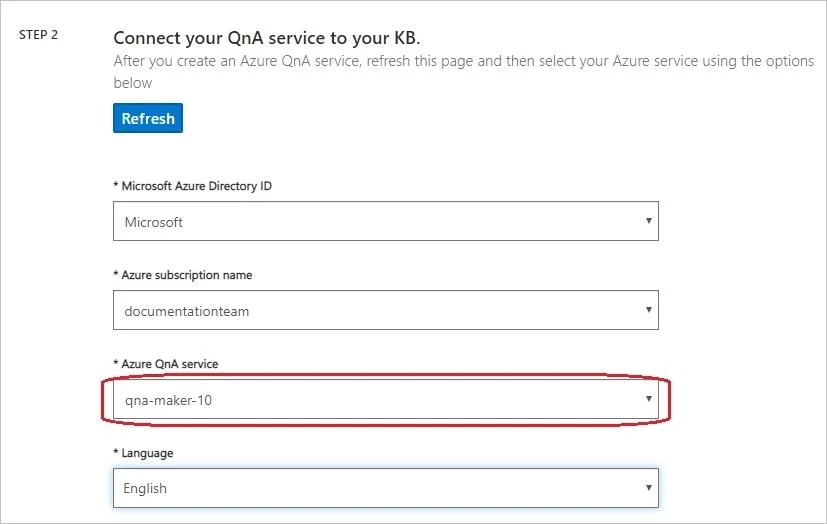
SIMULATION You need to create a QnA Maker service named QNA12345678 in the East US Azure region. QNA12345678 must contain a knowledge base that uses the questions and answers available at https://support.microsoft.com/en-us/help/12435/windows-10-upgrade-faq. To complete this task, sign in to the Azure portal and the QnA Maker portal. Answer: Step 1: Sign in to the Azure portal create and a QnA Maker resource. Step 2: Select Create after you read the terms and conditions: Step 3: In QnA Maker, select the appropriate tiers and regions. Name: QNA12345678 - In the Name field, enter a unique name to identify this QnA Maker service. This name also identifies the QnA Maker endpoint that your knowledge bases will be associated with. Resource Group Location: East US Azure Step 4: After all the fields are validated, select Create. The process can take a few minutes to complete. After deployment is completed, you'll see the following resources created in your subscription: Remember your Azure Active Directory ID, Subscription, QnA resource name you selected when you created the resource. Step 5: When you are done creating the resource in the Azure portal, return to the QnA Maker portal, refresh the browser page. Step 6: In the QnA Maker portal, select Create a knowledge base. Step 7: Skip Step 1 as you already have your QnA Maker resource. Step 8: In Step 2, select your Active directory, subscription, service (resource), and the language for all knowledge bases created in the service. Azure QnA service: QNA12345678 Step 9: In Step 3, name your knowledge base Step 10: In Step 4, configure the following setting: + Add URL: https://support.microsoft.com/en-us/help/12435/windows-10-upgrade-faq Step 11: In Step 5, Select Create your KB. The extraction process takes a few moments to read the document and identify questions and answers. After QnA Maker successfully creates the knowledge base, the Knowledge base page opens. Reference: https://docs.microsoft.com/en-us/azure/cognitive-services/qnamaker/how-to/set-up-qnamaker-ser vice-azure https://docs.microsoft.com/en-us/azure/cognitive-services/qnamaker/quickstarts/create-publish-kn owledge-base
Exhibits
Explanation
Creating an Azure QnA Maker service involves defining its name and selecting an Azure region in the Azure portal.
Concept tested. Creating an Azure QnA Maker service resource
Topics
#QnA Maker service#Knowledge base creation#Azure resource deployment
Community Discussion
No community discussion yet for this question.