
800-150 · Question #77
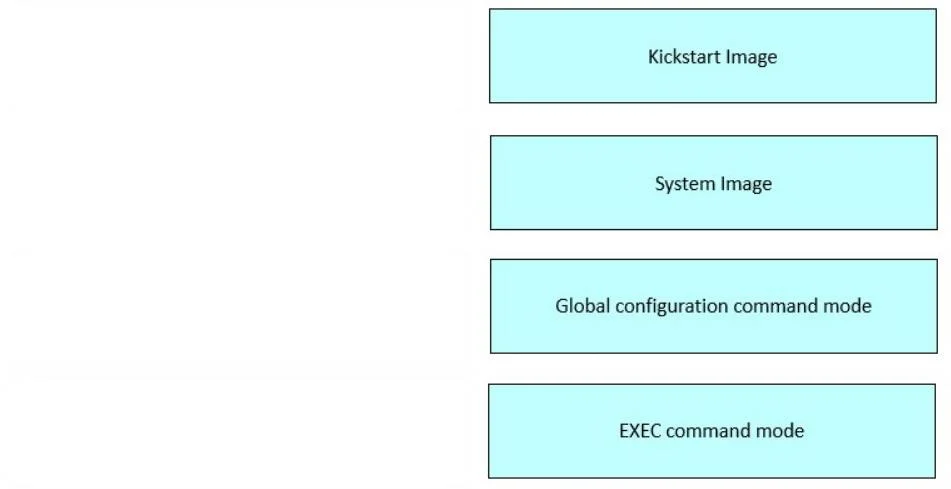
Drag and Drop Question Drag and drop the Cisco NX-OS components from the left onto the corresponding descriptions on the right. Answer:
The question as provided uses placeholder labels ("component1" through "component4") without revealing what the actual draggable items are, so I'll explain each target description and what NX-OS component belongs there - which is the knowledge the question is really testing…
Question
Drag and Drop Question Drag and drop the Cisco NX-OS components from the left onto the corresponding descriptions on the right. Answer:
Exhibit
Explanation
The question as provided uses placeholder labels ("component1" through "component4") without revealing what the actual draggable items are, so I'll explain each target description and what NX-OS component belongs there - which is the knowledge the question is really testing.
NX-OS Component Explanations
1. Kickstart Image
What it is: A small, lightweight boot image used in older NX-OS (pre-9.2) to initialize the kernel and bring up a minimal environment before loading the full OS.
Key facts:
- File typically named:
n7000-s2-kickstart.x.x.x.bin - Loads first during the boot sequence
- Does not contain full NX-OS features - it's a bootstrap only
- In modern NX-OS (9.2+), the kickstart image was unified into a single image, so this is a legacy concept
Common mistake: Confusing it with ROMMON or the BIOS. The kickstart image is NX-OS-specific, not firmware-level.
2. System Image
What it is: The primary NX-OS software image containing the full operating system, features, and protocols.
Key facts:
- File typically named:
n7000-s2-dk9.x.x.x.bin - Loads after the kickstart image in the legacy dual-image model
- Contains all routing protocols, feature modules, and management capabilities
Common mistake: Thinking the system image alone is sufficient to boot - on legacy platforms, both kickstart and system images were required. Modern unified images changed this.
3. Global Configuration Command Mode
What it is: The mode entered by typing configure terminal from privileged EXEC mode. Changes here affect the entire device.
Key facts:
- Prompt looks like:
switch(config)# - Used for interface configs, routing protocols, VLANs, features, etc.
- Commands apply globally unless scoped (e.g., entering interface sub-mode)
Common mistake: Confusing it with sub-configuration modes (like config-if). Global config is the parent; interface/VLAN modes are children.
4. EXEC Command Mode
What it is: The operational mode used for monitoring and diagnostics - not for making configuration changes.
Key facts:
- Two levels: User EXEC (
switch>) and Privileged EXEC (switch#) - Privileged EXEC is accessed via
enable - Commands like
show,ping,traceroute,copyrun here
Common mistake: Thinking show commands can only run in privileged EXEC - many basic show commands are available in user EXEC too, but privileged EXEC has full access.
Summary Table
| Description | NX-OS Component | Key Distinguisher |
|---|---|---|
| Kickstart Image | Legacy boot/kernel image | Loads first, minimal environment |
| System Image | Full NX-OS OS image | Contains all features |
| Global Config Mode | configure terminal | (config)# prompt, changes device |
| EXEC Mode | Operational/monitoring mode | show commands, no config changes |
Bottom line: The exam is testing whether you can distinguish NX-OS's dual-image boot architecture from its command hierarchy. The most common trap is conflating the kickstart vs. system image roles, or mixing up EXEC mode vs. config mode.
Topics
Community Discussion
No community discussion yet for this question.