
350-401 · Question #824
Lab Simulation 3 Guidelines This is a lab item in which tasks will be performed on virtual devices. - Refer to the Tasks tab to view the tasks for this lab item. - Refer to the Topology tab to…
OSPF Lab Simulation - Full Explanation --- Overall Goal This lab configures OSPF (Open Shortest Path First) between two routers with three specific requirements: interface-level OSPF advertisement, point-to-point network type, and MD5 authentication. The lab tests your…
Question
Exhibits
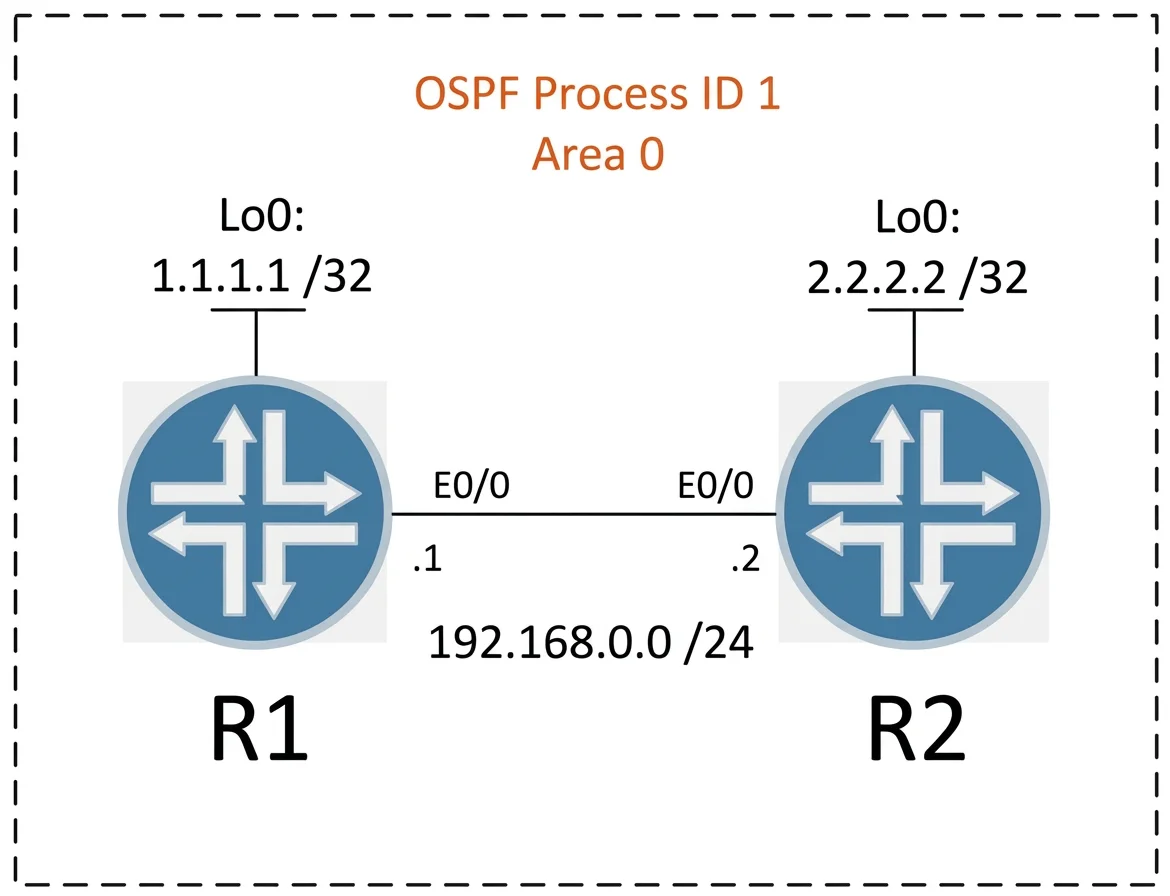
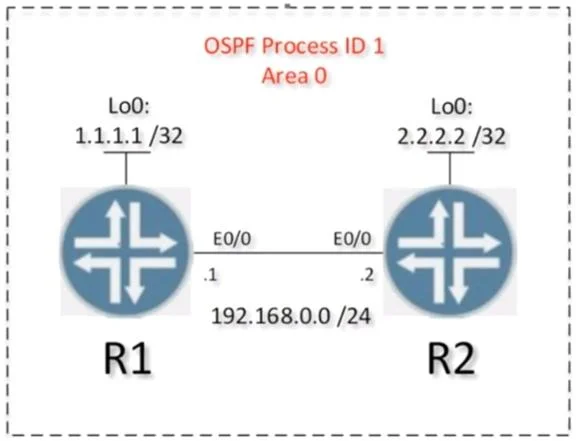
Explanation
OSPF Lab Simulation - Full Explanation
Overall Goal
This lab configures OSPF (Open Shortest Path First) between two routers with three specific requirements: interface-level OSPF advertisement, point-to-point network type, and MD5 authentication. The lab tests your knowledge of how OSPF can be configured beyond the traditional network statement approach.
Task 1 - Interface-Level OSPF (No network Statement)
Commands:
interface Ethernet 0/0
 ip ospf 1 area 0
interface lo0
 ip ospf 1 area 0
Why this works: Normally, you'd go into router ospf 1 and use network 192.168.0.0 0.0.0.255 area 0 to match interfaces. The ip ospf <process> area <area> command applied directly on the interface is an equivalent but more explicit alternative - it attaches OSPF directly to that interface without needing wildcard mask matching.
Why both interfaces matter:
Ethernet 0/0- the inter-router link; must be advertised so the neighbor relationship forms and routes are exchangedLoopback0- typically used as the router-id and represents the router itself in the OSPF topology; without it, the loopback network disappears from the OSPF database
What goes wrong if skipped: If you only configure Ethernet 0/0, the loopback network won't be advertised. If you configure neither and leave the network statement out, OSPF won't run at all.
Memory tip: Think of
ip ospf 1 area 0as "enrolling this interface in OSPF class 1, section 0" - the interface itself raises its hand to participate.
Task 2 - Point-to-Point Network Type
Command:
interface Ethernet 0/0
 ip ospf network point-to-point
Why this solves both requirements simultaneously:
| Requirement | Why point-to-point solves it |
|---|---|
| No DR/BDR election | DR/BDR elections only happen on broadcast and non-broadcast network types. Point-to-point skips the election entirely. |
| No extra /32 host routes | point-to-multipoint generates individual /32 routes for each neighbor. point-to-point does not - it installs a single route to the remote subnet. |
Why not other network types:
broadcast(default on Ethernet) - holds a DR/BDR election, which wastes time on a 2-router link and is unnecessarypoint-to-multipoint- no DR/BDR election , but does generate extra /32 host routes - - this is explicitly what the question forbidspoint-to-point- satisfies both constraints with a single command
Verification signal: After this change, show ip ospf neighbor shows FULL/- (the - means no DR/BDR role), confirming the election was suppressed.
What goes wrong if skipped: The neighbor relationship still forms, but a DR/BDR election occurs. On a two-router link this is harmless functionally, but it fails the lab requirement. Routing also works, but the question is specifically testing whether you know the correct network type.
Memory tip: "Two routers, one wire = point-to-point." Any time you have exactly two OSPF peers on a link and want the cleanest operation,
point-to-pointis the answer.
Task 3 - MD5 Authentication
Commands:
interface Ethernet 0/0
 ip ospf message-digest-key 1 md5 MY_PASSWORD
 ip ospf authentication message-digest
Two commands, two distinct roles:
-
ip ospf message-digest-key 1 md5 MY_PASSWORD- defines the key itself: key ID1, algorithmmd5, passphraseMY_PASSWORD. You can have multiple keys (for key rotation); the ID lets routers match them. -
ip ospf authentication message-digest- activates MD5 authentication on this interface. Without this second command, the key is defined but never used - OSPF hellos remain unauthenticated.
Why both routers need identical configuration: OSPF authentication is peer-to-peer. If R1 sends an MD5-authenticated hello but R2 isn't configured to authenticate, R2 drops the packet. If the key ID or password doesn't match, the neighbor relationship never reaches FULL state.
What goes wrong if skipped:
- Skip the key definition -> authentication command references a nonexistent key -> neighbor drops
- Skip the
authentication message-digestline -> key is silently unused, no authentication occurs -> lab requirement unmet - Mismatch passwords or key IDs -> neighbor stuck in EXSTART/EXCHANGE, never reaches FULL
Memory tip: "Define it, then activate it." Key definition without activation = a lock with no door. Activation without a key definition = a door with no lock.
Order Dependency
Tasks 1 and 2 can technically be done in either order on the interface, but Task 1 must complete before OSPF neighbors form - you need OSPF running before authentication matters. The logical order is:
Enable OSPF on interfaces -> Set network type -> Add authentication
Configuring authentication before OSPF is enabled on the interface is harmless but confusing. The neighbor relationship won't form until both sides have matching authentication, so Task 3 is effectively the last gate before FULL adjacency.
Verification Checklist
show ip ospf interface Ethernet 0/0
  -> Network Type: POINT_TO_POINT
  -> Cryptographic authentication enabled

show ip ospf neighbor
  -> State: FULL/-   (the "-" confirms no DR/BDR)

show ip route ospf
  -> Remote loopback and subnet routes present, no extra /32s
If any of these checks fail, trace back to the corresponding task above.
Topics
Community Discussion
No community discussion yet for this question.