
350-401 · Question #760
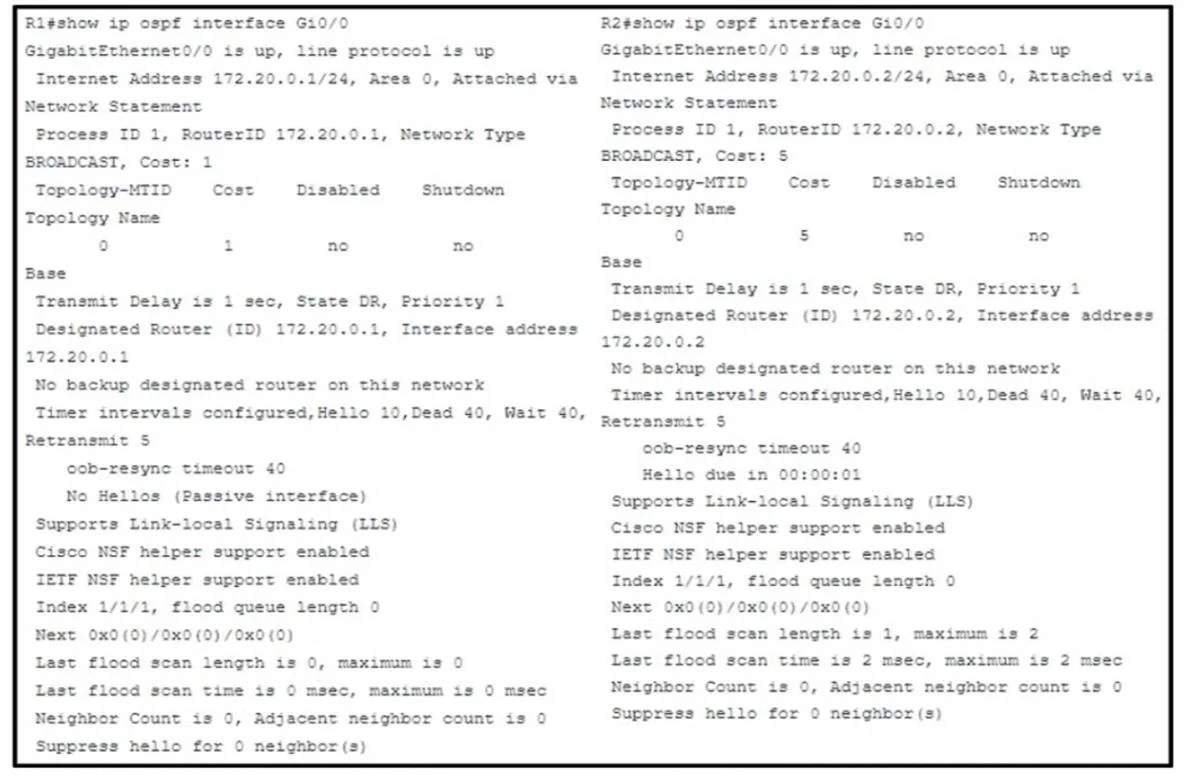
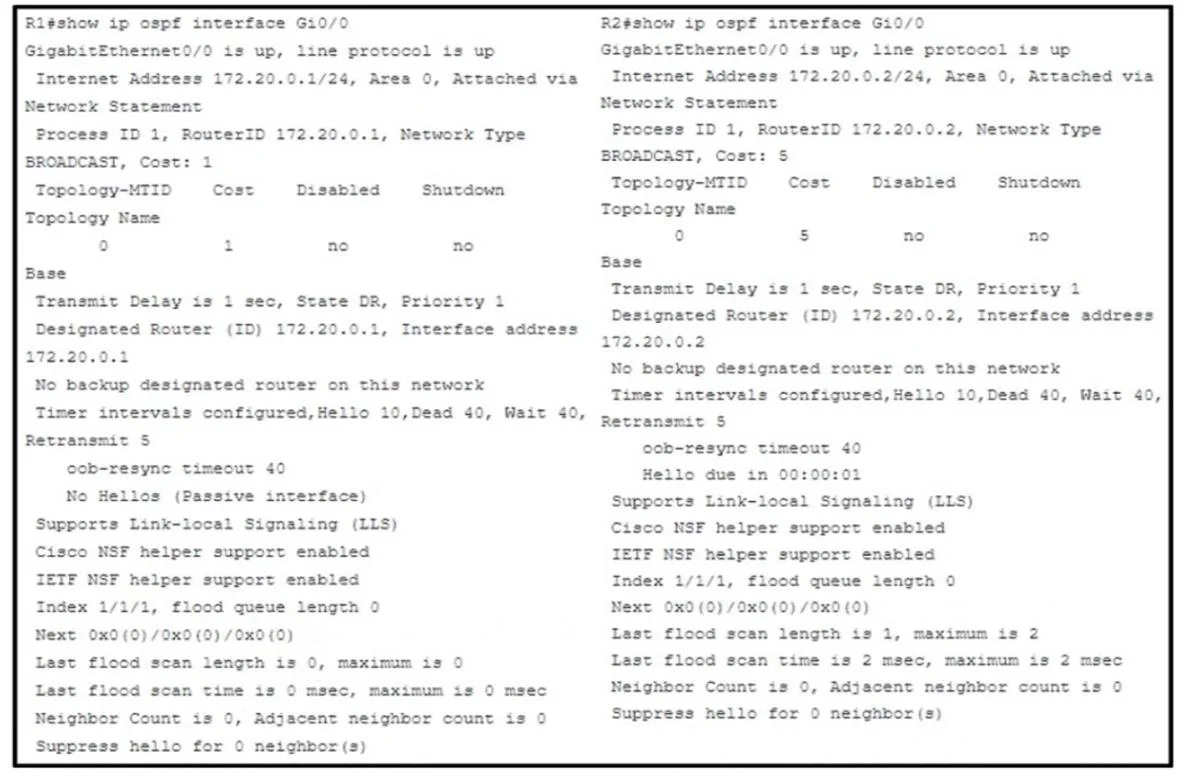
Refer to the exhibit. Cisco IOS routers R1 and R2 are interconnected using interface Gi0/0. Which configuration allows R1 and R2 to form an OSPF neighborship on interface Gi0/0?
The correct answer is C. R1(config)#router ospf 1. To form an OSPF neighborship, both routers must be configured within the same OSPF area, and the OSPF network command should precisely match the interface's IP address.
Question
Exhibits
Options
- AR2(config)#interface Gi0/0
- BR1(config)#router ospf 1
- CR1(config)#router ospf 1
- DR2(config)#router ospf 1
How the community answered
(35 responses)- A3% (1)
- B6% (2)
- C80% (28)
- D11% (4)
Why each option
To form an OSPF neighborship, both routers must be configured within the same OSPF area, and the OSPF `network` command should precisely match the interface's IP address.
This command only configures R2's interface; for neighborship, R1 also needs correct OSPF configuration, and the option does not provide a complete solution for both.
The wildcard mask `0.0.0.255` matches any host in the 10.1.1.0/24 network, which might be too broad or imprecise if the intent is to enable OSPF on a specific point-to-point interface with a /30 subnet.
The command `network 10.1.1.0 0.0.0.0 area 0` enables OSPF on the interface with the exact IP address of 10.1.1.0, placing it into OSPF area 0. This is a valid method to activate OSPF on a specific interface for neighborship, assuming both R1 and R2 are configured for area 0 on their respective connecting interfaces.
This configuration attempts to place R2's interface into `area 1`, which would prevent neighborship with R1 if R1 is configured for `area 0` (as implied by other options and typical backbone design), as OSPF neighbors must belong to the same area on a shared segment.
Concept tested: OSPF network command configuration
Source: https://www.cisco.com/c/en/us/td/docs/ios-xml/ios/iproute_ospf/configuration/15-mt/iro-ospf-15-mt-book/ospf-cfg.html
Topics
Community Discussion
No community discussion yet for this question.