
350-401 · Question #1274
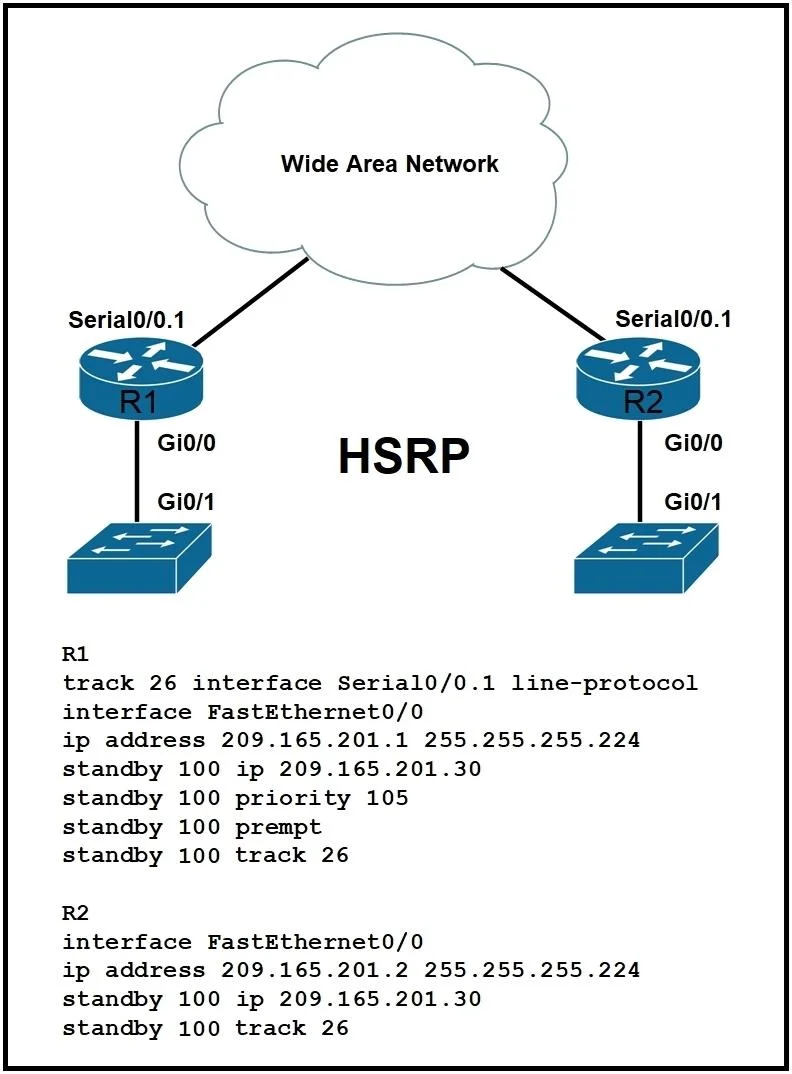
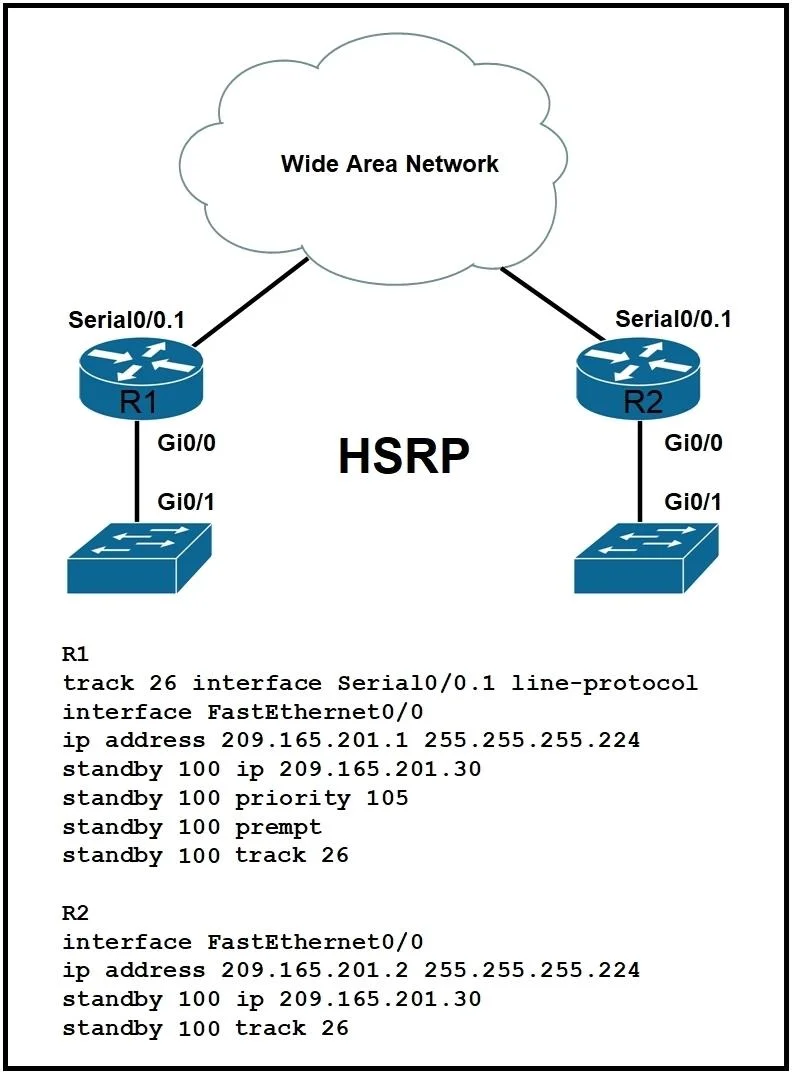
Refer to the exhibit. Which command must be added to enable R2 to take over as primary when Serial Interface 0/0.1 is down on R1?
The correct answer is C. R2# standy 100 preempt. HSRP Preemption Explanation Option C is correct because the standby 100 preempt command on R2 allows it to actively take over the active HSRP role when it has a higher priority than the current active router (R1, whose priority has decremented due to interface tracking)…
Question
Exhibits
Options
- AR1# no standy 100 track 26
- BR2# no standy 100 track 26
- CR2# standy 100 preempt
- DR2# standy 100 priority 100
How the community answered
(34 responses)- A3% (1)
- B3% (1)
- C82% (28)
- D12% (4)
Explanation
HSRP Preemption Explanation
Option C is correct because the standby 100 preempt command on R2 allows it to actively take over the active HSRP role when it has a higher priority than the current active router (R1, whose priority has decremented due to interface tracking). Without preempt configured on R2, it will never assume the active role even if its priority becomes higher than R1's.
Why the distractors are wrong:
- Option A is wrong because removing the tracking command on R1 would prevent R1's priority from decrementing when Serial 0/0.1 goes down, defeating the failover mechanism entirely.
- Option B is wrong because removing a tracking command on R2 makes no logical sense in this scenario - R2 needs additional functionality, not removal of configuration.
- Option D is wrong because setting R2's priority to 100 likely matches or is lower than R1's default/configured priority, so R2 still wouldn't take over as active even with equal priority without preempt.
Memory Tip: Think of preempt as "permission to promote" - a router with higher priority will only act on that priority if preempt is enabled. Without it, the router just watches but never takes over.
Topics
Community Discussion
No community discussion yet for this question.