
350-401 · Question #1234
Lab Simulation 16 Guidelines This is a lab item in which tasks will be performed on virtual devices. - Refer to the Tasks tab to view the tasks for this lab item. - Refer to the Topology tab to…
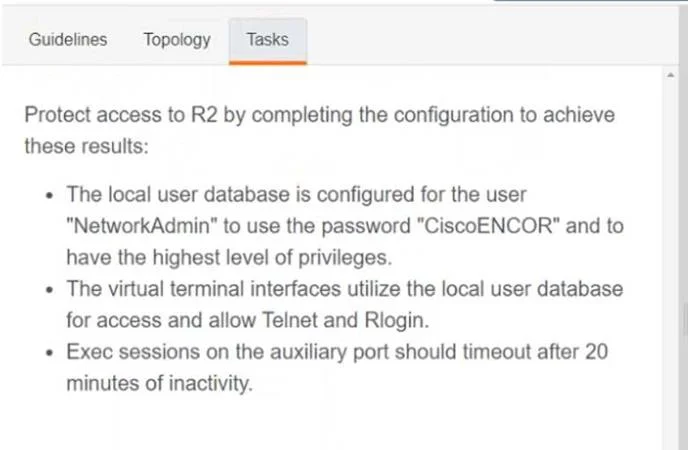
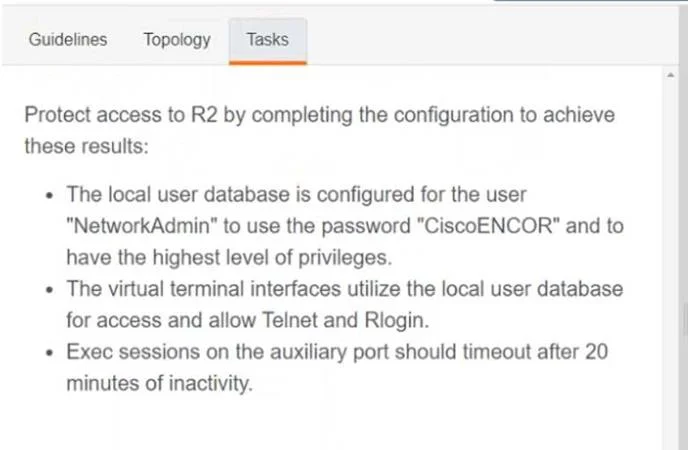
The lab simulation requires configuring local user authentication for remote access (Telnet/Rlogin) on router R2, setting the highest privilege level for the user, and configuring an inactivity timeout for exec sessions on the auxiliary port.
Question
Lab Simulation 16 Guidelines This is a lab item in which tasks will be performed on virtual devices.
- Refer to the Tasks tab to view the tasks for this lab item.
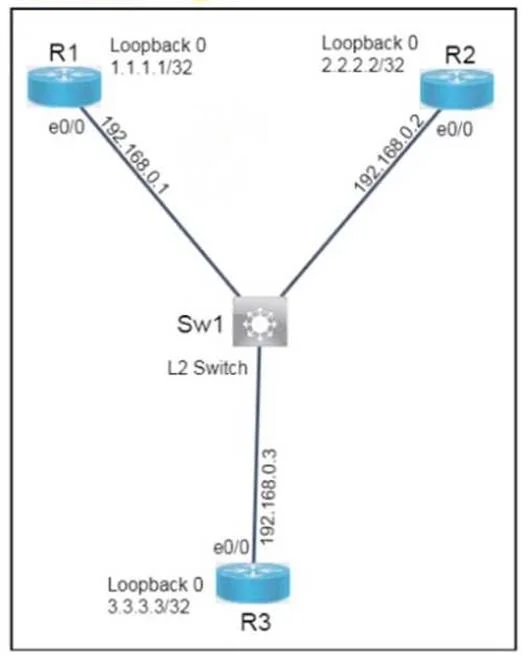
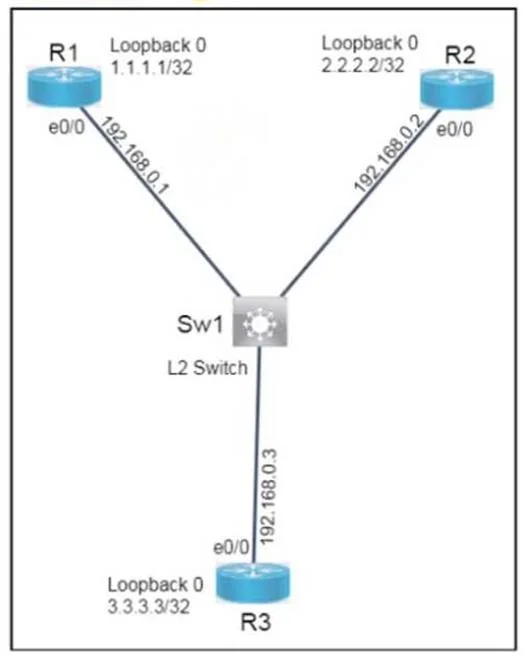
- Refer to the Topology tab to access the device console(s) and perform the tasks.
- Console access is available for all required devices by clicking the device icon or using the
tab(s) above the console window.
- All necessary preconfigurations have been applied.
- Do not change the enable password or hostname for any device.
- Save your configurations to NVRAM before moving to the next item.
- Click Next at the bottom of the screen to submit this lab and move to the next question.
- When Next is clicked, the lab closes and cannot be reopened.
Topology Tasks Answer:
R2:
config t username NetworkAdmin privilege 15 password CiscoENCOR line vty 0 4 login local transport input telnet rlogin exec-timeout 1200 0
Exhibits
Explanation
The lab simulation requires configuring local user authentication for remote access (Telnet/Rlogin) on router R2, setting the highest privilege level for the user, and configuring an inactivity timeout for exec sessions on the auxiliary port.
Approach. The provided 'Answer' string outlines the Cisco IOS commands necessary to fulfill most of the task requirements, intended to be entered on router R2:
-
config t: This command enters global configuration mode, which is the prerequisite for making system-wide changes on the router. -
username NetworkAdmin privilege 15 password CiscoENCOR: This command creates a local user account named 'NetworkAdmin'. Theprivilege 15option grants this user the highest possible administrative privileges, fulfilling the requirement for 'highest level of privileges'. Thepassword CiscoENCORsets the authentication password for this user, fulfilling the specific password requirement. -
line vty 0 4: This command enters line configuration mode for the virtual terminal lines (VTYs) 0 through 4. VTY lines are used for remote administrative access protocols like Telnet and SSH. This addresses the second task bullet about configuring virtual terminal interfaces. -
login local: Configured under the VTY lines, this command instructs the router to authenticate users attempting to access these VTY lines against its local user database (where 'NetworkAdmin' was just created), fulfilling the requirement to 'utilize the local user database for access'. -
transport input telnet rlogin: Also configured under the VTY lines, this command specifies which incoming transport protocols are allowed for remote access on these lines. By specifyingtelnet rlogin, it explicitly enables only these two protocols, fulfilling the requirement to 'allow Telnet and Rlogin'. -
exec-timeout 1200 0: This command sets the inactivity timeout for an executive session. The first number (1200) represents minutes, and the second (0) represents seconds. Thus,1200 0translates to 1200 minutes or 20 hours.- Note on discrepancy: The task explicitly asks for 'Exec sessions on the auxiliary port should timeout after 20 minutes of inactivity'. The provided 'Answer' command
exec-timeout 1200 0sets the timeout to 20 hours, not 20 minutes. Furthermore, its placement after VTY configurations implies it might be applied to VTY lines, whereas the task specifies the auxiliary port. To correctly address the task for the auxiliary port with 20 minutes timeout, the command sequence would beline aux 0followed byexec-timeout 20 0. If theexec-timeoutwas intended for the VTY lines as suggested by its placement, it would still requireexec-timeout 20 0to match the 20-minute requirement.
- Note on discrepancy: The task explicitly asks for 'Exec sessions on the auxiliary port should timeout after 20 minutes of inactivity'. The provided 'Answer' command
Common mistakes.
- common_mistake. Common mistakes include:
- Incorrect Privilege Level: Using a privilege level other than 15 (e.g.,
privilege 1) for 'NetworkAdmin' would grant insufficient access, failing the 'highest level of privileges' requirement. - Missing
login local: Withoutlogin localunder the VTY lines, remote users would not be authenticated against the local database, likely preventing access or requiring a different authentication method. - Incorrect
transport inputprotocols: Specifyingtransport input sshor omittingtelnet rloginwould prevent Telnet or Rlogin access as required by the task. Usingtransport input allwould allow unwanted protocols like SSH if not intended. - Incorrect
exec-timeoutvalue or line: Failing to specifyexec-timeout 20 0(for 20 minutes) or applying it to the wrong line type (e.g., VTY instead of auxiliary port as specified by the task, or vice versa if the task implies VTY timeout) would be incorrect. The provided1200 0(20 hours) is a common numerical error when trying to achieve a 20-minute timeout. - Not entering line configuration mode: Attempting to apply line-specific commands (like
login localortransport input) from global configuration mode would result in syntax errors.
Concept tested. This question tests core Cisco IOS device security and remote access configuration concepts, including local user account management (username, password, privilege levels), virtual terminal (VTY) line configuration, remote access protocol control (Telnet, Rlogin), and session management via inactivity timeouts (exec-timeout) for specific line types (VTY and auxiliary port).
Topics
Community Discussion
No community discussion yet for this question.