
300-615 · Question #281
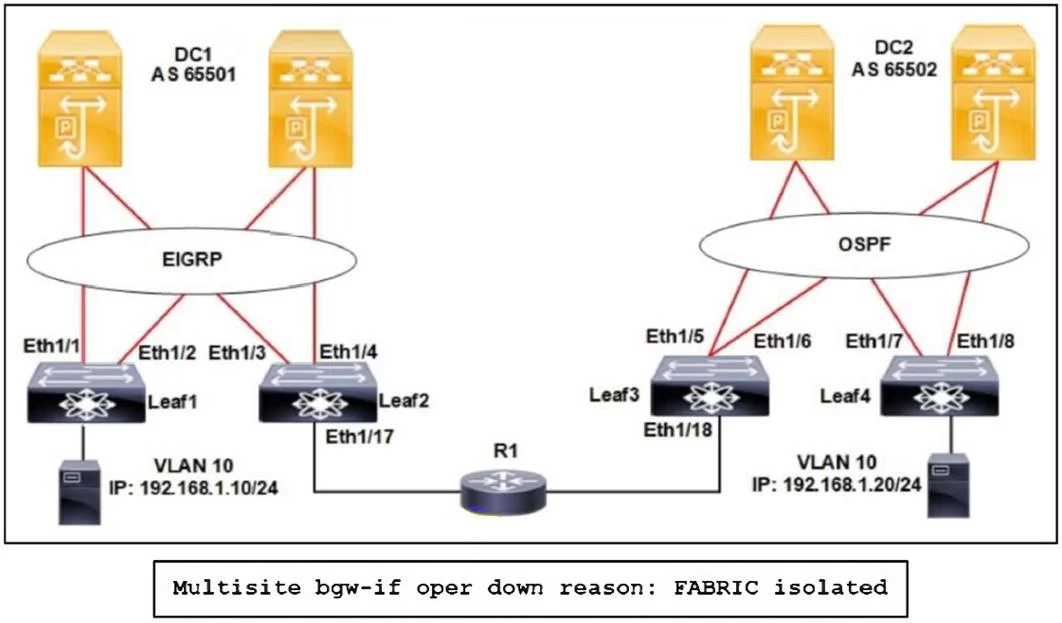
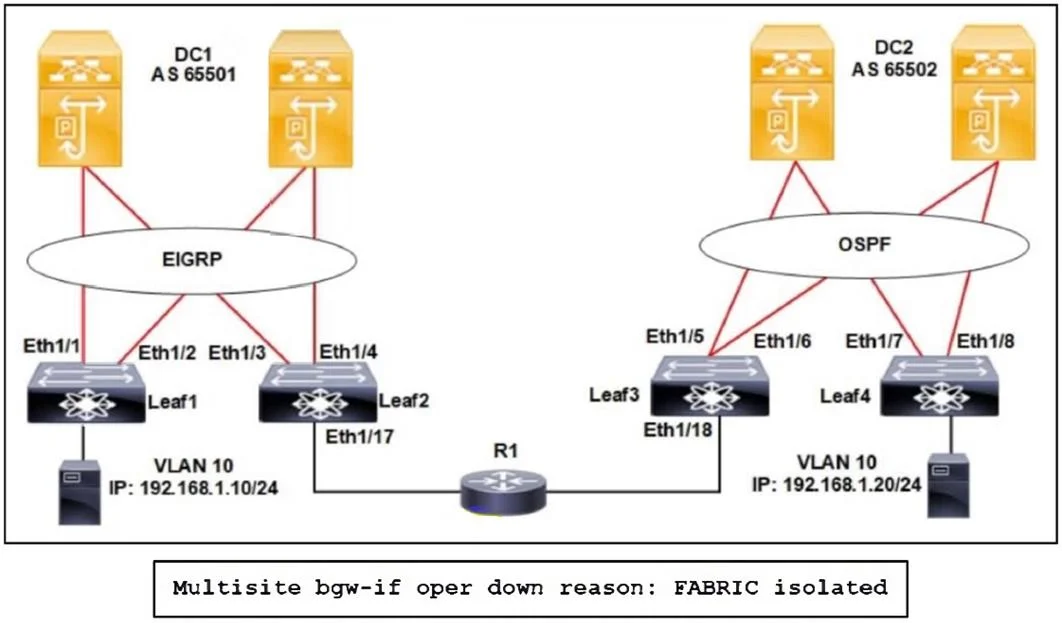
Refer to the exhibit. The data centers are connected using the EVPN Multi-Site solution. However, VLAN 10 fails to extend to the secondary site with the message shown. Which action extends VLAN 10…
The correct answer is A. Configure multisite DCI-tracking on interface Eth1/18. The EVPN Multisite gateway‐IF (loopback10) is going down because the router‐based DCI path isn't being tracked by Multisite. You must enable DCI-tracking on the leaf's DCI link so the control plane knows when the inter-site underlay is up. In this topology the DCI interface on…
Question
Refer to the exhibit. The data centers are connected using the EVPN Multi-Site solution. However, VLAN 10 fails to extend to the secondary site with the message shown. Which action extends VLAN 10 to the secondary site?
Exhibits
Options
- AConfigure multisite DCI-tracking on interface Eth1/18.
- BEnable multisite fabric-tracking on interface Eth 1/7.
- CEnable multisite DCI-tracking on interface Eth1/4.
- DConfigure multisite fabric-tracking on interface Eth1/6.
How the community answered
(27 responses)- A81% (22)
- B4% (1)
- C4% (1)
- D11% (3)
Explanation
The EVPN Multisite gateway‐IF (loopback10) is going down because the router‐based DCI path isn't being tracked by Multisite. You must enable DCI-tracking on the leaf's DCI link so the control plane knows when the inter-site underlay is up. In this topology the DCI interface on the secondary side is Ethernet1/18, so: Leaf3(config)# interface ethernet1/18 Leaf3(config-if)# evpn multisite dci-tracking Once DCI-tracking is enabled, the Multisite VIP (and thus VLAN 10) will come up at the
Topics
Community Discussion
No community discussion yet for this question.