
CompTIA
220-1201 · Question #167
SIMULATION 8 A third-party contractor recently installed a new switch, router, and cabling for a small corporate office. After the installation, users started experiencing issues connecting to…
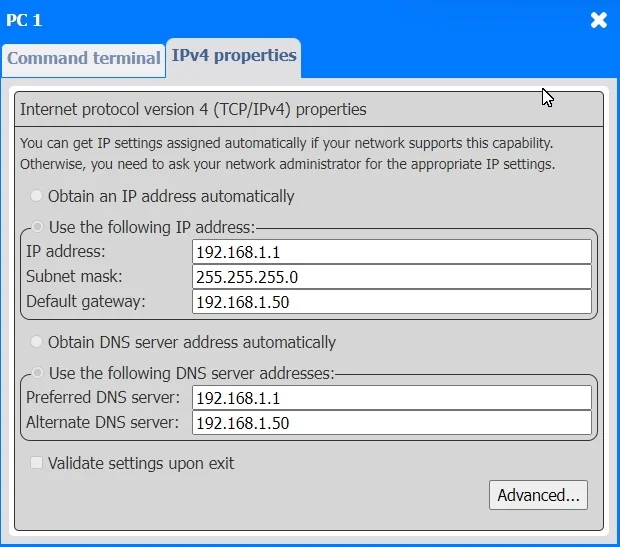
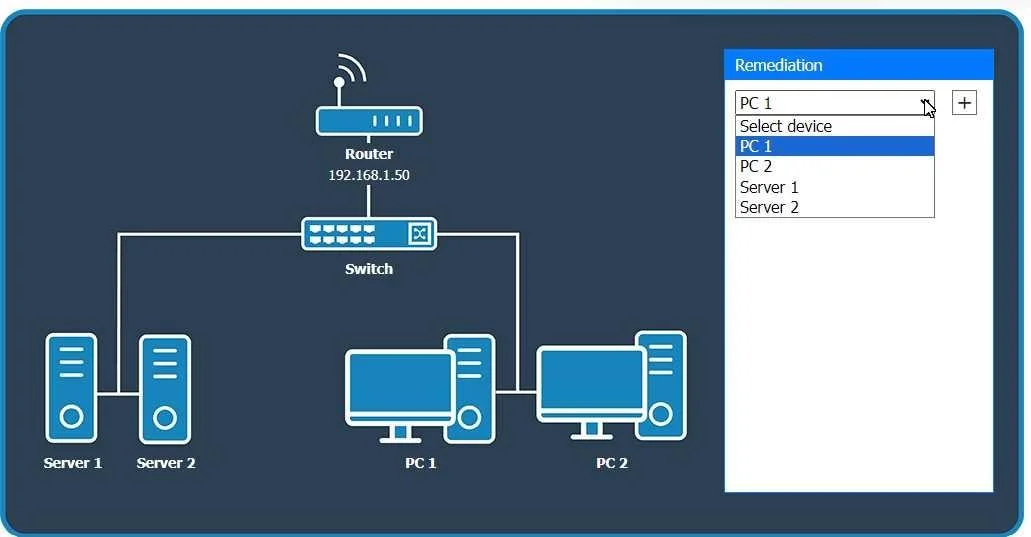
This simulation involves troubleshooting network connectivity issues by examining PC and server configurations to identify and resolve IP address conflicts.
Submitted by klara.se· Mar 30, 2026Networking
Question
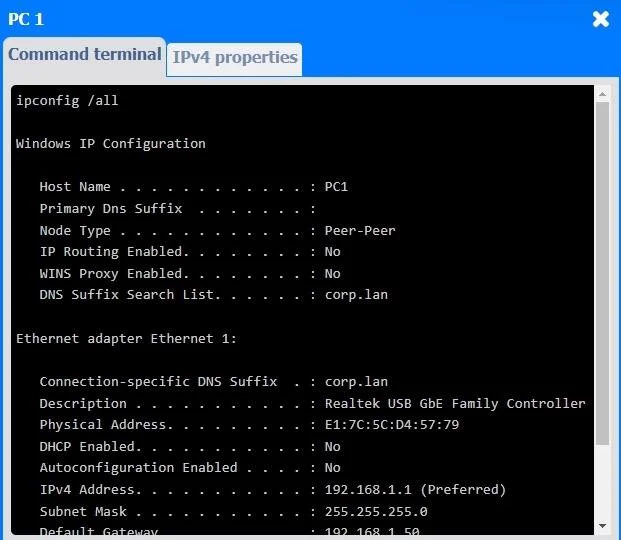
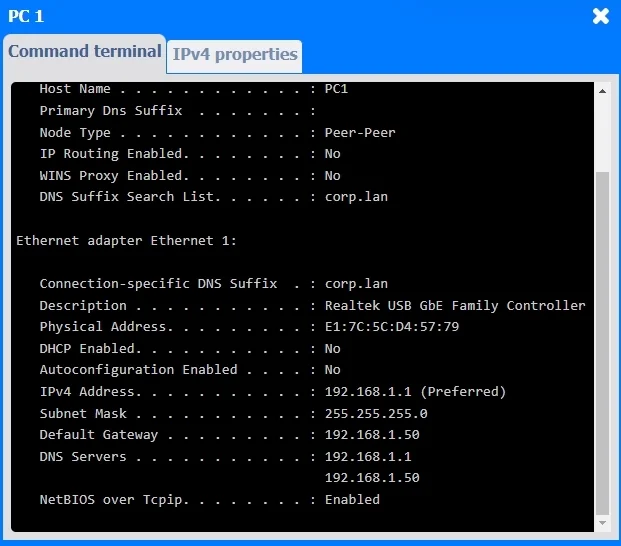
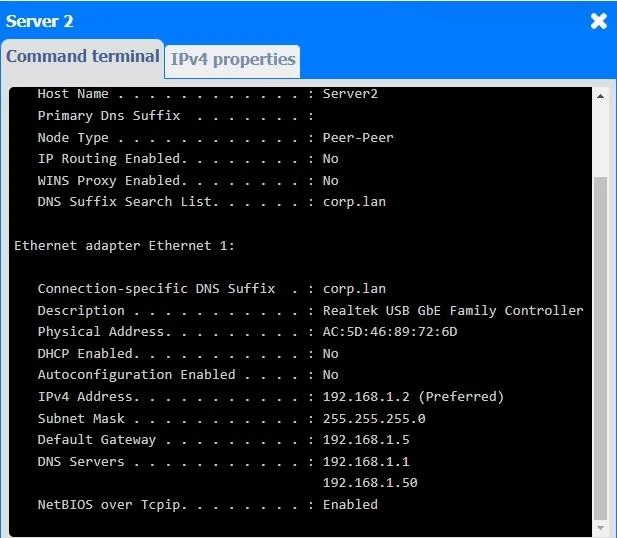
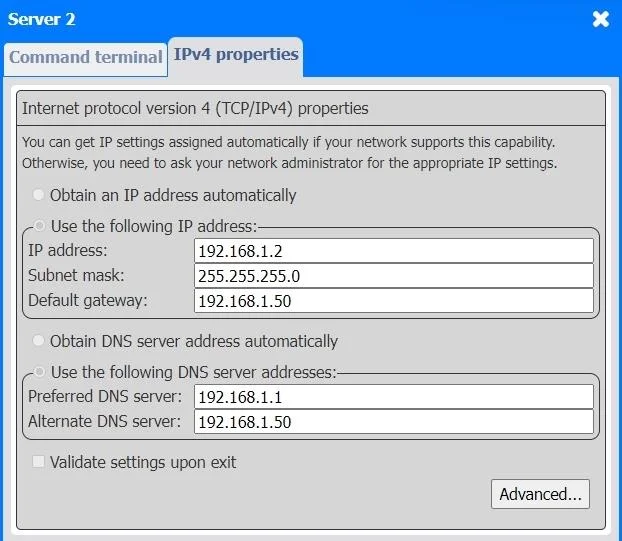
SIMULATION 8 A third-party contractor recently installed a new switch, router, and cabling for a small corporate office. After the installation, users started experiencing issues connecting to resources over the network. INSTRUCTIONS Click on each PC and server to review outputs. From the remediation section on the right, select an issue and solution for each device. Answer: Looking at the network configurations and outputs from both PCs and servers, here are the possible issues and solutions: 1. PC 1 Issue: The IP address for PC1 is 192.168.1.1, which conflicts with Server 1 (which also uses 192.168.1.1). Solution: Change the IP address on PC1 to a unique one within the range, like 192.168.1.3. 2. PC 2 Issue: PC 2 is configured with 192.168.1.2, which conflicts with Server 2 that has the same IP address. Solution: Update the IP address on PC 2 to something unique, like 192.168.1.4. 3. Server 1 Issue: The IP address for Server 1 is 192.168.1.1, which conflicts with PC1. Solution: Since Server 1 and PC1 are using the same IP address, change one of them. For Server 1, you could change the IP address to 192.168.1.5. 4. Server 2 Issue: Server 2 is using the IP address 192.168.1.2, which conflicts with PC2. Solution: Update Server 2 to use a different IP address, such as 192.168.1.6. General Remediation: The primary problem here is overlapping IP addresses, leading to connectivity issues. Each device on the network must have a unique IP address. After making these changes, ensure that all devices can communicate properly by testing the connection between devices and verifying they can access shared resources.
Exhibits
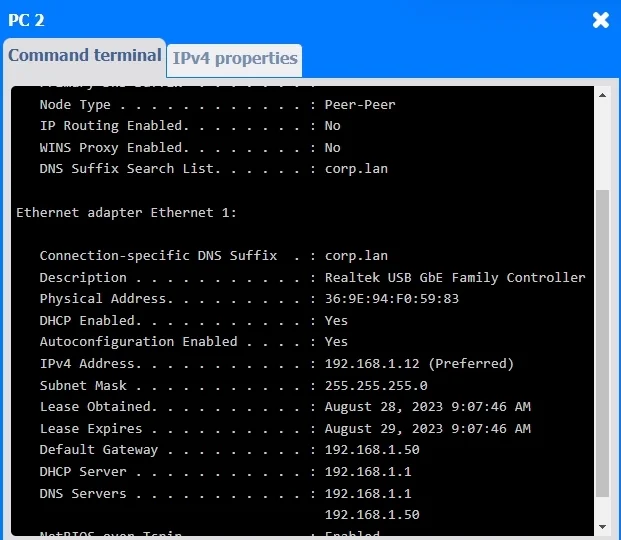
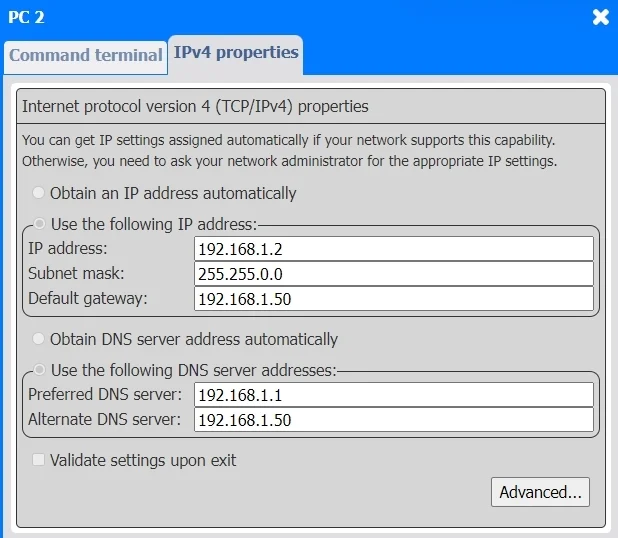
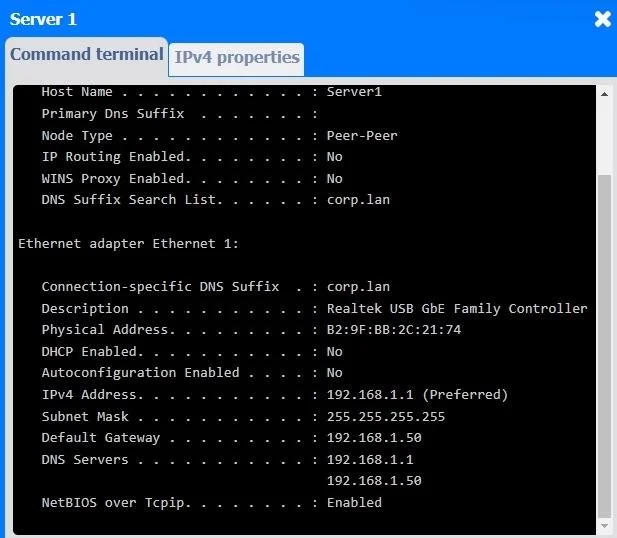
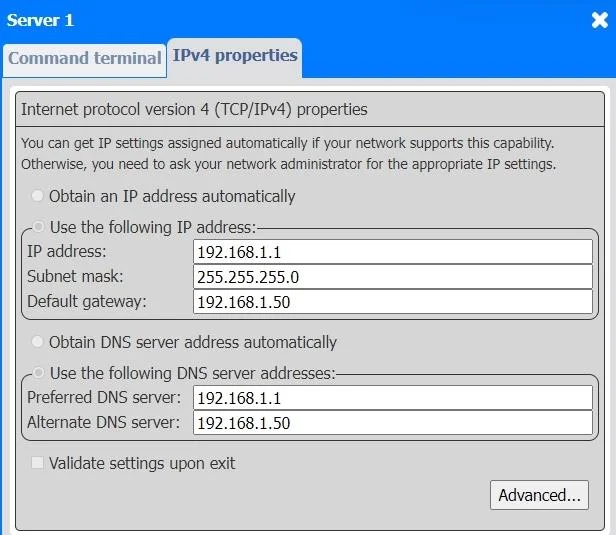
Explanation
This simulation involves troubleshooting network connectivity issues by examining PC and server configurations to identify and resolve IP address conflicts.
Common mistakes.
- A. Ignoring IP address conflicts or attempting to troubleshoot other network layers (e.g., physical cabling) without first resolving the fundamental IP address duplication would prevent devices from communicating effectively on the network.
Concept tested. IP addressing, network troubleshooting
Topics
#IP addressing#Network troubleshooting#IP conflict#TCP/IP configuration
Community Discussion
No community discussion yet for this question.